Cost optimizationGuide
Count tokens before you send a request: tiktoken in Python
Estimate a prompt's token count offline with tiktoken, check it against the context window, price it, and compare with the API's usage field.
On this page
You can count a prompt's tokens on your own machine before it is sent: install tiktoken, encode the text, take len() of the result. tiktoken is OpenAI's tokeniser, so for DeepSeek, GLM and MiniMax models the number is an estimate. The real figure comes back in usage. after the first call, and comparing the two takes one more line.
Why bother? Because the bill and the errors both start with the input size. Paste a long contract into a script, and you find out it was too big only when the API answers with a 400. Run a batch of five thousand emails, and you find out what it cost only when the balance is lower. Counting first turns both surprises into a number you can read in advance.
Five lines that count tokens#
The tiktoken README (checked 1 November 2026) shows the whole idea: pick an encoding, encode the text, and the length of the list is the token count.
pip install tiktokenimport tiktoken
enc = tiktoken.get_encoding('o200k_base')
text = 'Hello world'
tokens = enc.encode(text)
print(len(tokens)) # how many tokens the text is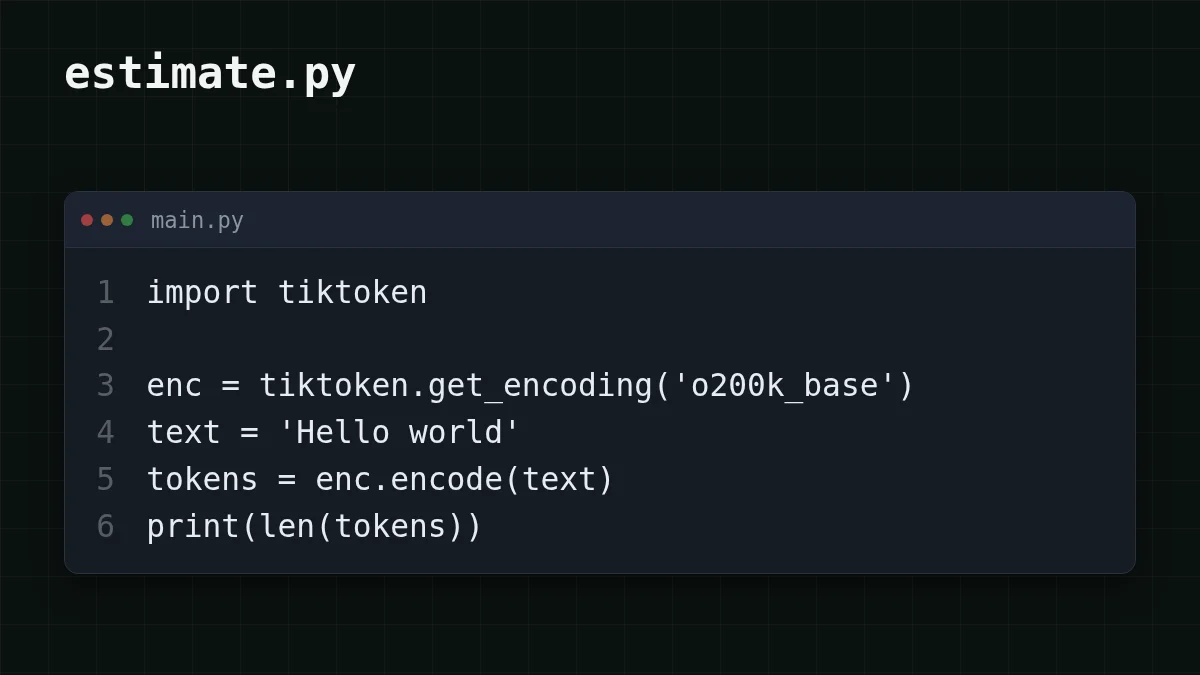
enc. gives back the original text, which is a handy sanity check that you are looking at the same text the model will see. The README also mentions tiktoken., which picks the tokeniser for a specific OpenAI model. That is the catch worth remembering: tokenisers belong to model families. The README's rule of thumb is about four bytes of text per token, and it describes OpenAI's tokenisers only.
So what do you do for a DeepSeek model? Use the same count as a working estimate, and calibrate it, as shown below.
Guess the number
Roughly how many tokens is a 2,000-character English text?
Your guess
02,000
Show answer
Answer: 500
About 500. With the README's rule of thumb of four bytes per token, and plain English text at about one byte per character, 2,000 ÷ 4 = 500. Other languages and emoji take more bytes per character, so the same 2,000 characters usually mean more tokens by that rule.
Does the prompt fit the window?#
Every model has a context window, and your input plus the answer you allow has to fit in it. The windows for the models we serve: DeepSeek-V4-Flash 380K, GLM-5.3-Flash 390K, MiniMax-M2.7 180K tokens. The longest answer is 32,768 tokens for DeepSeek-V4-Flash and 8,192 for the other two (CheapTokens model list, 1 November 2026).
A guard before the call is four lines:
CONTEXT = {
    'deepseek-ai/DeepSeek-V4-Flash-0731': 380_000,
    'zai-org/GLM-5.3-Flash': 390_000,
    'MiniMaxAI/MiniMax-M2.7': 180_000,
}

def fits(prompt_tokens, max_tokens, model):
    return prompt_tokens + max_tokens <= CONTEXT[model]
Say you have a 250,000-token document. fits(250_ is False, so you route that job to a model with a bigger window or split the document, and the 400 never happens. fits(250_ is True. If you want the full story of what the error looks like, request too long: 400 vs 413, context window and max_tokens walks through it.
What will it cost?#
Now the budget. Take one typical item, count it, and multiply. Suppose you classify 5,000 order emails. You count one representative email and get about 800 input tokens, and you cap the label and a short reason at 200 output tokens. The totals: 5,000 × 800 = 4,000,000 input tokens and 5,000 × 200 = 1,000,000 output tokens.
The table below prices exactly that workload at live prices, with input and output counted together:
| Model | Input $/1M | Output $/1M | Per request | 5,000 requests | OpenRouter, 5,000 requests |
|---|---|---|---|---|---|
| GLM-5.3-Flash | $0.02 | $0.04 | $0.000024 | $0.12 | $0.217 |
| DeepSeek-V4-Flash | $0.015 | $0.10 | $0.000032 | $0.16 | $0.42 |
| MiniMax-M2.7 | $0.05 | $0.15 | $0.00007 | $0.35 | $4.20 |
800 input and 200 output tokens per request. Prices per 1M tokens are current and change together with our tariffs; the OpenRouter column shows reference prices for the same workload.
In total, with input and output counted together, the CheapTokens column is cheaper than OpenRouter for these models. Change the three numbers to your own counts and you have a budget before the first request. For the difference between the two sides of the bill, see input vs output tokens: what an AI API bills you for, and for real measured examples how many tokens an API request uses. Current prices are always on the pricing page.
Compare the estimate with usage#
The estimate is a guess about someone else's tokeniser, so check it once against the answer key. Every response carries a usage field, and usage. is what the API counted for your input. Put the two numbers side by side and divide.
Step by step
Run the comparison
Set up
Install the packages and put the key in an environment variable. Never paste it into the script.
pip install tiktoken openai
export CHEAPTOKENS_API_KEY='your-key-here'
Run the script
Save this as compare.py. It counts locally, sends the request to https:/, and prints both numbers. The model id is the full one from the CheapTokens model list, since shortened names are not accepted.
import os
import tiktoken
from openai import OpenAI

MODEL = 'deepseek-ai/DeepSeek-V4-Flash-0731'
enc = tiktoken.get_encoding('o200k_base')
messages = [{'role': 'user',
             'content': 'Classify this email as order, refund or other: Hi, my parcel from last Tuesday has not arrived yet.'}]

estimate = sum(len(enc.encode(m['content'])) for m in messages)

client = OpenAI(base_url='https://api.cheaptokens.dev/v1',
                api_key=os.environ['CHEAPTOKENS_API_KEY'])
r = client.chat.completions.create(model=MODEL, messages=messages, max_tokens=200)

real = r.usage.prompt_tokens
print(f'estimate {estimate}, usage.prompt_tokens {real}, ratio {real / estimate:.2f}')
Read the gap
The last line prints three numbers. Say it shows estimate 24, usage.. Then multiply your future estimates by the ratio before budgeting. A real prompt is also wrapped in chat formatting, so the real count can come out a little above the plain-text estimate. Run it on a few typical prompts, not one, and use the average ratio.
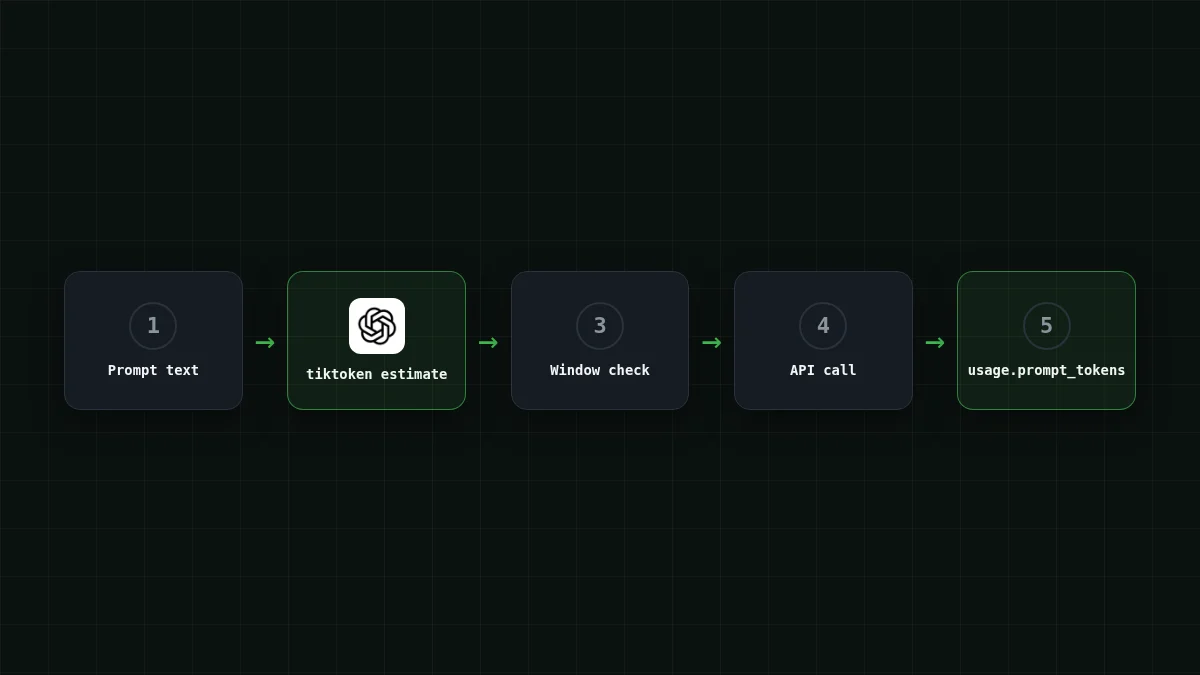
From then on the routine is: estimate locally, guard the window, apply your ratio to the budget, and let usage in each response keep you honest. If you also want the running total over a whole job, track AI agent token cost in Python builds that on the same field. New to the connection itself? Your first API request with CheapTokens covers it, and the docs have the rest.
Match the pairs
Match each name to what it tells you
Tap an item on the left, then its pair
- len(enc.encode(text))Your local estimate of the input size
- usage.prompt_tokensThe input size as the API counted it
- usage.completion_tokensThe size of the answer, priced on the output side
- max_tokensThe cap on answer length that you reserve in the window check
Counting is cheap, local and takes seconds. Do it before the call that costs money.


