AI for beginnersGuide
Cap an LLM batch's cost in Python: a ledger and a hard budget
Log tokens and cost of every API call to a JSONL file, stop the batch at a budget, and estimate the bill before you run it. Python code included.
On this page
Your script loops over 200 prompts, you close the laptop lid, and in the morning you find out what the night cost. Two small habits fix that. After every API call, append one line with tokens and cost to a ledger file. Before every call, compare the running total with a budget and stop if it's reached. That's under 50 lines of Python, and a 5-prompt trial run tells you the bill before the real run starts.
What the Clocktower run does that you can copy#
Dwarkesh Patel, host of the Dwarkesh Podcast, ran 11 models against each other in Blood on the Clocktower, 386 games according to the README, and published the code, logs and ratings (github.com/dwarkeshsp/clocktower, checked 8 November 2026). Two details from the repo are worth stealing. Each game directory keeps a per-call log with tokens and cost, and spend goes to games/. A --budget flag caps the total spend; the default is $1,000. The benchmark site adds a third guard: every model gets the same 8,000-token ceiling per turn (clocktowerbench.com).
So: a ceiling on each call, a log of each call, a cap on the total. A tournament needs all three, and so does your overnight run, just smaller.
Think of the ledger as the receipt roll in a shop's till. Every sale prints a line; the manager can add up the roll at any moment and knows when the day's float is gone.
The ledger: one file, one line per call#
Here is the whole thing. It uses the openai package pointed at CheapTokens (https:/, see the docs for the key and the model ids).
import json
import os
from pathlib import Path

from openai import OpenAI

client = OpenAI(
    base_url='https://api.cheaptokens.dev/v1',
    api_key=os.environ['CHEAPTOKENS_API_KEY'],
)
MODEL = 'deepseek-ai/DeepSeek-V4-Flash-0731'
PRICE_IN, PRICE_OUT = 1.00, 2.00  # USD per 1M tokens: example, substitute current ones


class BudgetExceeded(Exception):
    pass


class Ledger:
    def __init__(self, path, budget_usd):
        self.path = Path(path)
        self.budget = budget_usd
        self.rows = []
        if self.path.exists():
            with self.path.open() as f:
                self.rows = [json.loads(line) for line in f if line.strip()]

    @property
    def spent(self):
        return sum(r['cost_usd'] for r in self.rows)

    def done(self):
        return {r['unit'] for r in self.rows}

    def check(self, unit):
        if self.spent >= self.budget:
            raise BudgetExceeded(
                f'stopped before {unit}: spent {self.spent:.4f} of {self.budget} USD'
            )

    def add(self, unit, usage, finish_reason):
        cost = (usage.prompt_tokens * PRICE_IN
                + usage.completion_tokens * PRICE_OUT) / 1_000_000
        row = {
            'unit': unit,
            'model': MODEL,
            'prompt_tokens': usage.prompt_tokens,
            'completion_tokens': usage.completion_tokens,
            'finish_reason': finish_reason,
            'cost_usd': round(cost, 6),
        }
        self.rows.append(row)
        with self.path.open('a') as f:
            f.write(json.dumps(row) + '\n')


def ask(ledger, unit, prompt, max_tokens=400):
    ledger.check(unit)
    resp = client.chat.completions.create(
        model=MODEL,
        messages=[{'role': 'user', 'content': prompt}],
        max_tokens=max_tokens,
    )
    ledger.add(unit, resp.usage, resp.choices[0].finish_reason)
    return resp.choices[0].message.content
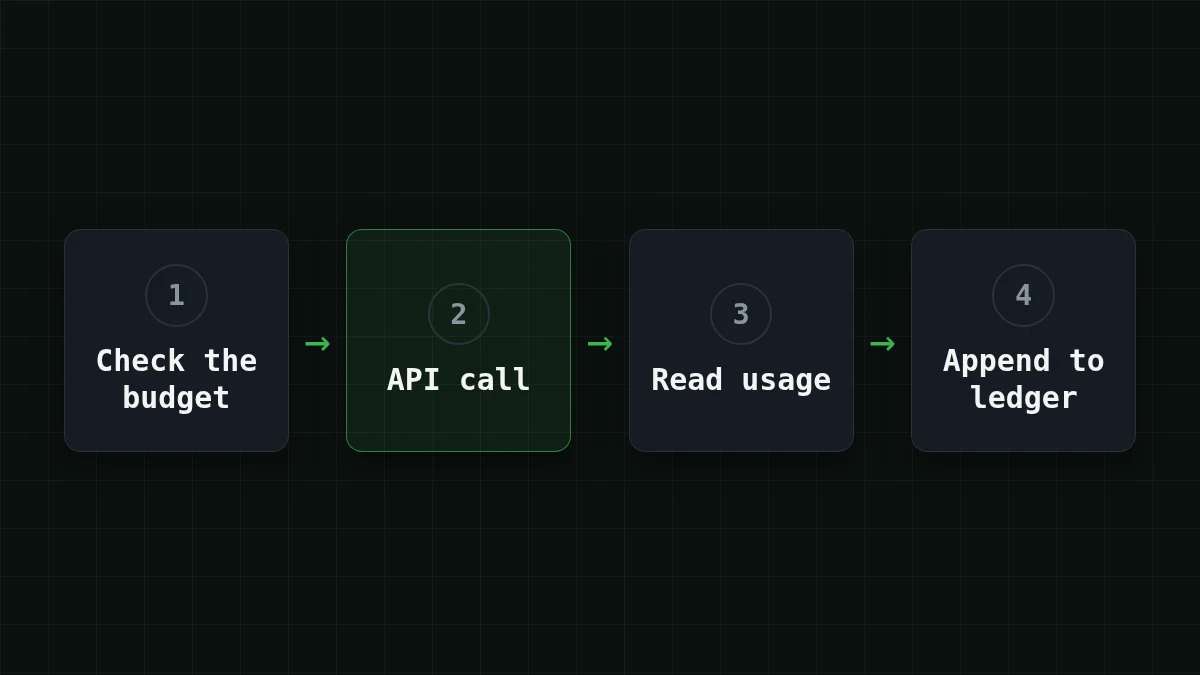
Each call goes through the same four steps:
Three choices in there are deliberate.
- One JSON object per line (JSONL), opened in append mode. If the script crashes at call 130, calls 1 to 129 are already on disk.
- The total comes from the file, not from a variable. Restart the script and the cap still holds, because the ledger remembers what the previous run spent.
finish_reasonis logged next to the tokens. A row that sayslengthmeans the answer hit yourmax_tokensand was cut off. You'll want to know that later.
The two PRICE_ constants are placeholders. Take the current numbers from the pricing table. For DeepSeek-V4-Flash at the time you read this, that's $0.015 per 1M input tokens and $0.10 per 1M output tokens. Change MODEL to zai- or MiniMaxAI/ and the two constants, and the same ledger works for them.
The batch loop: skip what's done, stop at the cap#
The loop is short. Say your prompts sit in a dict keyed by a unit id, the name of one piece of work, such as doc-001:
prompts = {
    'doc-001': 'Summarize this ticket in one sentence: ...',
    'doc-002': 'Summarize this ticket in one sentence: ...',
    # ... your 200 prompts
}

ledger = Ledger('ledger.jsonl', budget_usd=0.50)
already = ledger.done()

for unit, prompt in prompts.items():
    if unit in already:
        continue
    try:
        answer = ask(ledger, unit, prompt)
    except BudgetExceeded as e:
        print(e)
        break
    Path(f'out-{unit}.txt').write_text(answer)
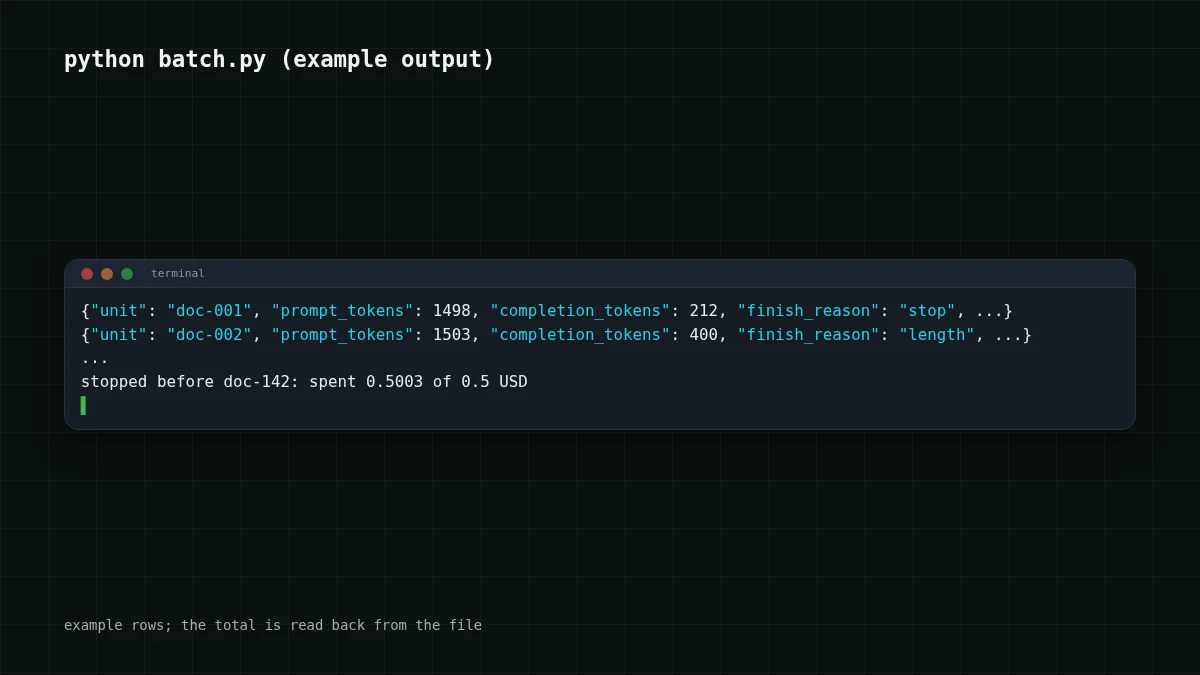
Run it, hit Ctrl+C halfway, run it again: finished units are skipped, so the ledger doubles as your progress file. Let the budget run out and you get one line instead of a surprise, something like stopped before doc-.
Notice the word before. The check happens ahead of each call, so the last call can push the total slightly over the budget. How far over is bounded: one call can't cost more than your longest prompt plus max_tokens. For a 1,500-token prompt and max_tokens=400 that is at most $0.000063. That's why every call in the wrapper has a max_tokens: it turns an open-ended risk into a number you can plan around.
Estimate the bill before you press run#
Now the other half: knowing the cost before launch. Run the first five prompts through ask() with a small budget and read the ledger. Say the five rows average 1,500 input tokens and 400 output tokens. Those are your numbers for the whole batch.
For 200 prompts that's 200 × 1,500 = 300,000 input tokens and 200 × 400 = 80,000 output tokens. Here is that workload on live prices:
| Model | Input $/1M | Output $/1M | Per request | 200 requests | OpenRouter, 200 requests |
|---|---|---|---|---|---|
| GLM-5.3-Flash | $0.02 | $0.04 | $0.000046 | $0.0092 | $0.0167 |
| DeepSeek-V4-Flash | $0.015 | $0.10 | $0.000063 | $0.0125 | $0.0322 |
| MiniMax-M2.7 | $0.05 | $0.15 | $0.00014 | $0.027 | $0.324 |
1,500 input and 400 output tokens per request. Prices per 1M tokens are current and change together with our tariffs; the OpenRouter column shows reference prices for the same workload.
The table has an OpenRouter column too. With input and output counted together, DeepSeek-V4-Flash comes out cheaper than OpenRouter for this load, and that sum is what the batch really pays.
Prompts differ in length, so five samples are a guess, not a promise. Use the longest of the five when you want a safe upper side, then let the budget cap catch the rest. Want to compare two models on the same 200 prompts? Give each model its own ledger file, for example Ledger(f'ledger-, and the two totals sit side by side afterwards.
Try your own batch here: set the tokens per request from your sample and how many requests you plan.
Cost calculator
Your batch: tokens from your 5-prompt sample
Input tokens per request: 1,500 · Output tokens per request: 400 · Requests per day: 200
| Model | Per day | Per month |
|---|---|---|
| GLM-5.3-Flash$0.02$0.04 | $0.0092 | $0.276 |
| DeepSeek-V4-Flash$0.015$0.10 | $0.0125 | $0.375 |
| MiniMax-M2.7$0.05$0.15 | $0.027 | $0.81 |
For more on counting tokens before sending, see counting tokens with tiktoken.
When the bill is bigger than expected: read the ledger#
The third reader scenario is the nasty one. An agent run goes wrong and loops, and the dashboard shows only a total. The ledger shows where it went. Sort the rows by cost:
rows = [json.loads(line) for line in open('ledger.jsonl')]
for r in sorted(rows, key=lambda r: r['cost_usd'], reverse=True)[:5]:
    print(r['unit'], r['prompt_tokens'], r['completion_tokens'], r['finish_reason'])
For an agent, name the unit after the step (step-17) so you can see the shape of the run. A few patterns show up again and again; match each one to its usual cause:
Match the pairs
Match each ledger pattern to its usual cause
Tap an item on the left, then its pair
- prompt_tokens grows a little on every rowThe loop resends the whole history on each step
- completion_tokens equals max_tokens and finish_reason is lengthAnswers are cut off at your cap, and you pay for the cut text
- The same unit appears many times in a rowA retry loop, or an agent repeating one step
- One row costs far more than all the othersOne oversized input, such as a whole file pasted into the prompt
Each pattern is visible in the ledger long before the invoice. The first one is covered in why an agent re-reads its history.
If you also want spend per project and alerts outside the script, this guide to per-project budget alerts covers that side. The ledger here is the part that lives in your code and can say stop.
Before you launch#
Checklist
Before the first real run
The context size and answer limit of DeepSeek-V4-Flash, handy when you pick max_tokens, are on its page: DeepSeek-V4-Flash on CheapTokens.


