API & SDKGuide
Generate an HTML tool from one prompt with an API (Python)
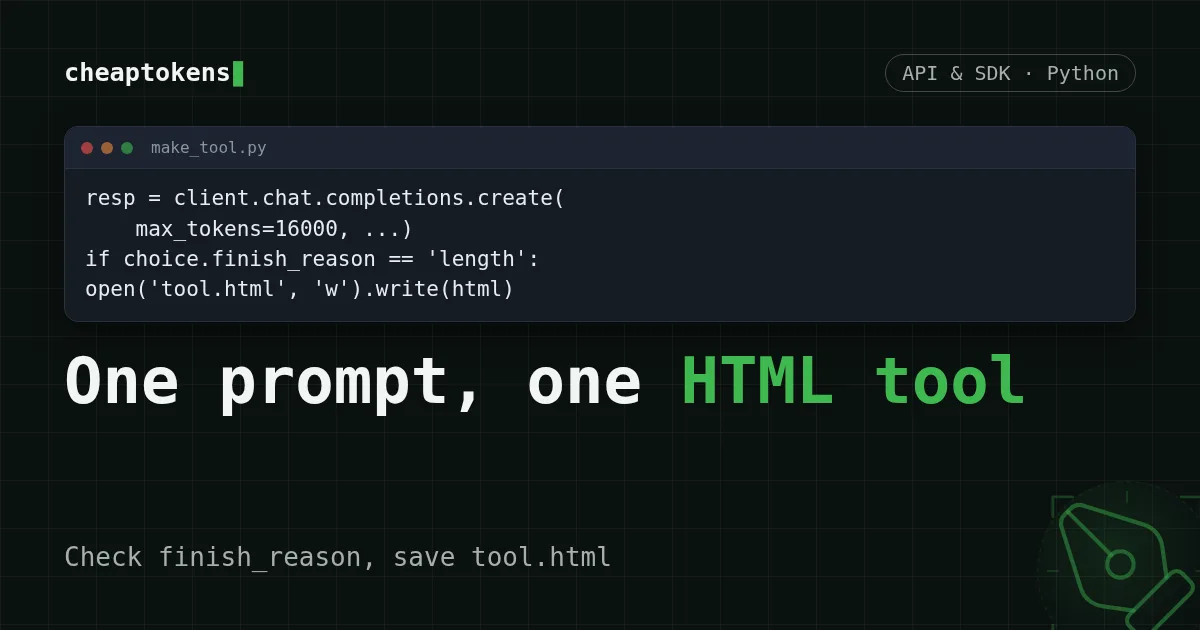
A Python script that turns one prompt into a working tool.html, catches a cut-off answer by finish_reason, and prints tokens and cost.
On this page
You can get a working single-file tool out of one API call: send a well-structured prompt, make sure max_tokens is big enough for a whole page, check that finish_reason is stop, and save the reply as tool.html. Below is the script that does exactly that, and a prompt template you can reshape for your own tool.
The idea is simple, and DeepSeek has just shown it. It published a collection of seven demo prompts for Creator Mode in DeepSeek Harness (the page, checked 3 November 2026): a 3D landmark gallery, a poster workbench, a video editing workbench, a paper reader, a conversation statistics board and a few more. Creator Mode lives inside the Harness app. If you want the same "prompt in, tool out" flow in your own script and with your own key, an ordinary chat completion is enough for the single-file case. If you do use Harness itself, connecting it to CheapTokens is a separate short guide.
What a "build me a tool" prompt needs#
Read a few of those demo prompts and a pattern shows up. Each one says what the tool is, what is on the screen, what the controls do, what the starting state is, and what it must not do. Skip one of those and the model fills the gap with its own guess, which is usually not yours.
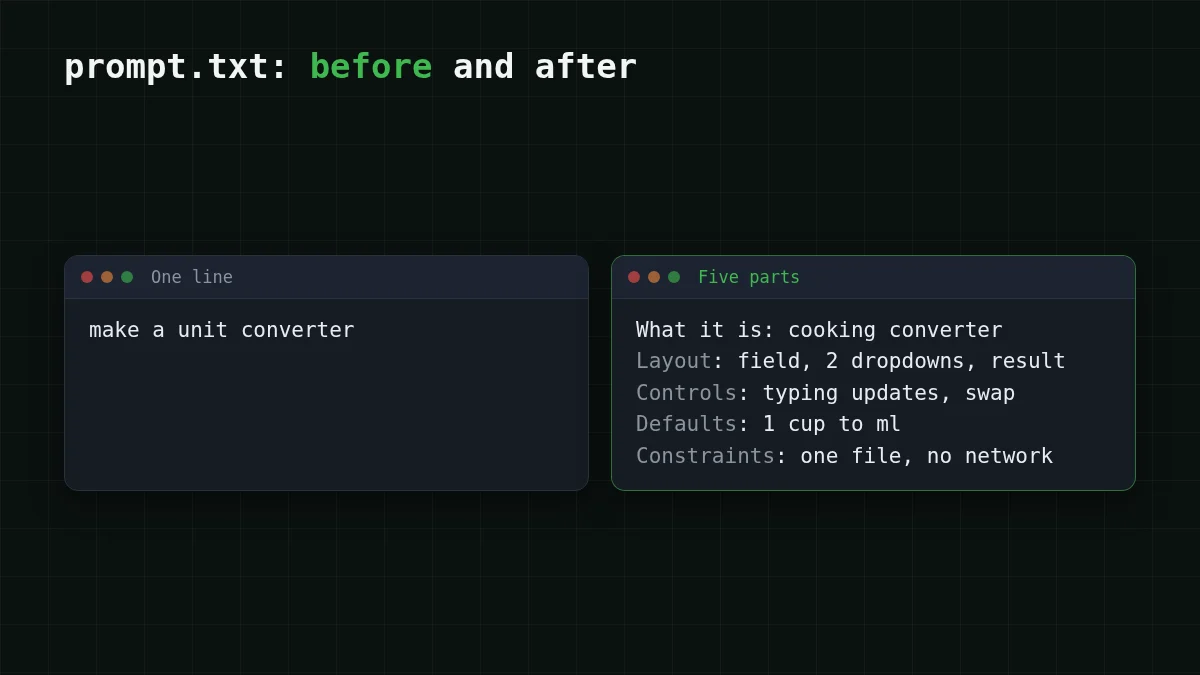
Here is the template, five parts:
What it is: <one sentence: the tool and who uses it>
Layout: <what is on the screen, top to bottom>
Controls: <every input and button, and what each one does>
Defaults: <what the page shows before the user touches anything>
Constraints: <single HTML file, no external requests, no libraries, size of the page>
And a filled-in version. Say you keep converting cooking measurements and are tired of searching for a converter:
What it is: a unit converter for cooking, for someone standing in a kitchen with a phone.
Layout: a title, one number field, two dropdowns (from, to), a large result line under them.
Controls: the dropdowns hold cup, tablespoon, teaspoon, ml, oz, g (flour) and g (sugar). Typing a number updates the result immediately. A swap button exchanges the two dropdowns.
Defaults: 1 cup to ml, result already shown.
Constraints: one HTML file with inline CSS and JavaScript, no external libraries, fonts or network requests, works on a narrow phone screen, dark text on a light background.
Save that as prompt.txt next to the script. The "Constraints" line carries most of the weight: without "no external requests" the model likes to pull a CDN library, and the page then breaks offline.
The script: request, check, save#
The CheapTokens API is OpenAI Chat Completions compatible at https:/, so the openai package works with two changes: the base URL and the key. For a whole page we use deepseek-: it allows up to 32,768 output tokens per answer and has a 380K context window. Full API details are in the CheapTokens docs.
Install the package, put your key in an environment variable, and set the two prices from the pricing table (the script uses them to print the cost):
pip install openai
export CHEAPTOKENS_API_KEY="your-key"
export PRICE_IN_PER_M="<input price per 1M from the table>"
export PRICE_OUT_PER_M="<output price per 1M from the table>"
Then make_tool.py:
import os
import re
import sys

from openai import OpenAI

MODEL = 'deepseek-ai/DeepSeek-V4-Flash-0731'
PRICE_IN = float(os.environ['PRICE_IN_PER_M'])    # USD per 1M input tokens (from the table)
PRICE_OUT = float(os.environ['PRICE_OUT_PER_M'])  # USD per 1M output tokens (from the table)
FENCE = '`' * 3

client = OpenAI(
    base_url='https://api.cheaptokens.dev/v1',
    api_key=os.environ['CHEAPTOKENS_API_KEY'],
)

prompt = open('prompt.txt', encoding='utf-8').read()

resp = client.chat.completions.create(
    model=MODEL,
    max_tokens=16000,
    messages=[
        {'role': 'system', 'content': 'You write one self-contained HTML file. Reply with the file only, no commentary.'},
        {'role': 'user', 'content': prompt},
    ],
)

choice = resp.choices[0]
if choice.finish_reason == 'length':
    sys.exit('Cut off at max_tokens: the page is unfinished. Raise max_tokens or shrink the request.')

text = choice.message.content or ''
m = re.search(FENCE + r'(?:html)?\s*(.*?)' + FENCE, text, re.DOTALL)
html = (m.group(1) if m else text).strip()
if '</html>' not in html.lower():
    sys.exit('The reply has no closing </html>; not saving it.')

with open('tool.html', 'w', encoding='utf-8') as f:
    f.write(html)

u = resp.usage
cost = (u.prompt_tokens * PRICE_IN + u.completion_tokens * PRICE_OUT) / 1_000_000
print(f'saved tool.html, {u.prompt_tokens} in / {u.completion_tokens} out, about ${cost:.6f}')
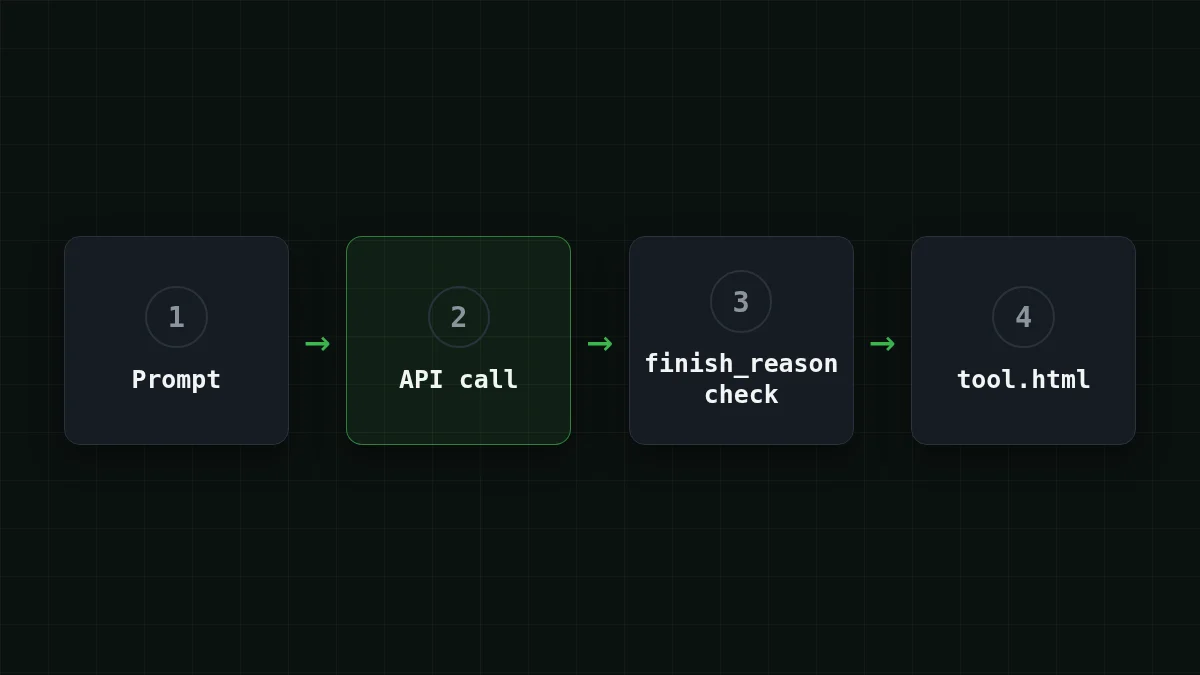
The order of the steps matters, and it is easy to get it wrong:
Put in order
Put the script's steps in the order it runs them
Drag the items or use the arrows
- Send the prompt with a generous max_tokens
- Check finish_reason before touching the text
- Pull the HTML out of the code fence, if there is one
- Confirm the closing </html> is there
- Save tool.html and print the usage
Why max_tokens decides whether the page works#
A full interactive page is a long answer. HTML, CSS and JavaScript add up quickly, and the model writes them in that order: if the answer is cut, you lose the end of the script first, which is exactly the part that makes the buttons work. The browser may still open the page. It just does nothing.
That is why the script checks finish_reason before it looks at the text. stop means the model finished on its own. length means it hit the max_tokens ceiling mid-file. The general version of this problem is covered in AI answer cut off? Fix finish_reason length; here the rule is short: never save a page whose finish_reason is length.
If you do see it:
- raise
max_tokens(DeepSeek-V4-Flash allows up to 32,768 per answer); - or ask for less: fewer controls, one screen, no animations;
- on GLM-5.3-Flash (
zai-) the ceiling is 8,192 output tokens, so that model fits small tools, such as the converter above.org/ GLM- 5. 3- Flash
The second check, </html> in the text, catches the quieter failure where a model ends the reply politely without finishing the file. Setting max_tokens also doesn't make the model write more: it is only a ceiling, and you pay for tokens actually produced (more on that in Cut output tokens).
Quick check
The script printed finish_reason = length. What do you do?
Show answer
Answer: Don't save it; raise max_tokens or shrink the request
length means the answer was cut at the ceiling, so the end of the script is missing. A lower ceiling makes the cut come sooner.
Open it and look at the page#
Open tool.html by double-clicking it, or from the terminal: open tool.html on macOS, xdg- on Linux, start tool.html on Windows.
This is code a model wrote for you, so spend a minute before you trust it. Open the browser's developer tools (F12), look at the Network tab and reload: with the "no external requests" constraint it should stay empty. Then click every control from the "Controls" part of your prompt once.
If something is off, don't regenerate from scratch. Add one sentence to the prompt about the specific thing ("the swap button must also swap the two values") and run again. DeepSeek's own page notes that some of its demos were refined over several conversation rounds, so a second pass is normal.
Try it yourselfTry it: what do you expect to see in the Network tab for the converter?Show answer
Nothing: the page is a single file with inline CSS and JavaScript, so after the first load there are no further requests. If you see a request to a CDN, the model ignored the constraint; add it to the prompt in capitals and run again.
What one generation costs#
Say the prompt is about 600 input tokens and the finished page is around 6,000 output tokens (an assumption for a mid-sized tool; your own usage line will show the real numbers). One run on DeepSeek-V4-Flash is $0.00061, and on GLM-5.3-Flash $0.00025. Both are live numbers from the current price list, and in total, with input and output counted together, both are cheaper than OpenRouter.
| Model | Input $/1M | Output $/1M | Cost | OpenRouter |
|---|---|---|---|---|
| GLM-5.3-Flash | $0.02 | $0.04 | $0.00025 | $0.00052 |
| DeepSeek-V4-Flash | $0.015 | $0.10 | $0.00061 | $0.00088 |
| MiniMax-M2.7 | $0.05 | $0.15 | $0.00093 | $0.0112 |
600 input and 6,000 output tokens in total. Prices per 1M tokens are current and change together with our tariffs; the OpenRouter column shows reference prices for the same workload.
In practice you won't get the tool right on the first try, so think in iterations: ten tweaks of the prompt are ten times that line, still a small sum for a tool you would otherwise write by hand. Almost all of it is the output side, the page itself, which is why shrinking the ask (fewer controls) shortens the answer and the bill.
If it doesn't work#
Scroll the table right →
| What you see | Likely cause | What to do |
|---|---|---|
401 or 404 from the API |
wrong key, base URL or model id | check the three, see API 401 or 404 error |
Cut off at max_ |
page longer than the ceiling | raise max_tokens or ask for less |
The reply has no closing </ |
the model stopped early or added text | run again; add "end with </html>" to the prompt |
| The page opens but buttons do nothing | JavaScript error | open the console (F12), paste the red error into a follow-up prompt |
If you want the model's reply parsed as data instead of a page, the extraction trick is the same as in json.JSONDecodeError on an LLM reply. New to the API? Start with your first API request.


