Cost optimizationGuide
Cut output tokens: answer length, max_tokens, stop sequences
Shorten AI answers by design: ask for a bounded format, keep max_tokens as a cap, use stop sequences, then see the cost of 1,000 requests.
On this page
Your bot answers in 400 tokens when 100 would do, and you pay for every one of them. The fix is mostly in the prompt: ask for a bounded format, keep max_tokens as a safety cap rather than a length knob, and check usage. to see what actually came back.
This matters because output is the pricier side on every model we offer: see the live prices on the pricing page. Same question, shorter answer, smaller bill.
Start with the prompt, not the limit#
Say you run a support bot with 2,000 tickets a day. Each ticket needs a category and one sentence of reason. The model, left alone, writes a friendly paragraph, a list of caveats and an offer to help further. That is where the 400 tokens go.
Compare
Same ticket, two prompts
Open-ended
System: You are a helpful support assistant. User: Tell me what kind of ticket this is: "My card was charged twice for order 1182." Answer: a paragraph with a greeting, an explanation and an offer to help (around 400 tokens).
Bounded
System: Reply with exactly two lines. Line 1: the category, one of billing, bug, other. Line 2: a reason in at most 15 words. No greeting.
User: the same ticket.
Answer: billing and one short reason (around 100 tokens or less).
The trick is that you describe the shape of the answer: number of lines, a closed list of labels, a word limit. "Be brief" works worse than "two lines, 15 words", because the model has something concrete to count. If you only need a label, ask for the label and nothing else. A classifier that must return billing should not be allowed to explain itself.
The same goes for JSON extraction. When the model wraps your JSON in prose, the prose is output you pay for and then throw away. Put "Return only the JSON object, no text before or after it" in the system message. For parsing what comes back, see how to extract JSON from an LLM reply.
max_tokens is a seatbelt#
It is tempting to set max_tokens: 100 and call it done. Don't expect short answers from it. DeepSeek's API reference (checked 2 November 2026) describes max_tokens as the maximum number of tokens that can be generated in the completion, with input plus output capped by the model's context length. It stops generation. It does not make the model plan a shorter answer.
So a model that wanted to write 400 tokens and got 100 hands you a sentence that ends in the middle, finish_reason set to length, and a bill for all 100 tokens. You paid for an answer you can't use. Why that happens and how to repair it is covered in why an AI answer stops mid-sentence and the finish_reason "length" fix. I won't repeat it here.
The working split is simple:
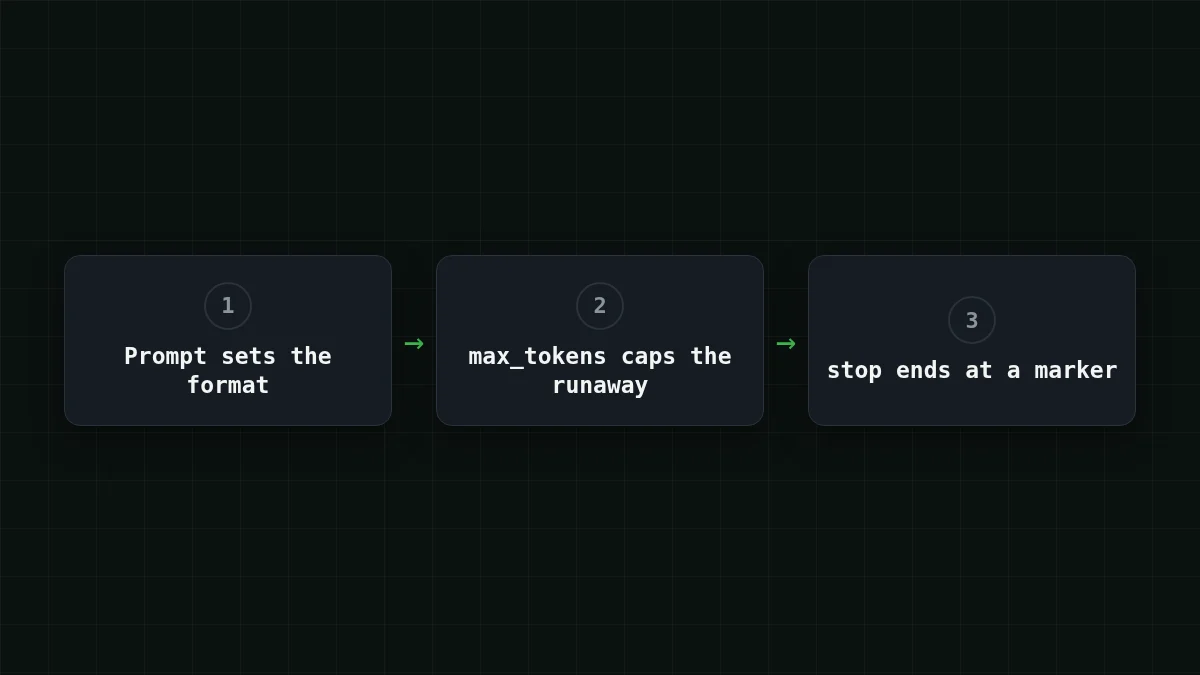
- the prompt decides how long a good answer is;
max_tokenssits a bit above the longest good answer, so a runaway reply gets cut instead of growing to the model's output limit (up to 32,768 tokens on DeepSeek-V4-Flash).
For the two-line ticket answer, 150 is plenty. For a one-word label, 20.
Stop sequences end an answer at a marker#
In DeepSeek's reference, stop takes up to 16 sequences, and generation halts when the model would produce one. When it does, finish_reason is stop, the same as a natural ending. This is handy when your format has an end marker. Ask for the answer, then a line with END, and put END in stop. Test it once on your own setup: make one call and check that finish_reason is stop and the text ends before the marker.
One rule: the stop text must be something that cannot appear inside a good answer. A stop on \n\n cuts a two-paragraph answer after the first paragraph.
A request you can run and measure#
Here is the bounded ticket call. The model id is the full gateway_id from the CheapTokens docs, and the base URL is https:/. The docs show how to create a key; put it in an environment variable.
curl https://api.cheaptokens.dev/v1/chat/completions \
  -H "Authorization: Bearer $CHEAPTOKENS_API_KEY" \
  -H "Content-Type: application/json" \
  -d '{
    "model": "deepseek-ai/DeepSeek-V4-Flash-0731",
    "max_tokens": 150,
    "messages": [
      {"role": "system", "content": "Reply with exactly two lines. Line 1: the category, one of billing, bug, other. Line 2: a reason in at most 15 words. No greeting."},
      {"role": "user", "content": "My card was charged twice for order 1182."}
    ]
  }'
In the response, two things matter: choices[0]. and the usage object with prompt_tokens and completion_. In Python with the openai package it looks like this:
import os
from openai import OpenAI

client = OpenAI(
    base_url="https://api.cheaptokens.dev/v1",
    api_key=os.environ["CHEAPTOKENS_API_KEY"],
)

r = client.chat.completions.create(
    model="deepseek-ai/DeepSeek-V4-Flash-0731",
    max_tokens=150,
    messages=[
        {"role": "system", "content": "Reply with exactly two lines. Line 1: the category, one of billing, bug, other. Line 2: a reason in at most 15 words. No greeting."},
        {"role": "user", "content": "My card was charged twice for order 1182."},
    ],
)

print(r.choices[0].message.content)
print(r.choices[0].finish_reason, r.usage.completion_tokens)
Run it on ten real tickets before you trust the format. If completion_ stays small and finish_reason is always stop, the prompt does the work. If you see length, your cap is below what a good answer needs: raise it or tighten the prompt, not both blindly.
Match the pairs
What the fields tell you
Tap an item on the left, then its pair
- lengthThe max_tokens limit was reached
- stopA natural stop point or a stop sequence
- usage.completion_tokensThe tokens in the answer, the output side of your bill
If finish_reason is not stop, look at the limit first.
What it saves on 1,000 requests#
Now the bill. Assume a ticket plus instructions is 300 input tokens, the open-ended answer is 400 output tokens and the bounded one is 100. These are assumptions for the example; swap in the numbers from your own usage. Over 1,000 requests, that is 300 × 1,000 = 300,000 input tokens in both cases, and 400 × 1,000 = 400,000 output tokens against 100 × 1,000 = 100,000.
Open-ended answers, 1,000 requests:
| Model | Input $/1M | Output $/1M | Per request | 1,000 requests | OpenRouter, 1,000 requests |
|---|---|---|---|---|---|
| GLM-5.3-Flash | $0.02 | $0.04 | $0.000022 | $0.022 | $0.0433 |
| DeepSeek-V4-Flash | $0.015 | $0.10 | $0.000045 | $0.0445 | $0.077 |
| MiniMax-M2.7 | $0.05 | $0.15 | $0.000075 | $0.075 | $0.90 |
300 input and 400 output tokens per request. Prices per 1M tokens are current and change together with our tariffs; the OpenRouter column shows reference prices for the same workload.
Bounded answers, 1,000 requests:
| Model | Input $/1M | Output $/1M | Per request | 1,000 requests | OpenRouter, 1,000 requests |
|---|---|---|---|---|---|
| GLM-5.3-Flash | $0.02 | $0.04 | $0.00001 | $0.01 | $0.0184 |
| DeepSeek-V4-Flash | $0.015 | $0.10 | $0.000015 | $0.0145 | $0.035 |
| MiniMax-M2.7 | $0.05 | $0.15 | $0.00003 | $0.03 | $0.36 |
300 input and 100 output tokens per request. Prices per 1M tokens are current and change together with our tariffs; the OpenRouter column shows reference prices for the same workload.
The input side doesn't move, and that is the point: only the part you shortened gets cheaper, and it is the part with the higher price. Per model, the same 1,000 tickets cost $0.0445 open-ended and $0.0145 bounded on DeepSeek-V4-Flash. In total, with input and output counted together, all three models in the tables come out cheaper than OpenRouter's reference price. For short answers, pick the model from the tables above: compare the rows for your own input and output. GLM-5.3-Flash ($0.04 per 1M output tokens) fits where answers stay longer, up to 8,192 tokens; the DeepSeek page has the rest.
The order I would apply this in#
Put in order
Put the steps in a sensible order
Drag the items or use the arrows
- Write the answer format into the prompt
- Set max_tokens a little above the longest good answer
- If the API accepts stop and the format has an end marker, add a stop sequence
- Log completion_tokens and finish_reason for every call
- Compare the cost of a 1,000-request batch before and after
Step 4 is the one people skip. Without it you don't know whether the prompt change worked or whether a few long answers are dragging the average up. If you already track spend, the token-counting approach in Python and input vs output tokens are a good place to continue.


