AI for beginnersGuide
Ask an LLM about a CSV: send the schema, not the table
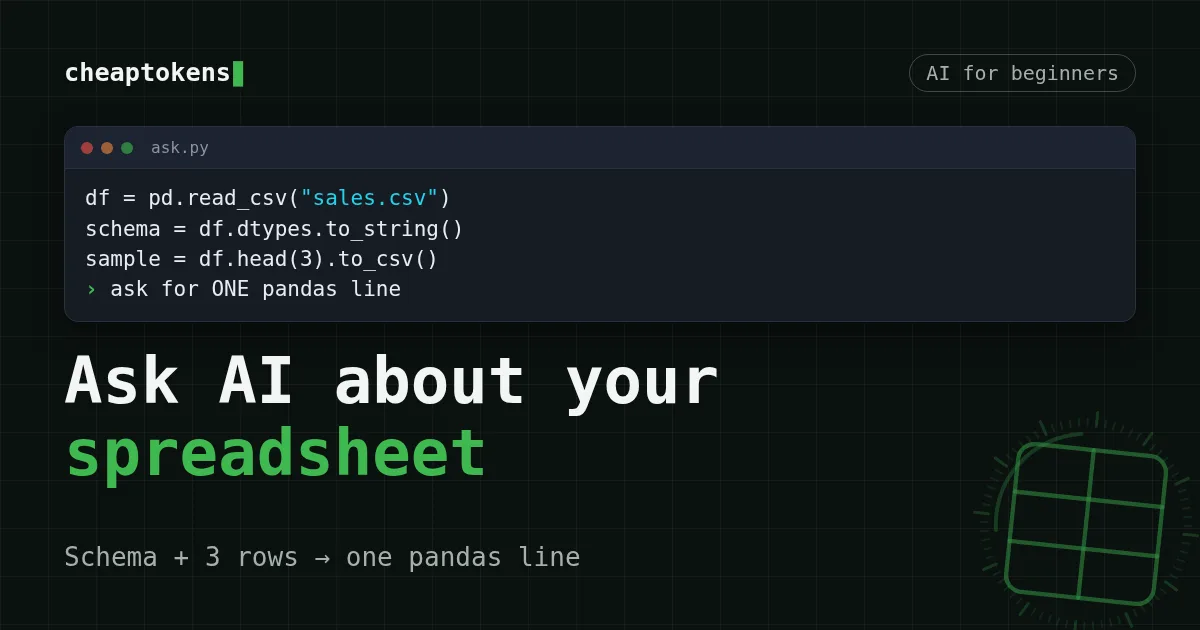
Send column names, types and 3 sample rows, get one pandas line back, run it on the full file. Cheaper than pasting rows, and you can check the number.
On this page
You have a sales.csv with 5,000 rows and one question: which product sold the most in October? Don't paste the file into a chat. Send the model the column names, their types and three sample rows, ask for one line of pandas, and run that line on the full file yourself. The model never reads your 5,000 rows, the prompt stays tiny, and the number you get comes from code you can re-run.
Here is why that works better, what the prompt looks like, a script you can copy, and what it costs next to the paste-everything way.
Why pasting the whole table goes wrong#
Here's a story you may recognise. Someone pastes 200 rows of expenses into a chat and asks for the total. The answer comes back confident, with cents and everything. It is also wrong, and nothing on the screen tells you so.
The model predicts text piece by piece (those pieces are tokens). A sum of 200 numbers is 200 small steps with no calculator inside, and one slipped digit looks exactly like a correct answer. Code behaves differently: df['amount']. adds all rows, every time, and gives the same result on a second run.
There's a second problem, and it's about size. A table eats the context window fast, and you pay for every row on every question. Ten questions about the same file means ten copies of the whole table sent as input.
Quick check
Why is a pandas line safer than asking the model for the total?
Show answer
Answer: Your computer runs the code on every row, and you can re-run and check it
The model can still write a wrong line. The difference is that a line is visible and repeatable: you read it, run it, and compare the result with a few rows by hand.
Send the shape of the table, not the table#
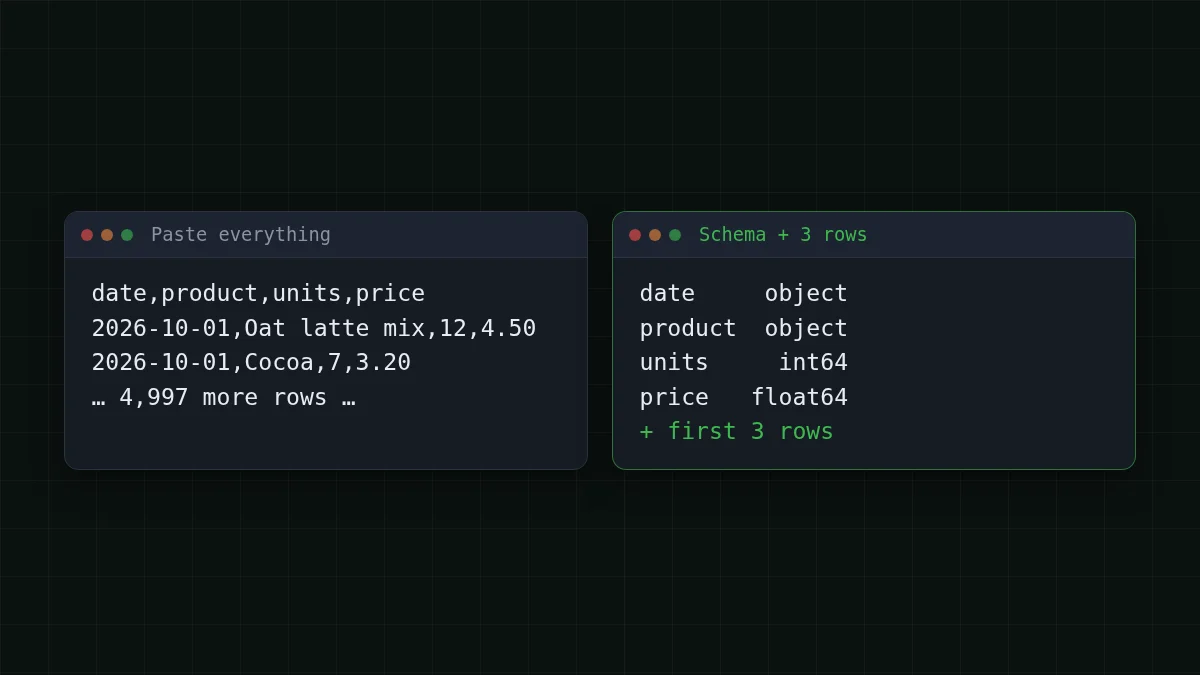
The model doesn't need your data to write the code. It needs to know what the table looks like: which columns exist, what kind of values they hold, and how a row is written. That's the schema plus a few rows.
Say your sales.csv has four columns. This is the whole prompt:
A pandas DataFrame named df has these columns and types:
date        object
product     object
units        int64
price      float64

First 3 rows (CSV):
date,product,units,price
2026-10-01,Oat latte mix,12,4.50
2026-10-01,Cocoa,7,3.20
2026-10-02,Oat latte mix,9,4.50

Question: Which product sold the most units in October 2026?

Reply with ONE line of pandas code that computes the answer from df.
No explanation, no markdown, no imports.
Expect a reply shaped like df[df['date'].. The exact wording differs from run to run, so read the line before you run it.
Why three rows and not just the column names? Because of the date. The type column says object, which only means text. The sample rows show that the date is written 2026-10-01, so the model knows to match on the text 2026-10, not on 10/2026 or a month name. Most wrong pandas lines come from guessing a format the table never had.
The script: ask, read the line, run it#
The script below builds that prompt from your file, so you don't type the schema by hand. It calls the CheapTokens API through the OpenAI Python SDK: base URL https:/, model id deepseek-. Keep the key in an environment variable, not in the file.
import os
import pandas as pd
from openai import OpenAI

client = OpenAI(
    base_url="https://api.cheaptokens.dev/v1",
    api_key=os.environ["CHEAPTOKENS_API_KEY"],
)

df = pd.read_csv("sales.csv")      # for .xlsx: pd.read_excel("sales.xlsx")

schema = df.dtypes.to_string()
sample = df.head(3).to_csv(index=False)
question = "Which product sold the most units in October 2026?"

prompt = f"""A pandas DataFrame named df has these columns and types:
{schema}

First 3 rows (CSV):
{sample}
Question: {question}

Reply with ONE line of pandas code that computes the answer from df.
No explanation, no markdown, no imports."""

resp = client.chat.completions.create(
    model="deepseek-ai/DeepSeek-V4-Flash-0731",
    messages=[{"role": "user", "content": prompt}],
    max_tokens=500,
)

text = resp.choices[0].message.content.strip()
code = text.removeprefix("```python").removeprefix("```").removesuffix("```").strip()
print("Model's line:", code)
print("Tokens in/out:", resp.usage.prompt_tokens, resp.usage.completion_tokens)

if resp.choices[0].finish_reason != "stop" or "import" in code or "__" in code:
    raise SystemExit("Not running this one. Read the line above and decide.")

print("Answer:", eval(code, {"df": df, "pd": pd}))
The last block is the part beginners skip. eval runs whatever text the model wrote, on your machine, so the script refuses lines with import or __ and answers that were cut off (finish_reason other than stop; see why an answer stops mid-sentence). And you still read the printed line first. If it touches files, the network or anything you didn't ask about, don't run it.
The first run prints three things: the model's line, the token counts for this one request, and the answer. The token counts are your meter for the next section.
What it costs: paste everything vs schema + 3 rows#
To compare, we need a size for a row. Say a row like 2026- takes about 20 tokens. That's an assumption: it depends on the model's tokenizer and your columns, and counting tokens before you send shows your real number. With 20 tokens a row, 5,000 rows are 5,000 × 20 = 100,000 input tokens. The schema-and-three-rows prompt is around 300 tokens, instructions included. The answer is short in both cases, say 60 tokens, so the difference sits entirely on the input side, the one that grows with your table (more on that in input vs output tokens).
Both numbers are small in dollars, and that's honest: a cheap model makes even the wasteful way affordable. The gap is what grows. Ask 20 questions a day and the paste-everything prompt is sent 20 times. Double the table and its cost doubles, while the schema prompt doesn't move. And there's a hard wall: with a 380K-token context window, 380,000 ÷ 20 = 19,000 rows is the most you could ever paste, before leaving any room for the answer. A 50,000-row export simply doesn't fit. The schema prompt does, whatever the table size.
Plug in your own table and see the daily cost:
Cost calculator
Your table pasted whole: 20 questions a day
Input tokens per request: 100,000 · Output tokens per request: 60 · Requests per day: 20
| Model | Per day | Per month |
|---|---|---|
| GLM-5.3-Flash$0.02$0.04 | $0.04 | $1.20 |
| DeepSeek-V4-Flash$0.015$0.10 | $0.0301 | $0.904 |
| MiniMax-M2.7$0.05$0.15 | $0.10 | $3.01 |
Change in to 300 to see the schema way. DeepSeek-V4-Flash on CheapTokens has one price at any hour, no peak-time surcharge, and one balance covers every model, so you can swap the model id for zai- (390K context) without a second account. Current prices are on the pricing page.
Check the number before you trust it#
The loop is always the same. Do it every time, and a wrong answer gets caught at step four instead of in a report.
Put in order
Put the loop in order
Drag the items or use the arrows
- Describe the table: column types and 3 sample rows
- Ask for one pandas line, nothing else
- Read the line, then run it on the full file
- Check the result by hand on a few rows
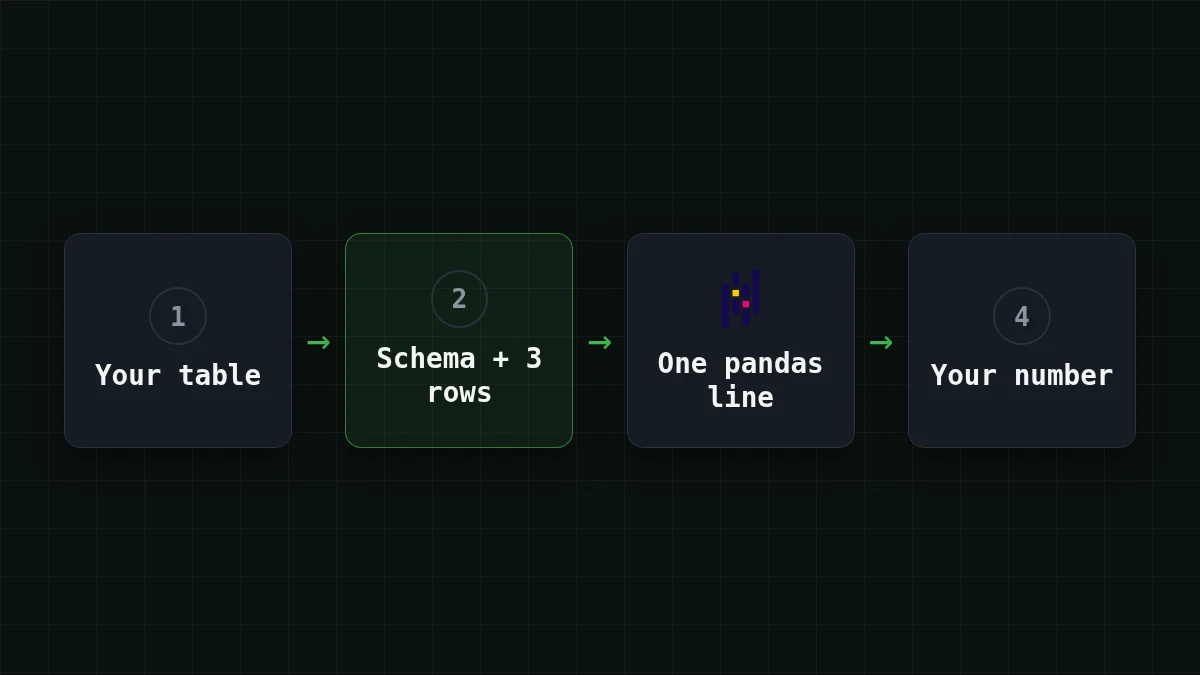
Step four is cheap. Filter the file down to a handful of rows (df[df['product'] == 'Cocoa'].), add them up in your head or in a spreadsheet, and compare. If the model's line is wrong, it is usually wrong in an obvious way: it counted rows instead of summing units, or it picked the wrong month.
For more habits like this one, see why AI makes things up and 4 prompt habits that reduce it.
If it doesn't work#
KeyError: 'Date'. The model wrote a column name with different capitals. Paste the real header row into the prompt, which the three sample rows already do, and add "use the column names exactly as shown".- The reply has a sentence before the code. Your
evalfails with aSyntaxError. Repeat "ONE line of pandas code, no explanation" at the end of the prompt, the last instruction counts most. - The answer is a table, not a number. Say what shape you want: "return a single number" or "return a Series sorted descending".
- Dates come out wrong. The sample rows show the real format. If your dates are
14/10/2026, the model needs to see that; addpd.to the prompt as the way you'd like dates read.to_ datetime(df['date'], dayfirst=True) finish_reasonislength. The reply was cut bymax_tokens. A single line fits in 500 tokens, so check the prompt: the model may be explaining at length.
The full setup for your first request, from key to response, is in the CheapTokens docs.


