Cost optimizationGuide
Track API spend per project and get budget alerts in Python
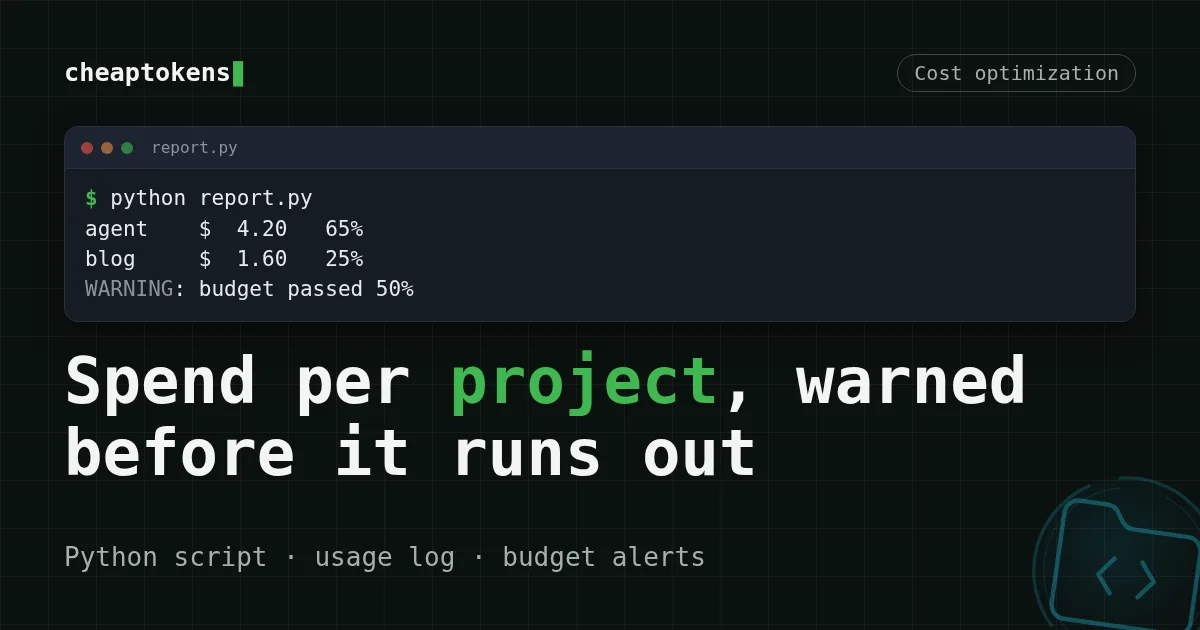
A short Python script turns your usage log into a cost-per-project report and warns at 50, 75, 95 and 100% of a monthly budget.
On this page
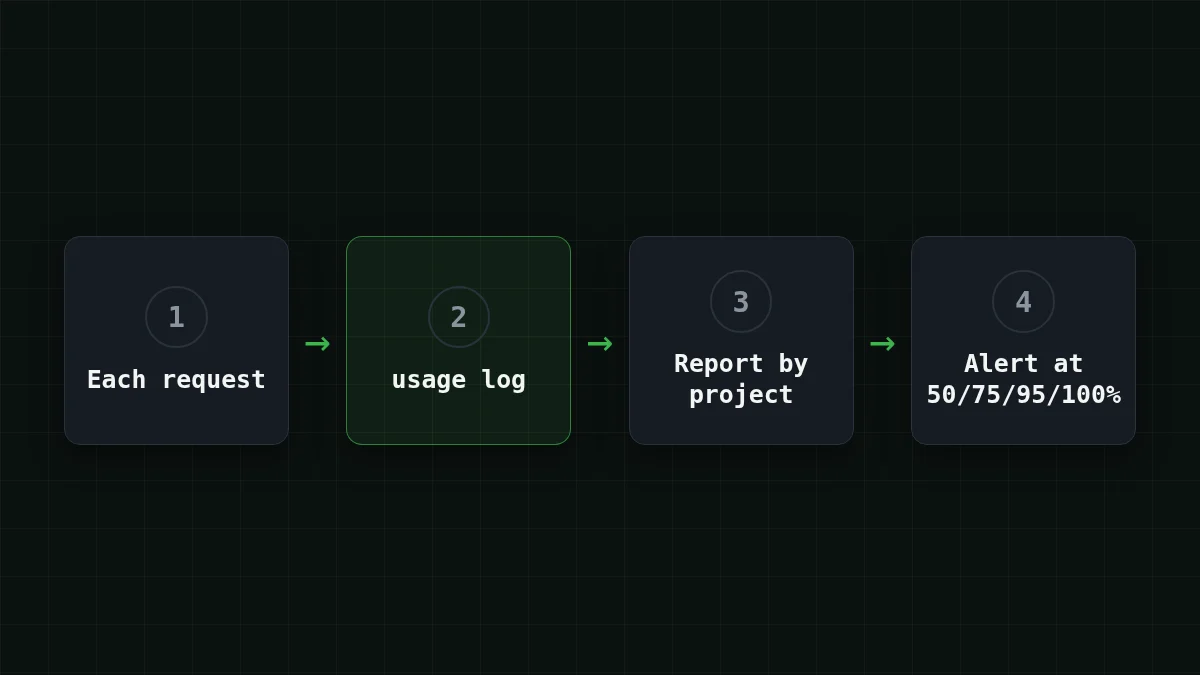
Add one JSON line to a file after every API call, tag it with a project name, and let a 30-line Python script turn that file into a cost-per-project report and a warning at 50, 75, 95 and 100% of your monthly budget. It is the same view Anthropic just gave Claude Enterprise teams, built from your own log.
Say one balance feeds an agent, a blog-drafting script and a small support bot. Month end arrives, the balance is lower than you hoped, and nothing tells you which of the three did it. That is the gap this closes.
What Anthropic shipped, and what you can copy#
Anthropic's announcement (28 October 2026) covers smart reports, in-app surveys and pooled group budgets, generally available on Claude Enterprise plans only (source). Two parts matter here. A report groups a team's work into workstreams and shows each one's spend. A pooled budget is one shared monthly number, and billing admins get an email at 50%, 75%, 95% and 100% of it. Anthropic adds that the reports are for planning investment, not for judging individual people.
You don't need an enterprise plan for the same shape. A workstream is just a label you choose, and the four thresholds are one list in code. Group by project, not by person, for the reason Anthropic gives.
Quick check
Your prepaid balance already stops requests at zero. Why add warnings at 50% and 75%?
Show answer
Answer: Because zero is too late: you want to notice a runaway loop while there is still money to look into it
The balance is a hard stop, not an alarm. Early thresholds turn a surprise at 100% into a question on day nine.
The log: one line per request#
Every chat completion response carries a usage object with prompt_tokens and completion_. That is all the report needs, plus a project label you add yourself. This wrapper sends the request and appends one line to a monthly file (the file name changes each month, so a new month starts from zero):
import json, os, time
from openai import OpenAI

client = OpenAI(base_url="https://api.cheaptokens.dev/v1",
                api_key=os.environ["CHEAPTOKENS_API_KEY"])

def ask(project, model, messages):
    r = client.chat.completions.create(model=model, messages=messages)
    with open(time.strftime("usage-%Y-%m.jsonl"), "a") as f:
        f.write(json.dumps({"project": project, "model": model,
                            "prompt_tokens": r.usage.prompt_tokens,
                            "completion_tokens": r.usage.completion_tokens}) + "\n")
    return r

ask("support-bot", "zai-org/GLM-5.3-Flash",
    [{"role": "user", "content": "Where is my order?"}])
Use the full model id from the CheapTokens docs (deepseek-, zai-); the short names from price tables are not accepted by the API. The key comes from an environment variable, never from the file.
The script: cost per project and threshold alerts#
Save this as report.py. The prices are placeholders: copy the current ones from the pricing table (both models share one example price here only to keep the arithmetic readable).
import json, os, sys, time
from collections import defaultdict

LOG = time.strftime("usage-%Y-%m.jsonl")
BUDGET = float(os.environ.get("BUDGET_USD", "10"))  # example, substitute your own
STATE = LOG + ".alert"
LEVELS = [50, 75, 95, 100]
PRICES = {  # USD per 1M tokens (input, output): example, substitute current prices
    "deepseek-ai/DeepSeek-V4-Flash-0731": (1.0, 2.0),
    "zai-org/GLM-5.3-Flash": (1.0, 2.0),
}

spend = defaultdict(float)
with open(LOG) as f:
    for line in f:
        r = json.loads(line)
        p_in, p_out = PRICES[r["model"]]
        spend[r["project"]] += (r["prompt_tokens"] * p_in
                                + r["completion_tokens"] * p_out) / 1_000_000

total = sum(spend.values())
if total == 0:
    sys.exit("log is empty")

for name, usd in sorted(spend.items(), key=lambda kv: -kv[1]):
    print(f"{name:<8} ${usd:6.2f} {usd / total:5.0%}")
print(f"{'total':<8} ${total:6.2f} of ${BUDGET:.2f} ({total / BUDGET:.0%})")

last = int(open(STATE).read()) if os.path.exists(STATE) else 0
crossed = [l for l in LEVELS if total >= BUDGET * l / 100 and l > last]
if crossed:
    print(f"WARNING: budget passed {crossed[-1]}%")
    open(STATE, "w").write(str(crossed[-1]))
The last four lines are the part people forget. Without the small state file, the script would shout "passed 50%" on every run for the rest of the month. With it, each level fires once.
Run it and read the result#
Take a toy log of four lines (a real one has a line per request, so thousands):
{"project": "agent", "model": "deepseek-ai/DeepSeek-V4-Flash-0731", "prompt_tokens": 2400000, "completion_tokens": 300000}
{"project": "agent", "model": "deepseek-ai/DeepSeek-V4-Flash-0731", "prompt_tokens": 1000000, "completion_tokens": 100000}
{"project": "blog", "model": "zai-org/GLM-5.3-Flash", "prompt_tokens": 800000, "completion_tokens": 400000}
{"project": "bot", "model": "zai-org/GLM-5.3-Flash", "prompt_tokens": 500000, "completion_tokens": 100000}
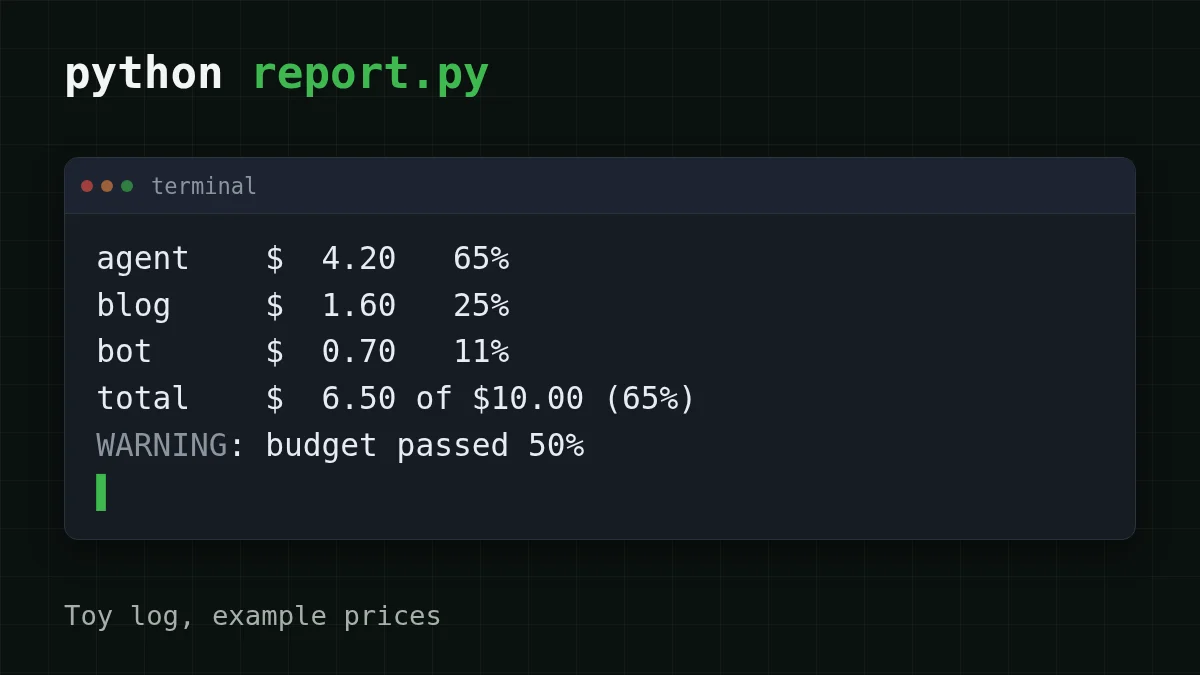
With the example prices and a budget of 10, python report.py prints:
agent    $  4.20   65%
blog     $  1.60   25%
bot      $  0.70   11%
total    $  6.50 of $10.00 (65%)
WARNING: budget passed 50%
The agent is nearly two thirds of the bill, and the warning came at 50%, not at the end. Run it again and the warning stays quiet until the total reaches 75%.
To make this work every month, you need three steps:
Step by step
Wire it up in three steps
Log every call
Route all your calls through ask(project, model, messages) and pick a short, stable project label. Renaming labels mid-month splits one project into two rows.
Set prices and budget
Put the current prices from the pricing table into PRICES, and export your limit: export BUDGET_.
Run it on a schedule
An hourly cron line is enough: 0 * * * * cd ~/. Send the output to a mail or chat command if you want the warning pushed to you.
What a month looks like on cheap models#
Numbers get useful once they are your numbers. Assume the agent from the toy log averages 30,000 input and 2,000 output tokens per step, 20 steps per task, two tasks a day. One step on DeepSeek-V4-Flash costs $0.00065; on GLM-5.3-Flash, $0.00068. A day is 40 steps, a month 1,200. Move the sliders to match your own agent:
Cost calculator
One day of the agent: steps per task times tasks per day
Input tokens per request: 30,000 · Output tokens per request: 2,000 · Requests per day: 40
| Model | Per day | Per month |
|---|---|---|
| GLM-5.3-Flash$0.02$0.04 | $0.0272 | $0.816 |
| DeepSeek-V4-Flash$0.015$0.10 | $0.026 | $0.78 |
| MiniMax-M2.7$0.05$0.15 | $0.072 | $2.16 |
And the month at 1,200 steps, with input and output counted together:
| Model | Input $/1M | Output $/1M | Per request | 1,200 requests | OpenRouter, 1,200 requests |
|---|---|---|---|---|---|
| GLM-5.3-Flash | $0.02 | $0.04 | $0.00068 | $0.816 | $1.41 |
| DeepSeek-V4-Flash | $0.015 | $0.10 | $0.00065 | $0.78 | $2.86 |
| MiniMax-M2.7 | $0.05 | $0.15 | $0.0018 | $2.16 | $25.92 |
30,000 input and 2,000 output tokens per request. Prices per 1M tokens are current and change together with our tariffs; the OpenRouter column shows reference prices for the same workload.
In total, with input and output counted together, both models come out cheaper than OpenRouter's reference prices in that table, with one price at any hour and no peak surcharge. DeepSeek-V4-Flash also allows up to 32,768 output tokens per answer and a 380K context; GLM-5.3-Flash has a 390K context. Once the report shows which project is the heavy one, switching only that project's model string is a one-line change, and one balance covers every model. For how many tokens a single request really uses, see how many tokens an API request uses; for stopping one agent run mid-way, see tracking AI agent token cost. Prices and models are on the CheapTokens models page.
Where this goes wrong#
- A model is missing from
PRICES. The script stops with aKeyErrorthat names the model. Add it; don't default to zero, or the project looks free. - Streaming calls. The final chunk carries usage only if you ask for it (
stream_in the OpenAI SDK). Otherwise your log has gaps.options={"include_ usage": True} - Failed requests. Log only responses that have a
usageobject; a request that errored out has nothing to count. - Per-person reports. Keep the label to a project or agent name. A report about people invites the wrong conclusions.


