TroubleshootingGuide
Request too long: 400 vs 413, context window and max_tokens
Tell a 413 (too many bytes) from a token-length error (usually a 400), check input plus max_tokens against the context window, and shrink the request.
On this page
Your chat ran fine for forty turns, then every request started failing. The short answer: "request too long" hides two different limits. A 413 means the request is too big in bytes and was turned away before any model saw it. If the error complains about length in tokens (usually a 400-class invalid request), your input plus the answer you ask for does not fit the context window; read error.message to see which. The fix is to measure, then trim.
This guide shows how to tell the two apart, how to check the math before you send, and four ways to shrink a request. If the term is new, what a context window is covers it in plain words.
Two limits, two errors#
A 413 is the post office refusing a parcel that is too big; a token error is the model saying the letter will not fit in its reading window. They fail in different places and need different fixes.
Anthropic's API errors page (checked 29 October 2026) describes 413 request_ as a request that exceeds the maximum number of bytes: 128 MB for the Messages API, 256 MB for the Batch API, 500 MB for the Files API. A 400 invalid_ covers problems with the format or content of the request. Those are Anthropic's limits. Their page does not list a token-count message, and neither does OpenAI's error-codes guide, so don't build logic on the exact wording you saw in a forum thread.
In practice, text-only chats usually grow in tokens long before bytes. Bytes become the problem when you attach base64 images or whole documents. Tokens become the problem when history grows, and that is the common case.
Match the pairs
Match each symptom to its cause
Tap an item on the left, then its pair
- 413 request_too_largeThe body is too many bytes, for example a big base64 attachment
- A token-length error right after pasting a huge logThe prompt alone is more tokens than the context window
- 400 after a prompt of about 375K tokens with max_tokens=32768 on a 380K modelTogether they can exceed the window
- Same history, different modelCheck each model's window: a history that fits one may not fit another
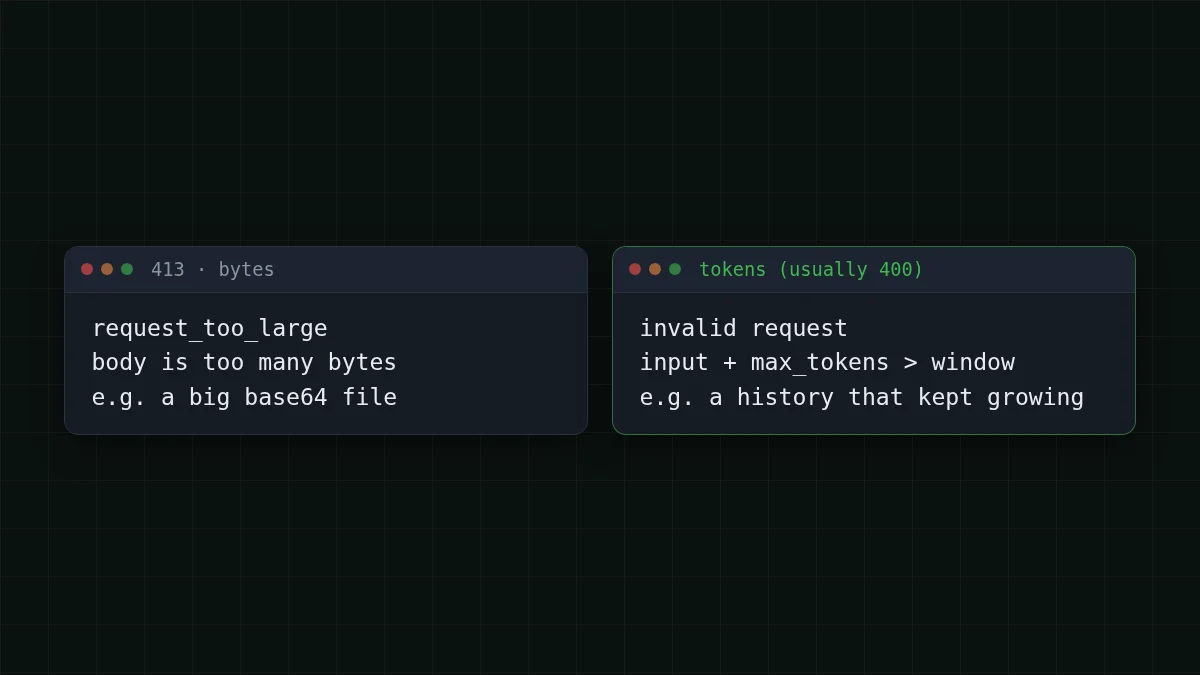
The error body is JSON with a top-level type: error, an error object with its own type and message, and a request id. Read error.message and keep the request id; with the official SDKs, catch the typed exception instead of matching strings.
Check the math before you send#
The habit that saves the most time: don't wait for the error. Before each call, add up three things and compare them with the window.
- Tokens in your messages (system prompt, history, the new question).
- The
max_tokensyou are asking for. - The model's context window.
Keep input plus requested answer inside the window. The windows on CheapTokens are 390K for GLM-5.3-Flash, 380K for DeepSeek-V4-Flash and 180K for MiniMax-M2.7; answers go up to 8,192 tokens on GLM and MiniMax and up to 32,768 on DeepSeek-V4-Flash. Check pricing and model pages for the current list.
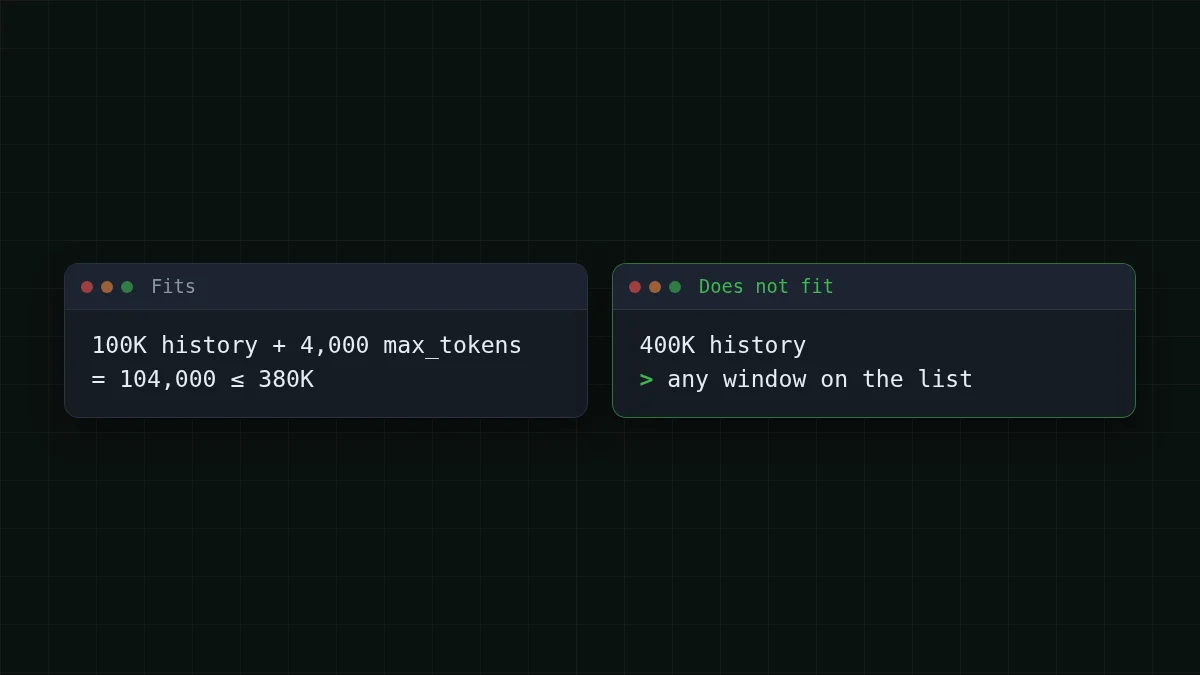
Say your agent sends a 100K-token history and asks for 4,000 tokens back. That is 100,000 + 4,000 = 104,000 tokens, comfortable on any of the three. Now the same agent after another fifty steps: 400K. No window on the list takes it, whatever max_tokens you set. That is the moment the error appears, and it looks sudden only because history grew a little each turn.
A rough counter is enough for a guard. English text averages about 4 characters per token; code and non-English text use more tokens per character, so leave a margin:
import os
from openai import OpenAI

client = OpenAI(
    base_url='https://api.cheaptokens.dev/v1',
    api_key=os.environ['CHEAPTOKENS_API_KEY'],
)

CONTEXT = 380_000      # DeepSeek-V4-Flash window
MAX_OUT = 4_000        # the answer you ask for
MARGIN = 0.85          # rough counter, keep 15% spare

def rough_tokens(messages):
    return sum(len(m['content']) // 4 + 4 for m in messages)

def trim(messages):
    budget = int(CONTEXT * MARGIN) - MAX_OUT
    system, rest = messages[:1], messages[1:]
    while rest and rough_tokens(system + rest) > budget:
        rest.pop(0)          # drop the oldest turn first
    return system + rest

history = [{'role': 'system', 'content': '...'}, {'role': 'user', 'content': '...'}]  # system first

reply = client.chat.completions.create(
    model='deepseek-ai/DeepSeek-V4-Flash-0731',
    messages=trim(history),
    max_tokens=MAX_OUT,
)
print(reply.usage.prompt_tokens, reply.choices[0].finish_reason)
The last line is your calibration: usage. is what the API actually counted. Compare it with rough_ a few times and adjust the divisor and margin to your own text.
Four ways to shrink a request#
Pick the cheapest fix that works, in this order.
1. Lower max_tokens. Ask only for the answer you need: input plus max_tokens is what you have to keep inside the window, and each model has its own cap on the answer (8,192 or 32,768 tokens above). Don't set max_tokens higher than the answer needs, and not above the model's cap on answers. If the answer stops at the limit you set, it ends with finish_, which has its own fix.
2. Trim the history. Drop the oldest turns, keep the system prompt and the last few exchanges. The trim function above does exactly this. For an agent, also cut the bulk: tool outputs of 5,000 lines rarely need to stay in full after the agent has used them.
3. Summarize instead of dropping. When old turns matter, ask the model once to compress them into a short note, then replace the old messages with that note. You pay for one extra call and keep the thread.
4. Switch to a bigger window. Going from MiniMax-M2.7 (180K) to GLM-5.3-Flash (390K) or DeepSeek-V4-Flash (380K) is a one-line change of the model id. If you also need long answers, DeepSeek-V4-Flash allows up to 32,768 output tokens, and all three share one balance, so switching costs nothing in setup.
Checklist
Before you resend a failed request
What a long history costs#
Trimming is not only about errors. Each step of an agent re-sends the whole history, so a bloated history is also the expensive part of the bill. Take a task of 30 steps where every step sends about 100K tokens and gets about 1,500 back:
| Model | Input $/1M | Output $/1M | Per request | 30 requests | OpenRouter, 30 requests |
|---|---|---|---|---|---|
| GLM-5.3-Flash | $0.02 | $0.04 | $0.0021 | $0.0618 | $0.127 |
| DeepSeek-V4-Flash | $0.015 | $0.10 | $0.0017 | $0.0495 | $0.15 |
| MiniMax-M2.7 | $0.05 | $0.15 | $0.0052 | $0.157 | $0.954 |
100,000 input and 1,500 output tokens per request. Prices per 1M tokens are current and change together with our tariffs; the OpenRouter column shows reference prices for the same workload.
The table prices that same task on each model with live rates. Cut the history to a quarter and the input side falls by about three quarters. To see where your own agent spends tokens, track usage per request in Python; for the mechanics, why agents use so many tokens walks through a 20-step example.
DeepSeek-V4-Flash currently costs $0.015 per 1M input tokens and $0.10 per 1M output tokens, one price at any hour. Try your own numbers:
Cost calculator
A 30-step agent task with a 100K history
Input tokens per request: 100,000 · Output tokens per request: 1,500 · Requests per day: 30
| Model | Per day | Per month |
|---|---|---|
| GLM-5.3-Flash$0.02$0.04 | $0.0618 | $1.85 |
| DeepSeek-V4-Flash$0.015$0.10 | $0.0495 | $1.49 |
| MiniMax-M2.7$0.05$0.15 | $0.157 | $4.70 |
If it still fails#
Long requests over a slow link have a separate failure: Anthropic advises streaming or the Batch API for long requests with a large max_tokens, because networks can drop idle connections, and its SDKs expect non-streaming requests to finish within 10 minutes. If the error is a timeout or a dropped connection rather than a 400, see connection errors and set stream=True.
If the message is a 401 or 404, the problem is the key, base URL or model id instead: API 401 or 404 error. For the exact base URL, model ids and examples, open the CheapTokens docs.


