TroubleshootingGuide
llama.cpp prompt processing 35x slower? Fix the q5_1 KV cache
Flash attention plus a q5_1 KV cache can push attention onto the CPU. How to confirm it, fix it with q8_0, and when an API is simpler.
On this page
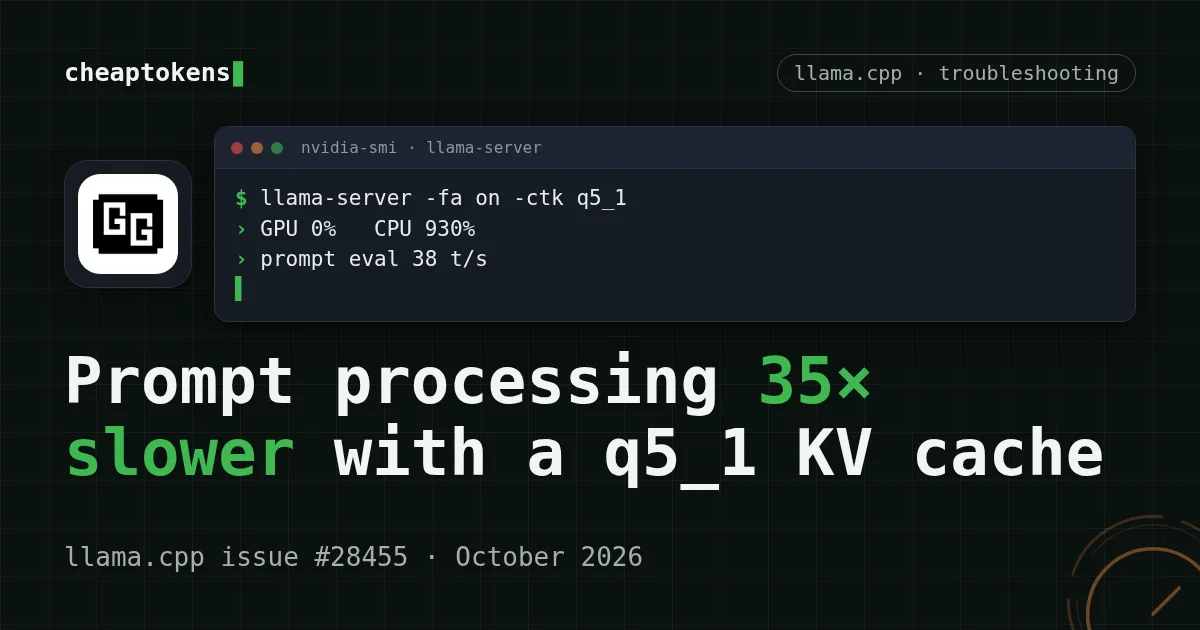
Your local model answers fine, but every long prompt now sits there for a minute and a half while the GPU does nothing. If you run llama.cpp with -fa on and a q5_1 KV cache, that is probably the cause: the default CUDA build has no flash-attention kernel for that cache type, so the attention step quietly runs on the CPU. Switching the cache to q8_0 brought one reporter from 38 to 1348 tokens/s on prompt processing.
The numbers below come from llama.cpp issue #28455 (opened 5 September 2026, build 10791, checked 28 October 2026). One reporter, one RTX 4080, one 27B model, so read them as a worked example, not a law. Their root-cause analysis is theirs too: a maintainer called it "a known issue" and closed the issue the next day.
What it looks like on screen#
The setup was ordinary. Someone wanted a 131072-token context on a single 16 GB card, so they shrank the KV cache to q5_1:
llama-server -m model.gguf -ngl 99 -fa on -c 131072 -np 4 \
  --cache-type-k q5_1 --cache-type-v q5_1
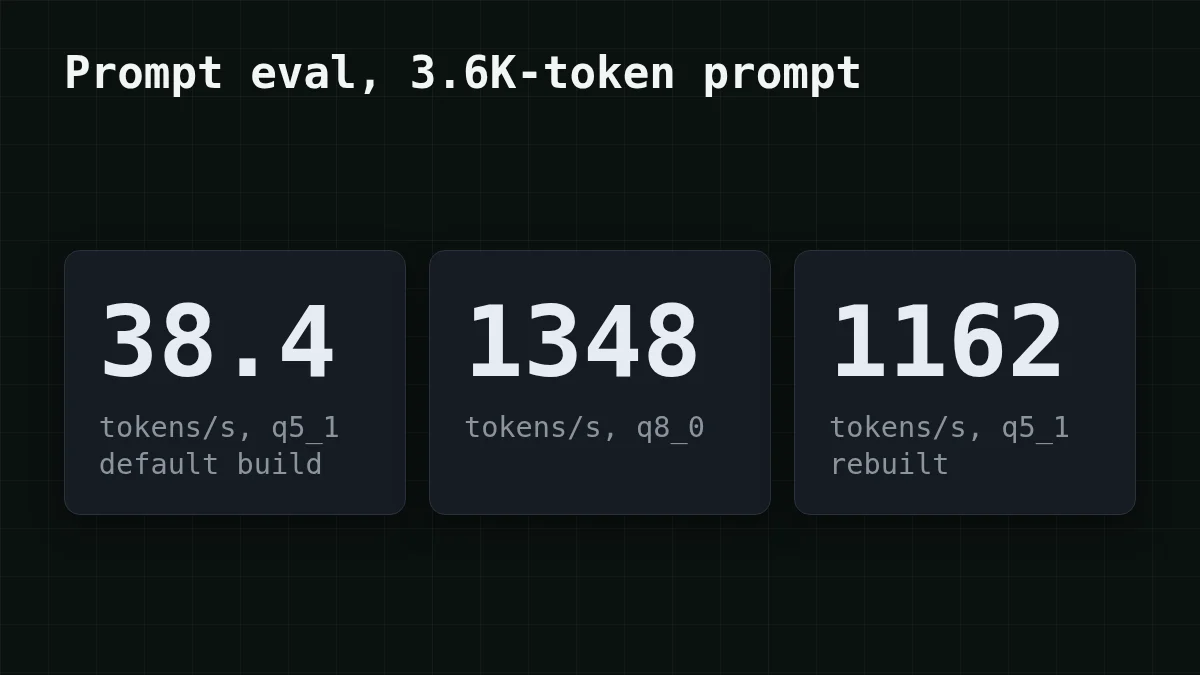
Then they sent a 3.6K-token prompt. Prompt processing ran at 38.4 tokens/s and decoding at 6.5 tokens/s. Do the division: 3,600 ÷ 38.4 = 93.75, so about 94 seconds before the first word. With q8_0 the same prompt ran at 1348 tokens/s: 3,600 ÷ 1,348 = 2.67, under three seconds.
The tell is in the task manager. During the slow runs the GPU sat near 0% while the CPU showed about 930% (nine or ten cores busy). A GPU that idles while you are "running on the GPU" is the symptom to look for.
Why a smaller cache makes it this much slower#
Flash attention is a fused GPU kernel. The default CUDA build ships it only for some KV cache type pairs. For q4_0, q4_1, q5_0 and q5_1 there is no kernel, so llama.cpp doesn't stop with an error. It moves that operation to the CPU and carries on. Everything still works, just roughly 35 times slower on prompt processing (1348 ÷ 38.4 = 35.1).
That "silently" is the whole problem. Nothing in the answer tells you. Prompt processing drops the most (about 35×), and generation slows too: 6.5 tokens/s against 30.1 with q8_0 in the same issue.
Check it in two minutes#
Run llama-bench with the same cache types you use in the server, once per variant, and watch the GPU in another terminal:
llama-bench -m model.gguf -ngl 99 -fa 1 -ctk q8_0 -ctv q8_0 -p 512 -n 0
llama-bench -m model.gguf -ngl 99 -fa 1 -ctk q5_1 -ctv q5_1 -p 512 -n 0
nvidia-smi -l 1
The reporter's pp512 results on a Qwen 27B Q5_K_XL: 1511.92 tokens/s for q8_0/q8_0, about 197 for q5_1/q5_1 on the default build. If your two lines show a gap like that and nvidia-smi shows the GPU idle during the second one, you have found it.
Before you fix anything, match what you see to the likely cause:
Match the pairs
Match each symptom to its cause
Tap an item on the left, then its pair
- GPU at ~0%, CPU at ~930% during a long promptAttention is running on the CPU
- Decoding drops to ~6.5 tokens/s against 30.1 with
q8_0Generation slows down too, not only prompt processing - The same flags are fast with
q8_0This cache type pair has no GPU flash-attention kernel in the default build
Fix 1: use q8_0 (or rebuild)#
The quickest fix is to change two flags and keep everything else:
llama-server -m model.gguf -ngl 99 -fa on -c 131072 -np 4 \
  --cache-type-k q8_0 --cache-type-v q8_0
In the issue this gave 1348 tokens/s on prompt processing and 30.1 tokens/s on decoding (up from 6.5). The price is memory: a q8_0 cache is bigger than q5_1, so check that your context length still fits in VRAM.
If you must keep q5_1 for memory reasons, rebuild with all flash-attention cache combinations compiled in:
cmake -B build -DGGML_CUDA=ON -DGGML_CUDA_FA_ALL_QUANTS=ON
cmake --build build --config Release -j
That build ran q5_1 at 1509.70 tokens/s on pp512 and 1162 tokens/s on the 3.6K-token prompt, with decoding at 38.5 tokens/s. A commenter on the issue pointed out that moving the work between backends could change numerical results a little and suggested a perplexity comparison between builds. If you care about exact outputs, run one.
Compare
Which fix fits your card?
q8_0 cache
Change --cache-type-k and --cache-type-v to q8_0. No rebuild. Uses more VRAM than q5_1, so recheck the context size you can fit.
Rebuild with FA_ALL_QUANTS
Keep q5_1 and build with -. Same VRAM as before, but you maintain your own build and it takes longer to compile.
The maintainer's "known issue" reply doesn't say whether current llama.cpp versions have changed this. The honest check is the llama-bench pair above: if both lines are close, you are fine.
When tuning stops being worth it#
Say you got the fix working, and now you are weighing the next round: more flags, a second GPU, a smaller quant. If the job is summaries, code review or extraction on prompts of a few thousand tokens, ask what a request costs you in time and effort, not only in watts.
Here is a stated workload to compare with. Say a summarization job sends 3,600 input tokens and gets 500 back, 1,000 times. On CheapTokens that is about $0.104 on DeepSeek-V4-Flash (380K context, up to 32,768 output tokens per answer, one price at any hour) and about $0.092 on GLM-5.3-Flash (390K context). The table counts input and output together, with an OpenRouter column to compare:
| Model | Input $/1M | Output $/1M | Per request | 1,000 requests | OpenRouter, 1,000 requests |
|---|---|---|---|---|---|
| GLM-5.3-Flash | $0.02 | $0.04 | $0.000092 | $0.092 | $0.187 |
| DeepSeek-V4-Flash | $0.015 | $0.10 | $0.0001 | $0.104 | $0.249 |
| MiniMax-M2.7 | $0.05 | $0.15 | $0.00026 | $0.255 | $1.68 |
3,600 input and 500 output tokens per request. Prices per 1M tokens are current and change together with our tariffs; the OpenRouter column shows reference prices for the same workload.
The API doesn't care about your cache type, your VRAM or your build flags; there is nothing to fall back to the CPU. Send a handful of your real prompts first and judge the answers yourself. The step is small: the endpoint speaks the OpenAI Chat Completions format, so most local clients only need a new base URL.
curl https://api.cheaptokens.dev/v1/chat/completions \
  -H "Authorization: Bearer $CHEAPTOKENS_API_KEY" \
  -H "Content-Type: application/json" \
  -d '{"model": "deepseek-ai/DeepSeek-V4-Flash-0731", "messages": [{"role": "user", "content": "Summarize the text below in 5 bullets: ..."}], "max_tokens": 500}'
The full setup is in the CheapTokens docs, and the current per-model prices are on the pricing page. For a longer look at hardware versus API, see Run DeepSeek locally or use an API. If you want to see how input and output are billed separately, input vs output tokens covers it.
The order to work through#
Put in order
Put the troubleshooting steps in order
Drag the items or use the arrows
- Run llama-bench for q8_0 and q5_1 and watch nvidia-smi
- Switch both cache types to q8_0
- Check the context length still fits in VRAM
- Rebuild with GGML_CUDA_FA_ALL_QUANTS=ON only if you need q5_1
- Compare the same prompt on an API if the local setup is still not worth the effort
One more caution about sources: the whole diagnosis rests on one public issue and one GPU. Treat 1348 and 38.4 as what happened there, and measure your own card before you trust either.


