Tools & integrationsComparison
Cline vs Kilo Code vs Continue in VS Code with your own API key
How Cline, Kilo Code and Continue differ, where each one takes a base URL, key and model id, and whether a settings form or a config file suits you.
On this page
Pick Cline or Kilo Code if you want to set the model up through a settings form. Pick Continue if you want the setup to live in a config.yaml file next to your code. All three accept your own key through an OpenAI-compatible endpoint, so what you type is always the same trio: a base URL, a key and a model id. For CheapTokens that is https:/, your key and a full id such as deepseek-.
The details below come from each tool's official docs, checked on 27 October 2026. None of the three pages shows a version, so there are no version numbers here.
Three tools, one set of values#
Think of a power socket. The wall is the same everywhere; only the plug differs. Cline gives you a short form, Kilo Code gives you a form with a few more fields, Continue gives you a text file.
Scroll the table right →
| Tool | Where the endpoint goes | What you fill in | Extras |
|---|---|---|---|
| Cline | API Provider: OpenAI Compatible | Base URL, API Key, Model ID | Optional Model Configuration (max output tokens, context window, image support, computer use, input/output prices); a Verify button |
| Kilo Code | Settings > Providers > Custom provider | Provider ID, Display name, Provider API, Base URL, API key (optional), Models | Optional Headers; token limits and tool calling are edited in kilo.jsonc |
| Continue | A models entry in config.yaml |
provider: openai, model, apiKey, apiBase |
name, version and schema: v1 at the top; the JSON config format is deprecated |
Two details from the docs before you start. Cline says the Base URL should not be https:/, which is exactly the value people leave in by mistake. And Kilo Code's Base URL usually ends in /v1; ours does too.
Which one fits your day#
Forget feature lists for a minute and think about what you do after opening the editor.
Pick your case
Which sounds like you?
Choose an option to see the answer
I want a settings form with a few fields and a cheap model
Start with Cline or Kilo Code. Both are set up through a form in the extension's settings, and both let you point the model at your own endpoint. Cline is the shorter form: three fields and a Verify button. Kilo Code also asks for a provider ID and a display name.
I want chat and edits in the editor, with the setup in a file
Take Continue. Your models live in config.yaml, so a teammate can copy the same setup, and switching a model is a one-line edit.
I already have a key and a URL and only need to know where to paste them
Skip to the next section. It has the exact fields for all three tools.
What to type in each tool#
One model id works in all three. Here it is for each tool, in the order the screens show it.
Fields and config per tool
Cline
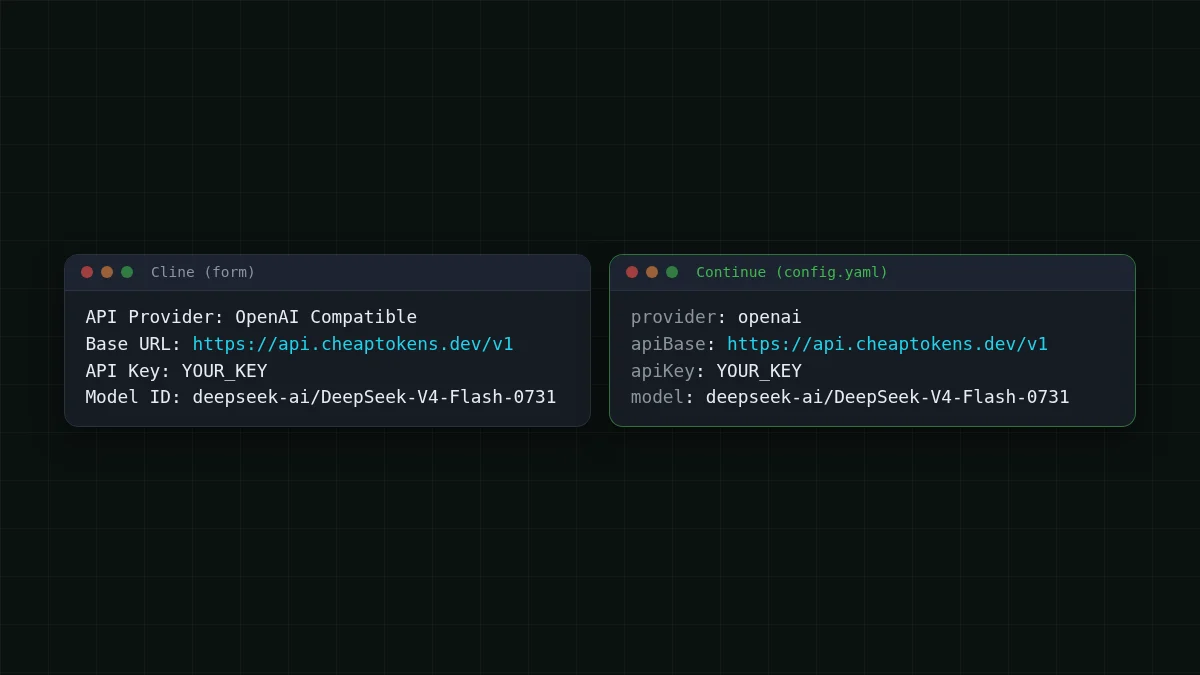
Open Cline's settings and set API Provider to OpenAI Compatible. Then fill in:
- Base URL:
https:// api. cheaptokens. dev/ v1 - API Key: your CheapTokens key
- Model ID:
deepseek-ai/ DeepSeek- V4- Flash- 0731
Press Verify to test the connection. In the optional Model Configuration, DeepSeek-V4-Flash takes a context window of 380K and up to 32,768 output tokens per answer.
Kilo Code
Go to Settings > Providers > Custom provider and fill in:
- Provider ID:
cheaptokens - Display name:
CheapTokens - Provider API: OpenAI Compatible (that is Chat Completions)
- Base URL:
https:// api. cheaptokens. dev/ v1 - API key: your CheapTokens key
- Models: add
deepseek-by handai/ DeepSeek- V4- Flash- 0731
Token limits and tool calling are not in the form; they live in kilo.jsonc.
Continue
Add a model to config.yaml. This is a full working file:
name: CheapTokens
version: 1.0.0
schema: v1
models:
  - name: DeepSeek-V4-Flash
    provider: openai
    model: deepseek-ai/DeepSeek-V4-Flash-0731
    apiKey: YOUR_CHEAPTOKENS_KEY
    apiBase: https://api.cheaptokens.dev/v1
For everyday questions, add a second entry with model: zai-. Continue's docs mark the old JSON config as deprecated, so stay on YAML.
Which model goes where? For long multi-step sessions in Cline or Kilo Code, DeepSeek-V4-Flash: up to 32,768 output tokens per answer, a 380K context, one price at any time of day. For quick questions in Continue, GLM-5.3-Flash with a 390K context and up to 8,192 output tokens per answer. Both sit behind the same endpoint and one balance, so changing the model means changing one field or one line. Current prices per 1M tokens: DeepSeek-V4-Flash $0.015 input and $0.10 output, GLM-5.3-Flash $0.02 input and $0.04 output. The full list is on the pricing page.
What a working session costs#
Agents are chatty: every step sends the context again. Say a Cline session runs 40 steps, and each step sends about 30,000 tokens and gets about 1,500 back. That is 30000 × 40 = 1200000 input tokens and 1500 × 40 = 60000 output tokens, and on DeepSeek-V4-Flash the whole session costs $0.024. Note which side dominates: the input is twenty times the output, which is typical for agents and is why token counts per request are worth measuring on your own project.
| Model | Input $/1M | Output $/1M | Per request | 40 requests | OpenRouter, 40 requests |
|---|---|---|---|---|---|
| GLM-5.3-Flash | $0.02 | $0.04 | $0.00066 | $0.0264 | $0.0541 |
| DeepSeek-V4-Flash | $0.015 | $0.10 | $0.0006 | $0.024 | $0.0664 |
| MiniMax-M2.7 | $0.05 | $0.15 | $0.0017 | $0.069 | $0.432 |
30,000 input and 1,500 output tokens per request. Prices per 1M tokens are current and change together with our tariffs; the OpenRouter column shows reference prices for the same workload.
Counted together, input and output, CheapTokens comes out cheaper than OpenRouter for every model in the table. Swap in your own step count and tokens per step to see your number.
If it doesn't work#
Three messages come up in Cline's docs, and it lists all three.
Match the pairs
Match each message to its usual cause
Tap an item on the left, then its pair
- Invalid API KeyA typo in the key, or a key from another service
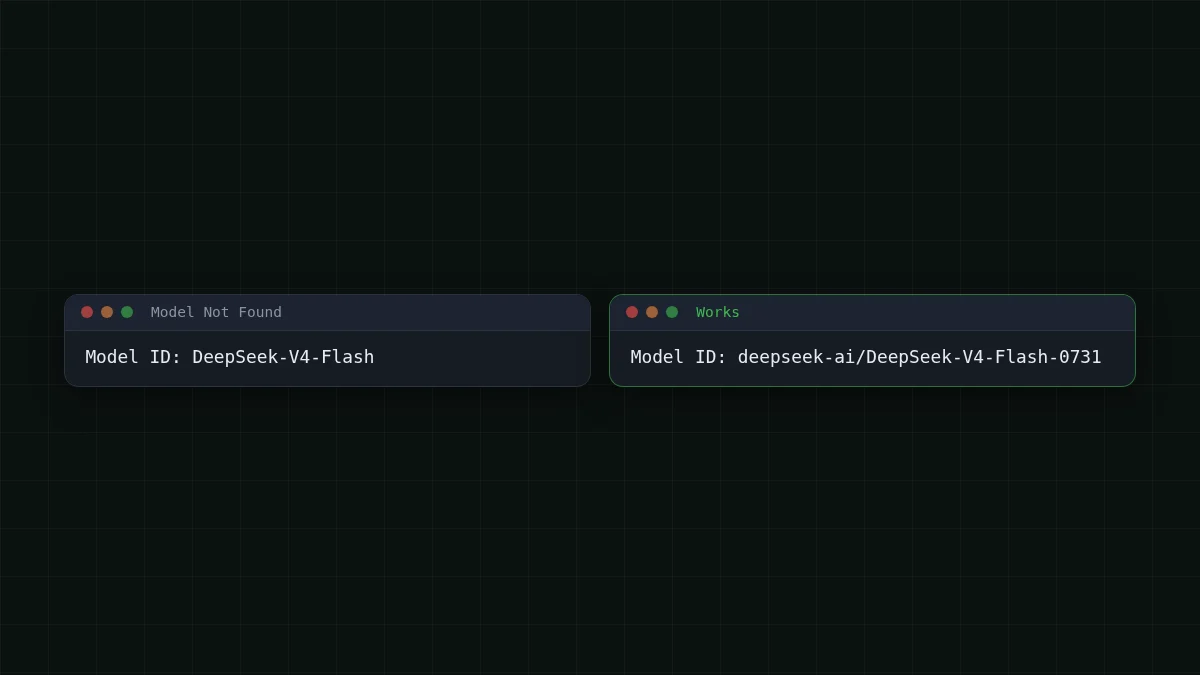
- Model Not FoundThe model id is wrong for this address; here it must be the full id, like deepseek-ai/DeepSeek-V4-Flash-0731
- Connection errorThe Base URL is wrong (check /v1 and that api.openai.com is not left in), or a firewall or network blocks the request
Change one thing at a time and test again: press Verify in Cline, or send a short question in the chat of the other two.
Step-by-step setup for each tool: connect Cline and connect Kilo Code. Not sure an editor extension is what you need at all? See where to plug in your own API key. Keys, base URL and model ids are in the CheapTokens docs.


