Agents & automationGuide
Write a prompt that makes an agent build a tool: 3 parts
Where the tool lives, what it does, which details are fixed: a three-part prompt built from DeepSeek's Creator Mode examples, plus what a build session costs.
On this page
You asked an agent to "make a tool", and got something vague that does not fit your app. The fix is not a longer prompt, it is a prompt with three specific parts: where the tool lives, what it does, and the concrete details that must hold. Expect more than one round, too: even DeepSeek says some of its demo plugins were refined over several conversation rounds.
Most prompts in DeepSeek's collection for the Harness Creator Mode demo video show that three-part shape. The page (DeepSeek's Creator Mode prompt collection, checked 3 November 2026, no publication date on the page) lists seven plugins: a 3D gallery of famous landmarks, a Transformer 3D visualization, a pixelated DSH interface, a poster design workbench, a video editing workbench, a paper reader and conversation statistics. To use one, you paste the prompt into DeepSeek Harness and select the Creator Mode option. Each prompt is given in English and Chinese.
What the three parts look like in a real prompt#
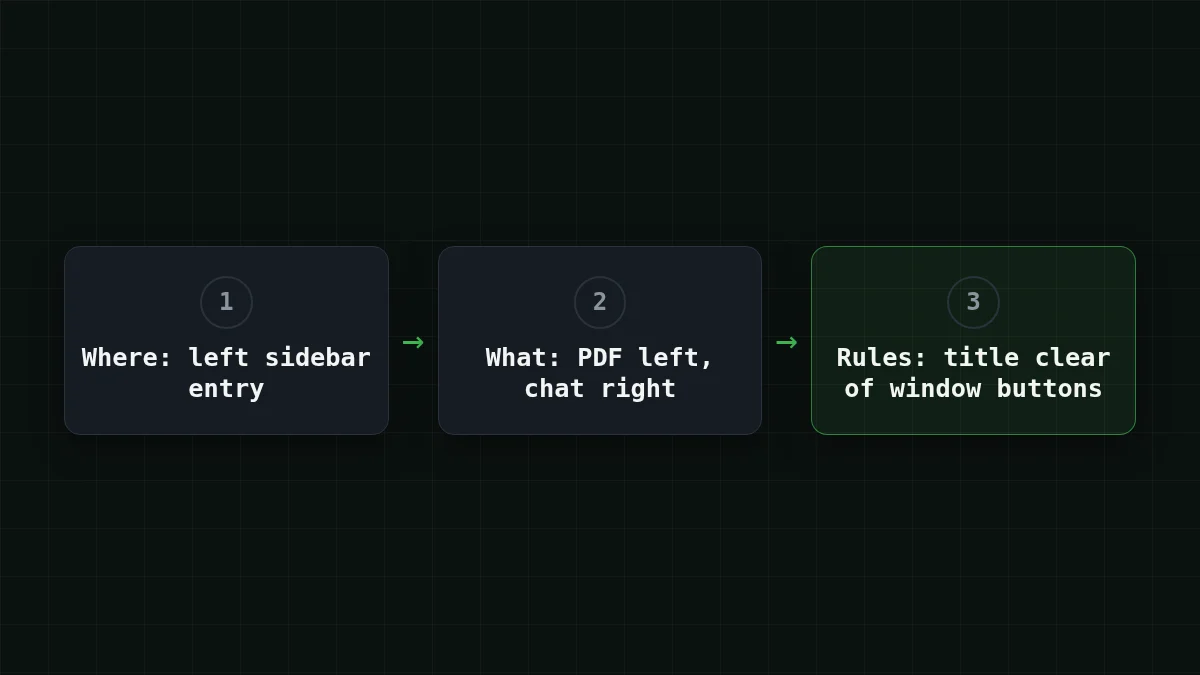
Take the Transformer 3D visualization prompt from that page. It opens with "Create a DeepSeek Harness plugin with a left sidebar entry". That is part one: where the tool lives. Then it describes the function: an interactive 3D demonstration game that explains Transformer computation. Part two. It ends with a requirement that is easy to forget and annoying to fix later: the panel title and toolbar must not overlap the native macOS window buttons. Part three.
The other prompts on the page follow the same shape, with differences. The entry point varies: a left sidebar entry in three of them, a spot reached from the conversation in two, the right sidebar in the paper reader. The ending is where they get concrete: five styles, one of them pixelated, or a default page title of "Everything is a plugin". That is the pattern worth copying, and the difference shows up fast:
Compare
Vague vs three parts
Before
Make me a tool for my conversations.
After
Create a plugin with a left sidebar entry. It shows statistics for my conversations: how many there are, how long each one is, and which day was busiest. The panel title must not overlap the window buttons.
The first version leaves the agent guessing about everything. Where does it go? A sidebar, a command, a separate window? What counts as "for my conversations"? The second answers those questions before the agent has to ask them.
Write your own, one part at a time#
Say you want a small panel that reads a paper and lets you ask questions about it. Go through the parts in order.
Where it lives. One sentence, and name the exact place: "a plugin with a left sidebar entry", "a button in the toolbar", "a page opened from the menu". If you leave it out, the agent picks for you.
What it does. Describe what you see and click, not how it is built. "You drop in a PDF, the left side shows the text, the right side has a chat about it." Skip the framework unless you have a reason to name one.
Concrete requirements. This is where things that went wrong last time go. Layout rules, things that must not overlap, a language, a file format, a limit like "no network calls". Short, checkable lines. If you cannot tell whether a requirement was met by looking at the result, rewrite it until you can.
Put together:
Create a plugin with a left sidebar entry.
It is a paper reader: I open a PDF, the text is shown
on the left, and a chat about the paper is on the right.
Requirements:
- the panel title must not overlap the window buttons
- the chat answers only from the paper's text
- keep everything in one fileSend it through the API#
Creator Mode is a DeepSeek Harness feature; the prompt itself is plain text, so anything that reads a prompt can run it, including a script that calls the CheapTokens API. The prompt below is the one above, sent to DeepSeek-V4-Flash (full id deepseek-, 380K context, up to 32,768 tokens in one answer, which leaves room for a whole plugin in one reply):
import os
from openai import OpenAI

client = OpenAI(
    base_url="https://api.cheaptokens.dev/v1",
    api_key=os.environ["CHEAPTOKENS_API_KEY"],
)

prompt = """Create a plugin with a left sidebar entry.
It is a paper reader: I open a PDF, the text is shown
on the left, and a chat about the paper is on the right.
Requirements:
- the panel title must not overlap the window buttons
- the chat answers only from the paper's text
- keep everything in one file"""

resp = client.chat.completions.create(
    model="deepseek-ai/DeepSeek-V4-Flash-0731",
    messages=[{"role": "user", "content": prompt}],
    max_tokens=8000,
)
print(resp.choices[0].message.content)
print(resp.choices[0].finish_reason, resp.usage)
The key goes in an environment variable, never in the file. If finish_reason prints length, the plugin was cut off by max_tokens: raise the limit. Setting up DeepSeek Harness itself with a custom provider is a separate job, covered in connecting DeepSeek Harness to CheapTokens. The first-request basics are in the CheapTokens docs.
Why one prompt is rarely enough#
DeepSeek says it plainly: some of the demo plugins were refined over several conversation rounds, so a single prompt may not reproduce the video exactly. Think of it like briefing a contractor. The first drawing gets you most of the room, and you walk through it and say "the door opens the wrong way".
Try it yourselfTry it: what should round two say?Show answer
Name what you saw, not what you feel. "The title overlaps the close button; move it 40 px to the right" gets a fix. "The layout is off" gets another guess. Each correction becomes one more line in the requirements part for next time.
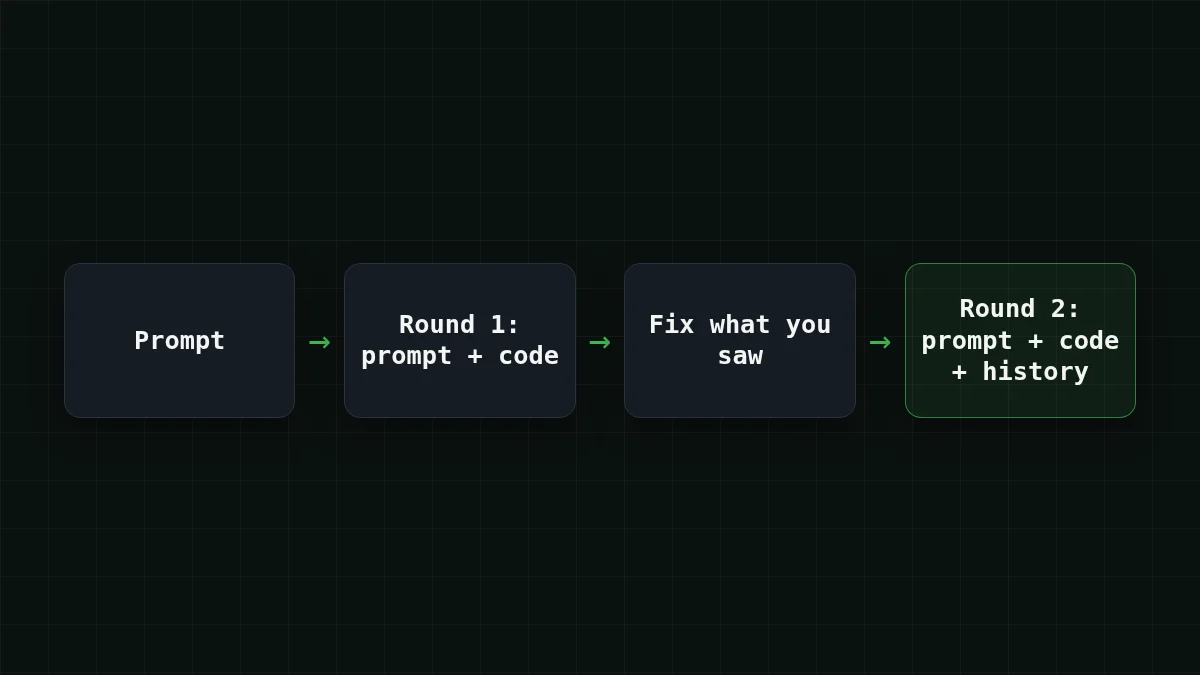
And that is where the money goes. An agent resends the conversation with every round (the same effect as in why a long chat costs more), so round five carries the prompt, four earlier answers and all the code so far.
What a build session costs#
Here is an assumed session, not a measurement: five rounds, about 12,000 tokens sent per round (prompt, history, current code) and about 6,000 tokens written back. The table below uses live CheapTokens prices for each model; the OpenRouter column is there to compare the same session in total, with input and output counted together.
| Model | Input $/1M | Output $/1M | Per request | 5 requests | OpenRouter, 5 requests |
|---|---|---|---|---|---|
| GLM-5.3-Flash | $0.02 | $0.04 | $0.00048 | $0.0024 | $0.0045 |
| DeepSeek-V4-Flash | $0.015 | $0.10 | $0.00078 | $0.0039 | $0.0084 |
| MiniMax-M2.7 | $0.05 | $0.15 | $0.0015 | $0.0075 | $0.09 |
12,000 input and 6,000 output tokens per request. Prices per 1M tokens are current and change together with our tariffs; the OpenRouter column shows reference prices for the same workload.
For one DeepSeek-V4-Flash round the same numbers come to $0.00078. If your plugin is bigger, the history grows each round, so change the two numbers and rerun the estimate. More on estimating agent bills in how to estimate the cost of an AI agent, and the model list is on the pricing page.
Check before you send#
Checklist
Before you send a build prompt
Write the first prompt, read what comes back, and put every correction into the next version of the requirements. After two or three sessions you will have a short list of lines that you paste into every new prompt, and the first round will come out closer to what you meant. For the underlying habits of any prompt, see how to write a good prompt.


