Agents & automationGuide
Browser Use on a cheap model: base_url setup and run cost
Connect Browser Use to an OpenAI-compatible API, run a price-check task in a real browser and estimate what one run costs.
On this page
Browser Use accepts any OpenAI-compatible endpoint, so connecting it to CheapTokens takes three values: base_url, your key and the full model id. Below is an agent.py that opens a product page, reads the price and reports it, plus an estimate of what one run costs on live prices.
A browser agent re-sends the page text to the model on every step, so the estimate comes before the schedule.
Install and point it at the API#
Browser Use's README (checked 8 November 2026) installs it with uv; the library needs Python 3.11+ and is MIT-licensed. The docs' supported-models page shows the pattern for custom endpoints: ChatOpenAI with a base_url, then Agent(task=..
uv init --python 3.12
uv add browser-use
Put the key in a .env file next to the script, never in the code:
CHEAPTOKENS_API_KEY=your-key-hereThen agent.py:
import asyncio
import os

from dotenv import load_dotenv
from browser_use import Agent, ChatOpenAI

load_dotenv()

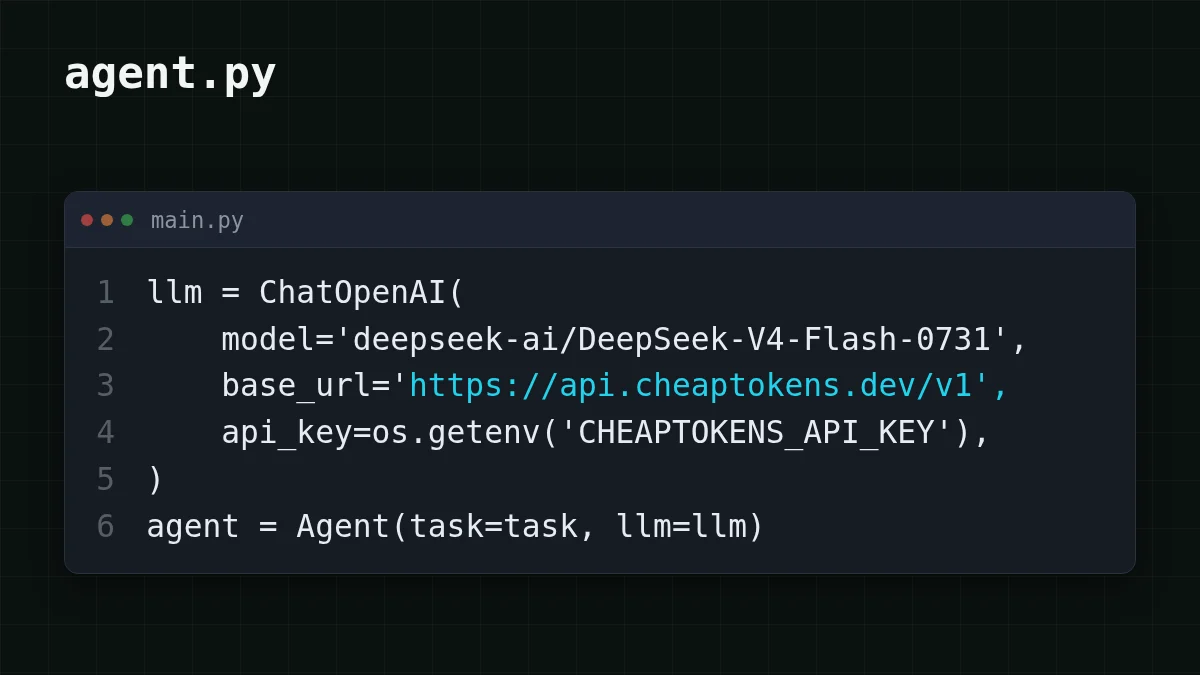
llm = ChatOpenAI(
    model='deepseek-ai/DeepSeek-V4-Flash-0731',
    base_url='https://api.cheaptokens.dev/v1',
    api_key=os.getenv('CHEAPTOKENS_API_KEY'),
)

task = (
    'Open https://shop.example/laptop-x (replace with your product page). '
    'Find the current price and whether it is in stock. '
    'Reply with one line: price, currency, in stock yes/no. '
    'Do not click Buy or add anything to the cart.'
)

agent = Agent(task=task, llm=llm)
asyncio.run(agent.run())
Run it with uv run agent.py. If the first run complains about a missing browser, install it as the Browser Use quickstart shows (uvx browser-, checked 8 November 2026).
Why this model: a browser run is many calls with long page context. DeepSeek-V4-Flash has a 380K context window, up to 32,768 output tokens per answer, and one price at any hour of the day. The id has to be the full deepseek- — the short names from price tables are not accepted by the API. Other ids and the connection basics are in the CheapTokens docs.
What the agent actually does on a price page#
Say your task is "what does this laptop cost today". The agent runs a loop: it gets the page text, asks the model what to do next, performs the action in the browser (open, scroll, click), and gets the new page text back. It repeats until the model decides it has the answer.
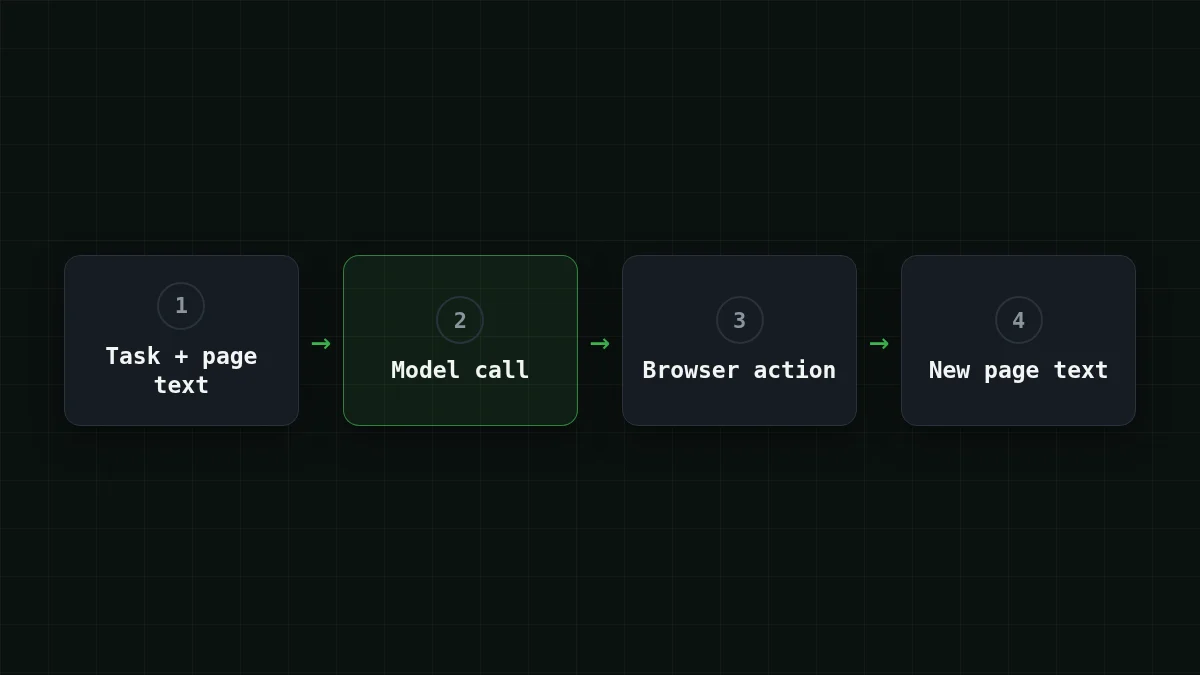
That last arrow is the cost driver. A product page can be thousands of tokens of text, and it travels with each call. A channel post on 6 November listed Browser Use as the browser layer of a shopping agent that compares offers and tracks price drops; the same idea fits a daily check of one or two pages, as in the task above.
Pick your case
Is a browser agent the right tool for your check?
Choose an option to see the answer
The price shows up only after clicks
A browser agent fits. It opens the page in a real browser, picks a size or color, scrolls and reads what appears. Writing that as a script means maintaining selectors for every store.
One fixed URL and one fixed price element
A plain script with a selector is cheaper: no model call at all. Put fixed steps in code and keep the model for the parts that change. More on that in do agents need the model at every step.
Two or three stores with different layouts
A browser agent fits. One task text covers several page layouts, and you compare the one-line answers afterwards.
One caution before you schedule anything: the agent reads whatever the page says, and a page can contain instructions aimed at the agent. The prompt injection checklist covers what to do about it, and the task above forbids buying for the same reason.
What one run costs#
Don't guess; assume. Say a run takes 15 steps. Each step sends the task, the history and the current page: about 12,000 input tokens, and the model answers with a short action of about 600 tokens.
15 × 12,000 = 180,000 input tokens and 15 × 600 = 9,000 output tokens per run. On DeepSeek-V4-Flash that run costs $0.0036, input at $0.015 per 1M tokens. Input is 20 times the output here, which is typical for browser work, and counted together in total, the price is below OpenRouter's reference for this model.
The table below uses the same per-step numbers for 15 steps, so you can see each model side by side:
| Model | Input $/1M | Output $/1M | Per request | 15 requests | OpenRouter, 15 requests |
|---|---|---|---|---|---|
| GLM-5.3-Flash | $0.02 | $0.04 | $0.00026 | $0.004 | $0.0068 |
| DeepSeek-V4-Flash | $0.015 | $0.10 | $0.00024 | $0.0036 | $0.0139 |
| MiniMax-M2.7 | $0.05 | $0.15 | $0.00069 | $0.0104 | $0.124 |
12,000 input and 600 output tokens per request. Prices per 1M tokens are current and change together with our tariffs; the OpenRouter column shows reference prices for the same workload.
Then scale it to your schedule. Three pages checked once a day is 45 steps; drag the sliders to your own numbers.
Cost calculator
One day of price checks: 3 pages, 15 steps each
Input tokens per request: 12,000 · Output tokens per request: 600 · Requests per day: 45
| Model | Per day | Per month |
|---|---|---|
| GLM-5.3-Flash$0.02$0.04 | $0.0119 | $0.356 |
| DeepSeek-V4-Flash$0.015$0.10 | $0.0108 | $0.324 |
| MiniMax-M2.7$0.05$0.15 | $0.0311 | $0.932 |
The 50-step version of this arithmetic on three models is in agent session cost. If you prefer GLM-5.3-Flash (390K context, up to 8,192 output tokens), the row for it is in the table above; the short action answers here fit well under that limit. Current prices for every model are on the pricing page.
If it doesn't work#
Start with the error text. These three are the usual suspects:
Match the pairs
Match the symptom to its cause
Tap an item on the left, then its pair
- 401 UnauthorizedThe key is missing from
.envor has a typo - 404 model not foundThe short model id was used instead of
deepseek-ai/ DeepSeek- V4- Flash- 0731 - {"navigate": "google.com"} instead of {"navigate": {"url": ...}}The model returned the wrong action schema
The last one is described on Browser Use's supported-models page (checked 8 November 2026) for smaller Qwen models: they may return a wrong action schema. The fix the docs suggest is to put examples of the correct action format into the prompt. Add them to the task text, for example:
Actions are JSON objects like {"navigate": {"url": "https://..."}}.
Always put the url inside the object.
If a run keeps going in circles, make the task narrower: one page, one question, one-line answer. Short tasks finish in fewer steps, and fewer steps is the cheapest fix there is.
Next: LangChain with a custom base_url uses the same base_url idea if you build your own chains around the browser agent.


