AI for beginnersGuide
How to write a good prompt: 5 parts and a before/after example
Turn a vague one-line request into a prompt with task, context, format, example and rules, then send it through an OpenAI-compatible API.
On this page
Your model summarizes a customer email in three paragraphs on Monday and in two bullet points on Tuesday. Same prompt, same model. That's what a one-line request does: it leaves every decision to the model, and the model decides differently each time.
A good prompt answers five questions: what to do (task), what to work with (context), what the answer should look like (format), what a good answer looks like (example) and what to avoid (constraints). Below, one vague request becomes a structured one, goes through the OpenAI-compatible CheapTokens API, and you see what the longer prompt adds to the bill.
Why "Summarize this email" is a gamble#
When you type "Summarize this email," you already have an answer in mind: one sentence, how urgent it is, what to do next. The model can't see that picture. So it guesses, and every guess is reasonable. Together they give you a different answer on each run, and a script that reads the answer has nothing stable to parse.
OpenAI's prompt-engineering guide (read 27 October 2026) puts the idea plainly: prompt engineering is writing effective instructions, and GPT models do better when you tell them explicitly how to accomplish a task. The habit isn't limited to text. On 26 October 2026 one Telegram channel shared a prompt for a 30-second generated video that was split into blocks: scene, visual style, dialogue, audio and exclusions, technical specs. Different task, same move. The author named every decision up front instead of leaving it to the model.
Try it yourselfTry it: what would a model have to guess from "Summarize this email"?Show answer
The length (one line or a page), the audience (you or the customer), the shape of the answer (prose, bullets, JSON), what counts as important, and what to do when the email doesn't say. Every one of those is something a prompt can settle.
The five parts, in plain words#
Think of briefing a new colleague on their first day. "Deal with this one" gets you a guess. A sticky note with the job, the material, the format you want, a sample and a "don't" gets you what you meant.
Task is one verb and one object: "Summarize the email and rate its urgency." Be literal. "Help with this email" isn't a task.
Context is the material the model works on: the email, a product description, a policy. The model knows only what it learned in training plus what you paste in. Wrap pasted text in delimiters, such as XML-style tags like <email>…</email> or markdown headers, so your instructions can't be mixed up with the text. OpenAI's guide suggests both.
Format is what the answer looks like: "JSON with the keys summary, urgency, next_step" or "three bullets, 12 words each at most". It matters most when code reads the reply.
Example is one input with the output you want. The guide recommends few-shot examples that cover a diverse range of inputs with the desired outputs. One example is a fine start; add a second when your inputs differ a lot.
Constraints are the "don'ts": use only facts from the email, write "unknown" when something is missing, no refunds or discounts.
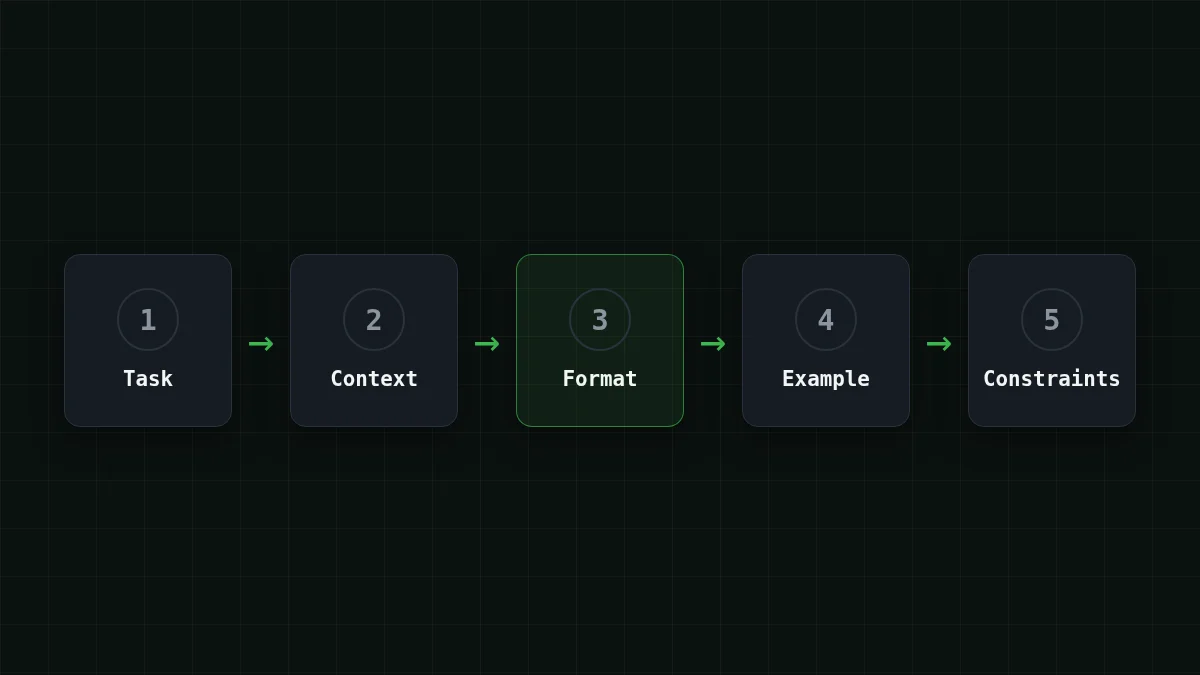
Order matters a little too. The same guide says a developer or system message usually goes identity, instructions, examples, context, and that context belongs near the end because it changes between requests. Rules go in the system message; the input goes in the user message.
Match the pairs
Match each part of a prompt to the question it answers
Tap an item on the left, then its pair
- TaskWhat should the model do?
- ContextWhat material does it work on?
- FormatWhat should the answer look like?
- ExampleWhat does a good answer look like?
- ConstraintsWhat must it not do?
Before and after: a customer email#
Here's the one-liner next to the same request with all five parts. The email itself is the context, and it goes in the user message, wrapped in <email> tags.
Compare
One request, two prompts
Before
Summarize this email.After
You summarize customer emails for a support team.

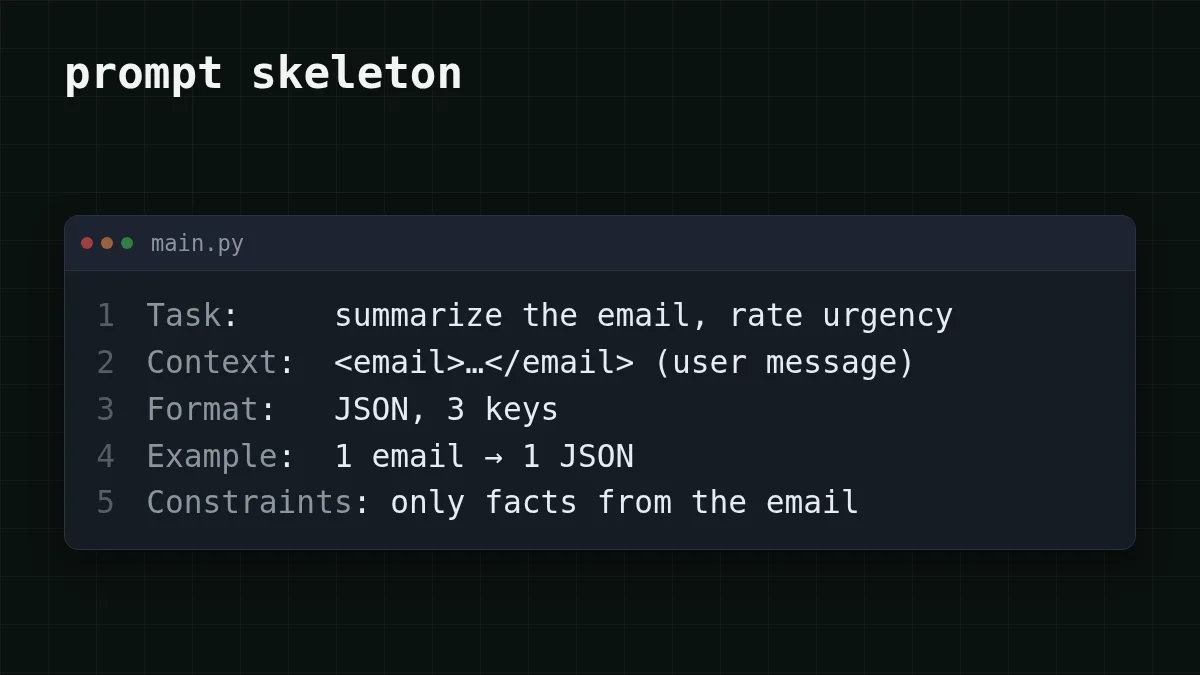
Task: Summarize the email in the <email> tags and rate how urgent it is.

Format: Reply with JSON only, using the keys "summary" (one sentence), "urgency" ("low", "medium" or "high") and "next_step" (one short sentence).

Example:
<email>Hi, order 1042 was due Monday and it's Thursday. Where is it?</email>
{"summary": "Order 1042 is three days late and the customer asks where it is.", "urgency": "medium", "next_step": "Check the carrier tracking for order 1042 and reply with the status."}

Rules:
- Use only what the email says. If something is missing, write "unknown".
- Don't offer refunds or discounts.
- Output nothing outside the JSON.
Read the "after" top to bottom and you can point at each part: the opening line and the task, the format line, the example, the rules. The email is missing from the text on purpose. It changes with every request, so it travels separately.
Send it through the API#
The instructions never change, so they live in a constant and go first. The email changes, so it goes last. This is the whole script, using the OpenAI Python SDK pointed at CheapTokens. The model is DeepSeek-V4-Flash: 380K context, up to 32,768 output tokens per answer, one price at any hour. Take the base URL and model id from the CheapTokens docs; if you don't have a key yet, your first API request walks through it.
import json
import os

from openai import OpenAI

client = OpenAI(
    base_url="https://api.cheaptokens.dev/v1",
    api_key=os.environ["CHEAPTOKENS_API_KEY"],
)

SYSTEM_PROMPT = """You summarize customer emails for a support team.

Task: Summarize the email in the <email> tags and rate how urgent it is.

Format: Reply with JSON only, using the keys "summary" (one sentence), "urgency" ("low", "medium" or "high") and "next_step" (one short sentence).

Example:
<email>Hi, order 1042 was due Monday and it's Thursday. Where is it?</email>
{"summary": "Order 1042 is three days late and the customer asks where it is.", "urgency": "medium", "next_step": "Check the carrier tracking for order 1042 and reply with the status."}

Rules:
- Use only what the email says. If something is missing, write "unknown".
- Don't offer refunds or discounts.
- Output nothing outside the JSON.
"""

email = "Hello, I was charged twice for my subscription this month. Please fix it before Friday, my card is almost at its limit."

response = client.chat.completions.create(
    model="deepseek-ai/DeepSeek-V4-Flash-0731",
    messages=[
        {"role": "system", "content": SYSTEM_PROMPT},
        {"role": "user", "content": f"<email>\n{email}\n</email>"},
    ],
)

reply = response.choices[0].message.content
print(json.loads(reply))
print(response.usage.prompt_tokens, response.usage.completion_tokens)
If the format line did its job, the reply is one JSON object with summary, urgency and next_step, and json.loads turns it into a dictionary. If it raises an error, the model wrapped the JSON in extra text: tighten the last rule or add a second example. The last line prints how many tokens went in and out, which is the number the next section is about.
What the extra words cost#
A token is a piece of a word. You pay per token for what you send (input) and for what the model writes (output), and output is the pricier side. More on that in input vs output tokens.
Say you run a support bot with 1,000 emails a day, and the email is about 300 tokens. The one-liner adds roughly 10 tokens of instruction, so about 310 go in; we assume it gets a free-form summary of about 250 tokens. The system prompt above is about 200 tokens, plus roughly 10 for the <email> tags, so about 500 go in; we assume the format line holds the answer to a JSON of about 80 tokens. On DeepSeek-V4-Flash that is $0.00003 per email for the one-liner and $0.000016 for the structured prompt. The prompt got longer, but the request got cheaper, because the long part is input and the part you shortened is output. Run the script and swap these assumptions for your own prompt_tokens and completion_.
Here is the structured prompt at 1,000 emails a day across the models. In total, with input and output counted together, CheapTokens comes out cheaper than OpenRouter's reference price on this workload; the current prices are on the pricing page.
| Model | Input $/1M | Output $/1M | Per request | 1,000 requests | OpenRouter, 1,000 requests |
|---|---|---|---|---|---|
| GLM-5.3-Flash | $0.02 | $0.04 | $0.000013 | $0.0132 | $0.0234 |
| DeepSeek-V4-Flash | $0.015 | $0.10 | $0.000016 | $0.0155 | $0.0462 |
| MiniMax-M2.7 | $0.05 | $0.15 | $0.000037 | $0.037 | $0.444 |
500 input and 80 output tokens per request. Prices per 1M tokens are current and change together with our tariffs; the OpenRouter column shows reference prices for the same workload.
Check yourself#
One question about the habit that pays off the most when a script reuses a prompt. Once the structure works, the next knobs are the system message and temperature, covered in System prompt and temperature.
Quick check
Your script sends the same instructions with a new email each time. Where should the email go?
Show answer
Answer: At the end, after the instructions and the example
The instructions stay the same between requests and the email changes. OpenAI's guide suggests putting context that varies near the end of the prompt.


