Tools & integrationsGuide
Connect OpenHands to CheapTokens: model, Base URL, key
Fill three fields in OpenHands Settings > LLM (Advanced) to run the agent on a CheapTokens model, and learn to read the three common failures.
On this page
You can run OpenHands on a CheapTokens model by filling three fields in Settings > LLM after switching on Advanced: Custom Model (openai/), Base URL (https:/), and API Key. That's the whole setup. The rest of this page is what each field means and what it looks like when one of them is wrong.
The field names and the model-string rule come from the OpenHands docs page on OpenAI-compatible endpoints (checked 8 November 2026; the page has no date or version). The latest OpenHands release at that date is v1.37.0 (6 November 2026). If a label in your build looks slightly different, go by position: model, base URL, key.
Before you open Settings#
Three things on hand will save you a round trip: the key, the model id and access to Settings.
Checklist
Ready to configure?
New to keys and base URLs? What base_url is and how to switch covers it in a few minutes, and list models with GET /v1/models shows how to look up an id yourself.
The three fields#
Open Settings > LLM and turn on Advanced. The Base URL field sits under the Advanced toggle.
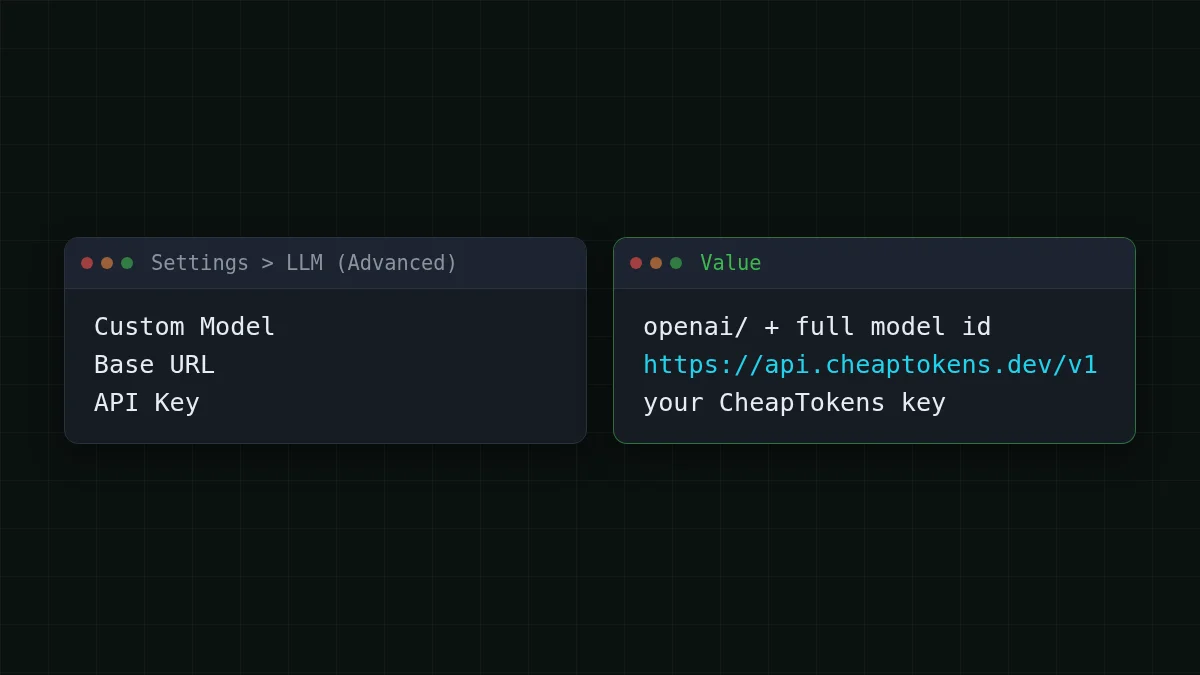
The docs describe the model rule like this: Custom Model is openai/ followed by the model name, and if you go through a proxy that has its own prefix, openai/. The part after openai/ is the model name. For CheapTokens the id is deepseek-, so the full string is openai/.
Scroll the table right →
| Field | Value |
|---|---|
| Custom Model | openai/ |
| Base URL | https:/ |
| API Key | your CheapTokens key |
Why this model for an agent? DeepSeek-V4-Flash has a 380K context window and up to 32,768 output tokens per answer, and one price at any hour, so a long session doesn't get pricier at peak time. A coding agent re-sends a lot of context on every step, and that's what the window is for.
Prefer GLM? Use openai/ (390K context, up to 8,192 output tokens) in the same field and change nothing else. Same balance, same key, same Base URL.
Check the pieces outside OpenHands first#
Before you blame the agent, send one request with the same URL, key and id. If this works, any problem left is in how you typed the fields.
curl https://api.cheaptokens.dev/v1/chat/completions \
  -H "Authorization: Bearer $CHEAPTOKENS_API_KEY" \
  -H "Content-Type: application/json" \
  -d '{"model":"deepseek-ai/DeepSeek-V4-Flash-0731","messages":[{"role":"user","content":"Say ready"}],"max_tokens":20}'
Notice what's missing: there is no openai/ in the model value. That prefix is for OpenHands, not for the API. The reply carries a usage block with prompt_tokens and completion_ — the same two numbers you'll later see adding up over an agent session.
Compare
The model string: one prefix, two results
Id only
deepseek- — the form for curl and the API.
With the prefix
openai/ — the form for the Custom Model field.
What a wrong field looks like#
Each of the three fields can be the cause:
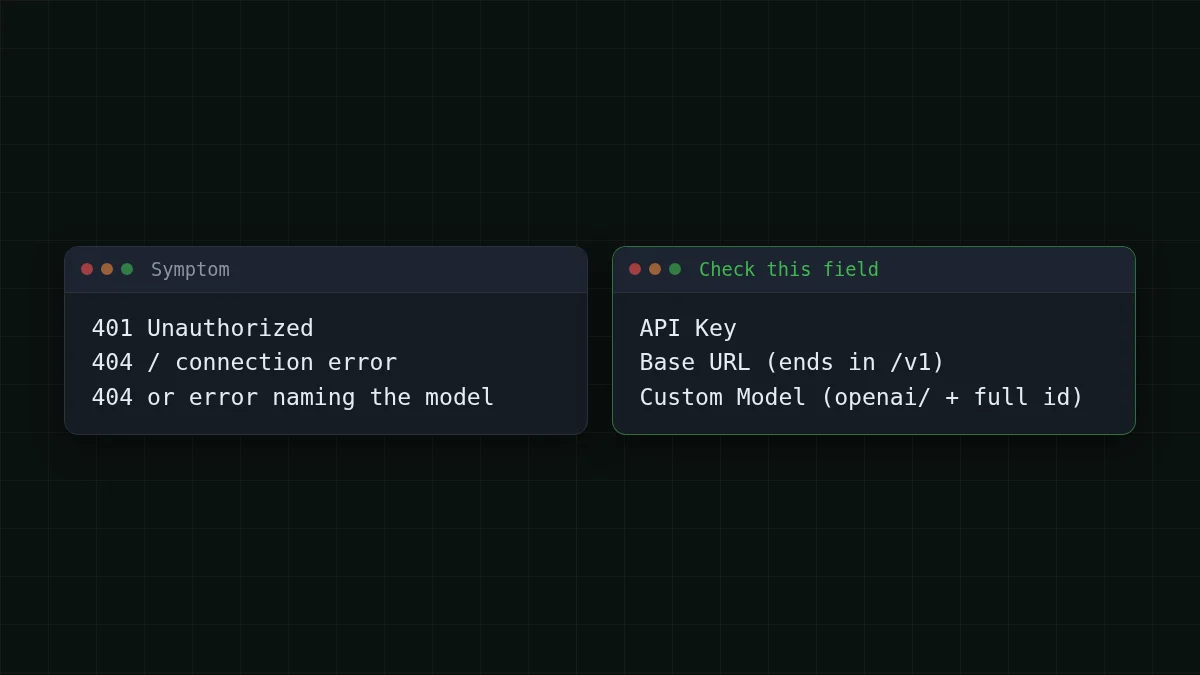
- Wrong key. The API answers 401 — the key is missing, mistyped, or has a trailing space from copying.
- Wrong Base URL. The request goes to the wrong place and you get a 404 or a connection error. The address must end in
/v1and contain no extra path. - Wrong model string. Either the prefix is missing, or the id after it is not the full id (the API accepts only the full
gateway_id, not a short id likedeepseek-).v4- flash- 0731
The full reasoning for 401 versus 404 is in API 401 or 404: wrong key, base URL or model id.
Try it yourselfTry it: the key is right, the URL is right, the agent still fails at the first step. Which field do you open?Show answer
The Custom Model field. Check that it starts with openai/ and that the id after it is spelled exactly as in the table above. Key and URL are the easy ones to verify with curl.
What one session costs#
An agent bills for the whole context on every step, not for your one-line task. Say OpenHands works a bug for 40 steps, with about 30,000 tokens sent in and 1,500 written back per step. One step on DeepSeek-V4-Flash is $0.0006; forty of them are below, next to the other models and OpenRouter.
| Model | Input $/1M | Output $/1M | Per request | 40 requests | OpenRouter, 40 requests |
|---|---|---|---|---|---|
| GLM-5.3-Flash | $0.02 | $0.04 | $0.00066 | $0.0264 | $0.0452 |
| DeepSeek-V4-Flash | $0.015 | $0.10 | $0.0006 | $0.024 | $0.0924 |
| MiniMax-M2.7 | $0.05 | $0.15 | $0.0017 | $0.069 | $0.828 |
30,000 input and 1,500 output tokens per request. Prices per 1M tokens are current and change together with our tariffs; the OpenRouter column shows reference prices for the same workload.
In total, with input and output counted together, DeepSeek-V4-Flash comes out cheaper than OpenRouter for this workload. The assumptions are yours to change: a short fix may take 10 steps, a big refactor 100. Current prices are on the pricing page, and the model page is cheap DeepSeek.
Already using OpenHands with another provider?#
Then you only swap three values: Custom Model, Base URL, API Key. Nothing else in the project changes, and you can switch back the same way. The step-by-step connection for the API itself is in the CheapTokens docs; a similar setup in a different tool is connect Aider.


