Getting startedGuide
DeepSeek API key: what to paste where, and a first call
What a DeepSeek API key is, the three values every tool asks for (key, base URL, model id), and a first working request in curl and Python.
On this page
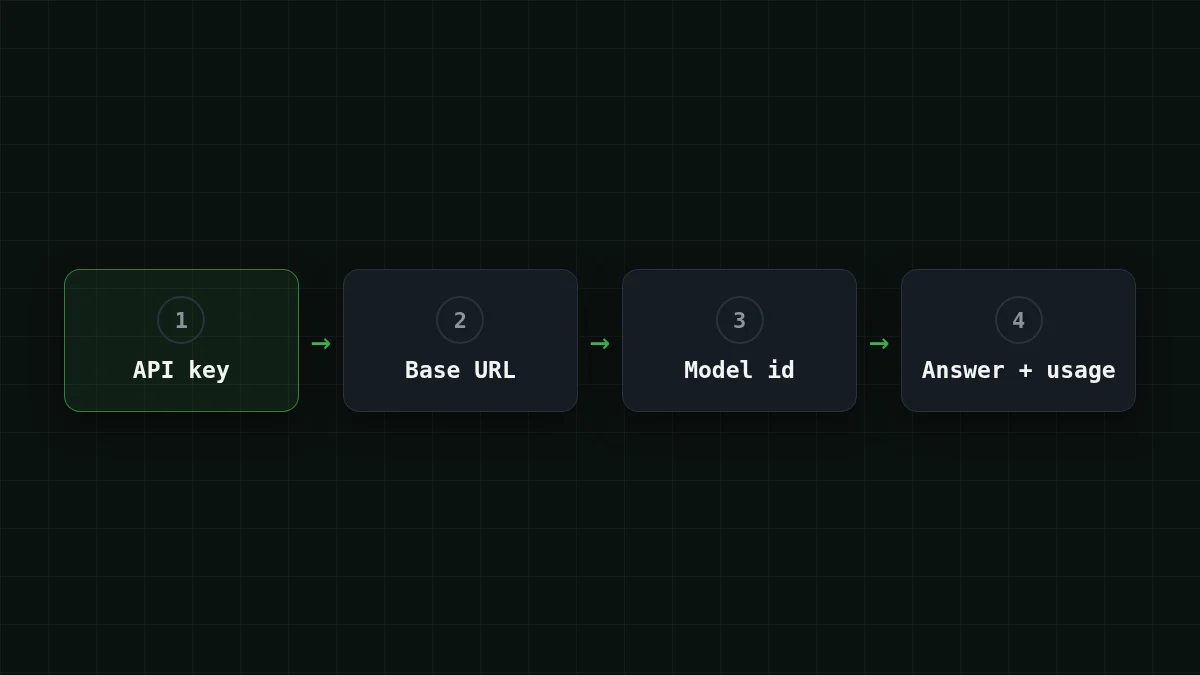
A DeepSeek API key is a secret string that tells the API who is sending the request. A tool never needs the key alone, though: it needs three values together — the key, the base URL and the model id. Set those three and the first call works.
You probably searched this because some form is asking you for "your DeepSeek API key": a script, an editor plugin, an n8n node. Fine. Let's look at what each field wants, and then send one real request.
What is an API key, really?#
Think of a hotel key card. It doesn't say who you are in words; it just opens your door and the front desk bills your room. An API key does the same job: the server sees it in the request, knows which account to charge, and lets the call through. Lose the card and anyone can walk in and charge your room — so the key is kept out of code and out of chats. (The longer story is in What is an API key and how to store it safely.)
DeepSeek's own API docs (checked 4 November 2026) show the same habit: the key goes into an environment variable, DEEPSEEK_API_KEY, before you run any example, and the API follows the OpenAI format — the OpenAI SDK works once you change api_key and base_url. That's the whole trick, and it is why a key never travels alone.
Flashcards
The three values every tool asks for
Tap a card to flip it
One detail that trips people up: a key belongs to the service that issued it. A CheapTokens key goes with the CheapTokens address, and the model id is the one CheapTokens lists. Mix a key from one place with the address of another and you get an authorization error, not an answer.
Put the key in an environment variable#
Create a key in your CheapTokens account (the steps are in the docs) and keep the balance topped up so the request has something to draw from. Then store the key in a variable instead of pasting it into a file.
macOS or Linux:
export CHEAPTOKENS_API_KEY='paste-your-key-here'Windows PowerShell (current window only):
$env:CHEAPTOKENS_API_KEY = 'paste-your-key-here'The paste- part is a placeholder; put your real key there in your own terminal and nowhere else. Why this beats a hard-coded key, and what to do if one leaks, is in Store an API key safely: env variable, .gitignore, leak fix.
The first request#
Say you just want to see it work: ask the model to explain an API key in one sentence. Same request, two ways — pick the tab you use.
First request to deepseek-ai/DeepSeek-V4-Flash-0731
curl
curl https://api.cheaptokens.dev/v1/chat/completions \
  -H "Authorization: Bearer $CHEAPTOKENS_API_KEY" \
  -H "Content-Type: application/json" \
  -d '{
    "model": "deepseek-ai/DeepSeek-V4-Flash-0731",
    "messages": [{"role": "user", "content": "Explain an API key in one sentence."}],
    "max_tokens": 200
  }'
Python
import os
from openai import OpenAI

client = OpenAI(
    api_key=os.environ['CHEAPTOKENS_API_KEY'],
    base_url='https://api.cheaptokens.dev/v1',
)

resp = client.chat.completions.create(
    model='deepseek-ai/DeepSeek-V4-Flash-0731',
    messages=[{'role': 'user', 'content': 'Explain an API key in one sentence.'}],
    max_tokens=200,
)

print(resp.choices[0].message.content)
print(resp.usage)
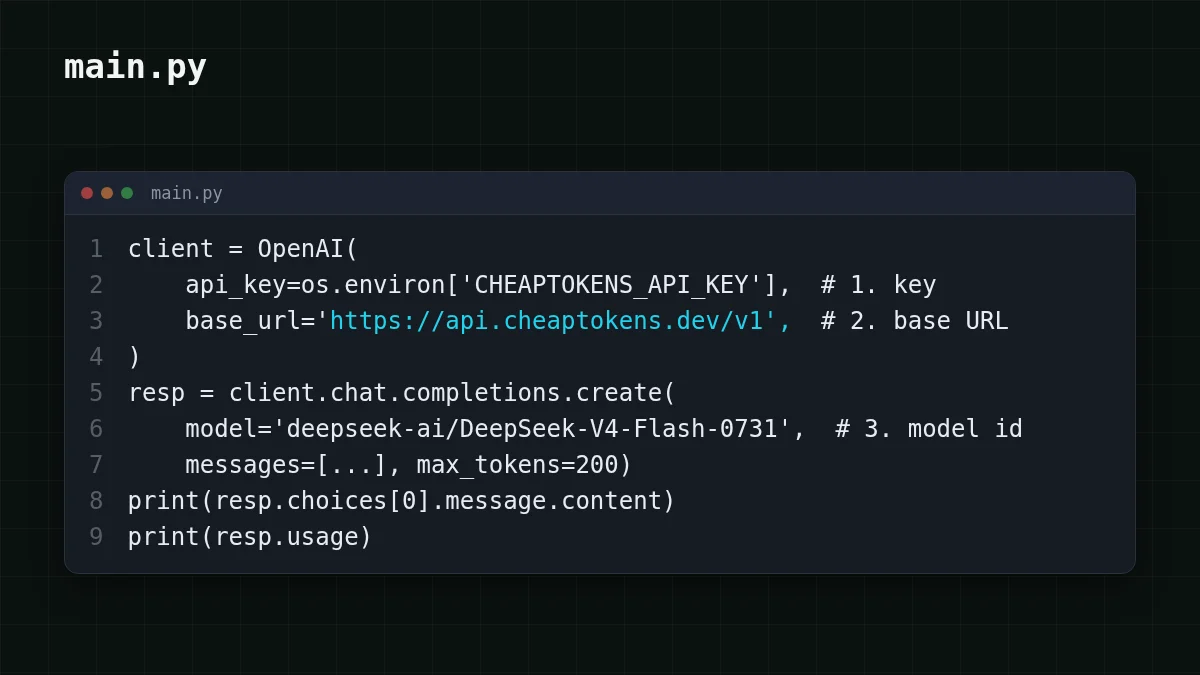
The Python version needs pip install openai once. Look at what changed compared with a script written for the OpenAI SDK: api_key, base_url and model — the same three values. Everything else stays as it was.
What you should see#
The reply is JSON. The text of the answer sits in choices[0].; that is what the Python script prints first. Right next to it is a usage block with prompt_tokens, completion_ and total_tokens — how many tokens went in, how many came out, and the sum. A cost is calculated from these two numbers, which is why they are worth a glance even on a first call (Input vs output tokens explains the split).
To get a feel for scale: a call like this one is tiny. Take 30 tokens in and 200 out — the max_tokens ceiling from the example, so the most expensive call this request can make. It costs $0.00002. A thousand of them look like this, with OpenRouter next to them for reference:
| Model | Input $/1M | Output $/1M | Per request | 1,000 requests | OpenRouter, 1,000 requests |
|---|---|---|---|---|---|
| GLM-5.3-Flash | $0.02 | $0.04 | $0.0000086 | $0.0086 | $0.0176 |
| DeepSeek-V4-Flash | $0.015 | $0.10 | $0.00002 | $0.0205 | $0.0301 |
| MiniMax-M2.7 | $0.05 | $0.15 | $0.000032 | $0.0315 | $0.378 |
30 input and 200 output tokens per request. Prices per 1M tokens are current and change together with our tariffs; the OpenRouter column shows reference prices for the same workload.
The model behind that id is DeepSeek-V4-Flash: a 380K-token context window and up to 32,768 tokens in a single answer. The price is the same at any hour, with no peak-time surcharge, and one balance covers every model. In total — input and output together — it comes out cheaper than OpenRouter, which is exactly what the table above shows. More about the model: DeepSeek on CheapTokens, current prices on the pricing page.
When it doesn't work#
Nearly every first-call failure is one of the three values being wrong. Match the symptom to the culprit:
Match the pairs
Match each symptom to its cause
Tap an item on the left, then its pair
- 401 UnauthorizedThe key is missing, mistyped, or belongs to a different service
- "model not found" (the error text names the model)The model id is not the full one: use deepseek-ai/DeepSeek-V4-Flash-0731
- Connection error or 404 on the address itself (no word "model" in the error)A typo in the base URL, for example a missing
/v1or a different domain
The full walkthrough of these errors is in API 401 or 404 error: wrong key, base URL or model id. And if you're not sure what id to use, ask the API itself: List models with GET /v1/models.
Where the same three values go next#
The point of learning them once is that they are portable. Almost any tool that talks to an OpenAI-compatible API asks for these same values in some form: the key, the address and the model. In a script (LangChain, LiteLLM) they are arguments; in an app or no-code node they are fields or settings. You can also try them without writing code in Postman. For streaming and long answers with this model, continue with the DeepSeek-V4-Flash quickstart.
Checklist
Before you call it done


