AI for beginnersGuide
What is an agent skill (SKILL.md) and how to vet one
A skill is a folder with a SKILL.md file that the agent loads only when needed. How it differs from a prompt, what it costs in tokens, how to vet one.
On this page
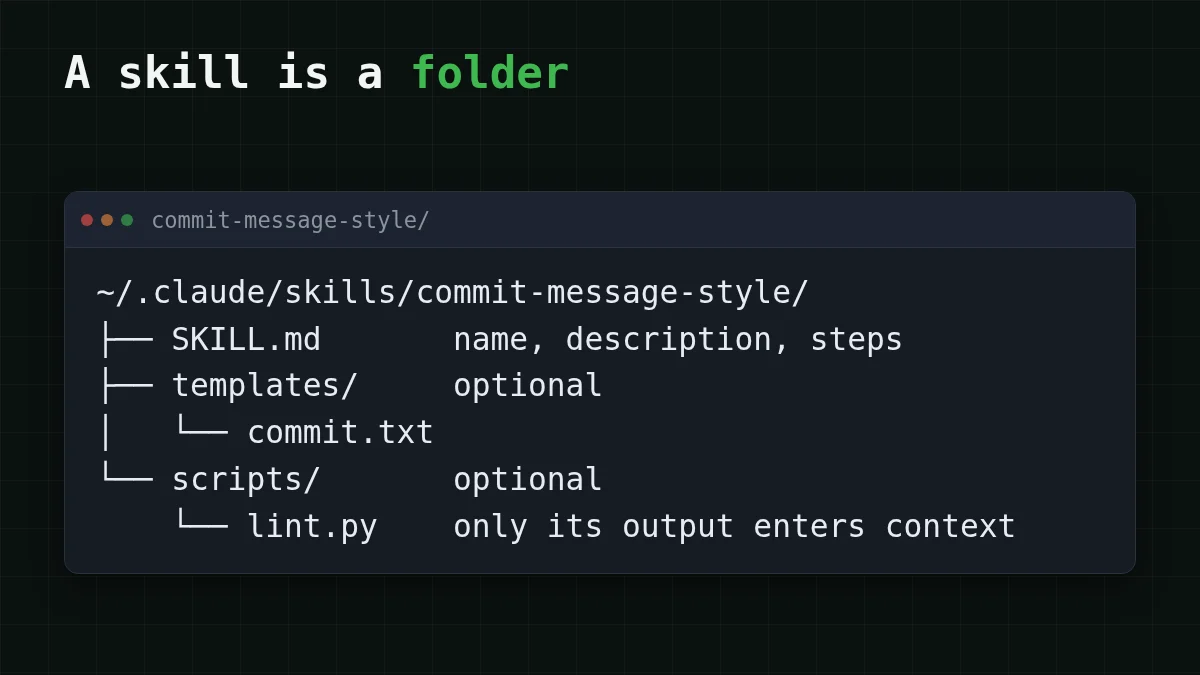
A skill is a folder with a SKILL.md file that sits where your coding agent looks for it. The agent reads the file only when your request matches it. Until then the skill costs about a hundred tokens, while a prompt travels with every message you paste it into.
You have probably met the word in a README: "install the skill, then ask the agent to...". Nothing mysterious is going on. Below: what is inside, when it enters the context window, and how to look at one before you let it onto your machine.
What a skill is, and how it differs from a prompt#
Anthropic's Agent Skills documentation (checked 30 October 2026) describes a skill as a reusable, filesystem-based resource: a directory with a SKILL.md file, plus optional scripts, templates and reference files. SKILL.md opens with a small YAML header (a name and a description) and continues with plain instructions.
Think of a new colleague. A prompt is you standing behind their chair and repeating the rules every morning. A skill is a binder on the shelf with a label on the spine: "Commit message style. Read it when someone asks you to commit." They take it down only when it is needed.
Flashcards
Words you'll meet in every skill README
Tap a card to flip it
Two header fields are required, and the format has rules. In Claude's Skills format the name is at most 64 characters: lowercase letters, digits and hyphens, and it cannot contain the words "anthropic" or "claude". The description cannot be empty, is capped at 1,024 characters, and has to say both what the skill does and when to use it.
How a skill gets into the context window#
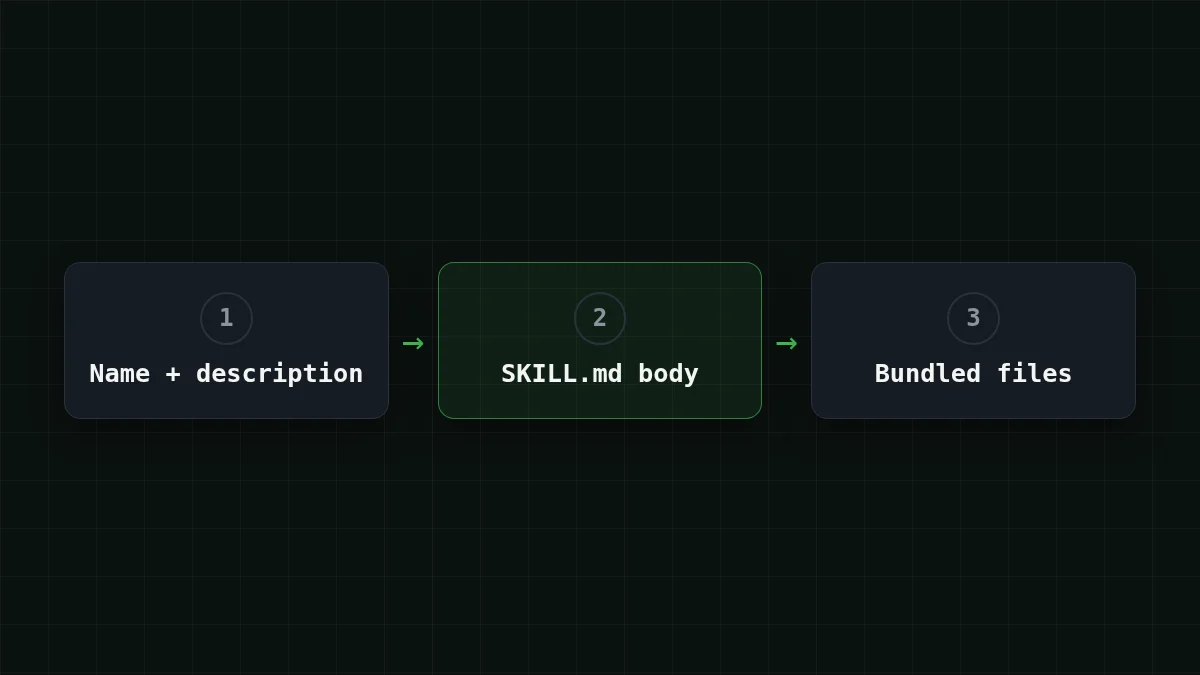
The documentation calls this progressive disclosure: the agent reads a skill in three stages, and each stage is paid for only if it is reached.
- Level 1, always loaded. The name and description of every installed skill, about 100 tokens per skill.
- Level 2, when triggered. The body of
SKILL.md, under 5,000 tokens. - Level 3, only when needed. Bundled files and scripts. When the agent runs a script, the script's code does not enter the context, only its output.
The token figures are the documentation's approximations, not exact counts.
Put in order
Put the three stages in the order the agent meets them
Drag the items or use the arrows
- The agent starts and reads the name and description of every installed skill
- Your request matches one description, so the SKILL.md body is read
- The instructions mention a script or template, so that file is used
Here is why this matters for your bill. Say you have installed 20 skills. 20 × 100 = 2,000 tokens ride along from the first message. An agent resends its context on every step (the 20-step example shows why), so a 50-step session carries 50 × 2,000 = 100,000 input tokens of skill labels. On DeepSeek-V4-Flash that is $0.0015 at current prices.
Now the other way round. If those twenty skills were pasted as one big prompt, each body would sit in every request: up to 20 × 5,000 = 100,000 tokens per request, not per session. That gap is the whole point of loading on demand. If the term "context window" is still fuzzy, this explainer covers what fills it.
Skills live in the context, so the model behind the agent needs room for them. DeepSeek-V4-Flash on CheapTokens (id deepseek-) has a 380K context window and up to 32,768 output tokens per answer, one price at any time of day, and an OpenAI- and Anthropic-compatible API. For the terminal agent, follow how to connect Claude Code to CheapTokens; for any other tool, start from the docs. The model's own page is here.
Write a minimal skill in two minutes#
Reading is easier after writing one. This skill makes the agent write commit messages in a fixed format. In Claude Code, personal skills live in ~/ and project skills in .claude/skills/, so a project skill can travel with the repository.
mkdir -p ~/.claude/skills/commit-message-style
nano ~/.claude/skills/commit-message-style/SKILL.md   # or any editor
Paste this into the file:
---
name: commit-message-style
description: Writes git commit messages in this project's format. Use when the user asks to commit, to write a commit message, or to summarize staged changes.
---

# Commit message style

1. Run `git diff --staged` and read it.
2. First line: `type(scope): summary`, at most 72 characters. Types: feat, fix, docs, refactor, test.
3. Blank line, then up to three bullets that say why the change was made, not what changed.
4. Do not put file names in the first line.
Now open the agent in a repository with staged changes and ask: "write a commit message for what I staged". The agent sees the description, decides it matches, reads the four rules and follows them. If it ignores the skill, look at the description first: it has to name the situation, here "commit", in the words you would actually use.
One catch: skills do not sync between claude.ai, the API and Claude Code. A skill you made in one place has to be added to the others separately.
Skill, AGENTS.md, MCP: which is which#
These three get mixed up all the time. A rules file such as AGENTS.md or CLAUDE.md is read at the start of a session and holds facts about the project (how that file can go wrong in a Downloads folder). An MCP server gives the agent new tools and data to reach (MCP in plain English). A skill is a procedure: how to do one kind of job, loaded when that job comes up.
Quick check
You installed 20 skills and did not use any today. What do they cost you in context?
Show answer
Answer: About 100 tokens each, for the name and description
Names and descriptions are always loaded (about 100 tokens per skill, per the documentation). The body loads only when a skill triggers, and script code never enters the context, only its output.
Vet a third-party skill before installing#
A skill is text the agent follows, and sometimes code the agent runs. The documentation says to use skills only from trusted sources, to audit every bundled file (SKILL.md, scripts, resources), and to look for unexpected network calls or file access. Skills that fetch external URLs are riskier. In Claude Code a skill has the same network access as any program on your computer, so treat the install like installing software.
A good specimen is universal-modder, a game-modding toolkit. Its README (checked 30 October 2026) describes an MIT-licensed set of skills in the Agent Skills format, a Python CLI called um, an MCP server for asset generation through fal, and a shared knowledge base of field notes. The main skill, mod-any-game, covers recon, reverse engineering, asset generation, in-game testing and packaging. The README lists Claude Code, Codex, Cursor, Gemini CLI, GitHub Copilot and OpenCode as supported tools, and says the toolkit refuses to bypass anti-cheat or DRM. In Claude Code it installs with /, and asset generation needs a separate fal API key.
Notice what that list contains: skills, a command-line program and a server. Reading one SKILL.md would cover only a slice of what you are installing. So go through the pieces:
Checklist
Before you install someone else's skill
The key rule is in how to store an API key safely. The repository page shows no date of the last commit, so check how recently the project was updated before you rely on it.


