Getting startedGuide
Switch from OpenRouter to CheapTokens: base_url, key, model id
Change base_url, API key and model id in the OpenAI SDK (Python and JavaScript), send a first request and check that it worked.
On this page
Your app already calls OpenRouter through the OpenAI SDK, and you want it to call CheapTokens instead. You change three values — base_url, the API key and the model id — and delete two optional headers. The rest of the code stays as it is.
Below are the exact lines for Python, JavaScript and curl, a quick way to confirm the switch worked, and a table of which model fits which job. If you have never sent a request to CheapTokens, the first API request guide covers the account and key; the docs have the full reference.
What actually changes#
OpenRouter's quickstart (checked 27 October 2026) configures the OpenAI client with the base URL https:/ and names models as provider/. CheapTokens speaks the same OpenAI Chat Completions format at https:/. So the client class, chat. and the way you read the answer don't move.
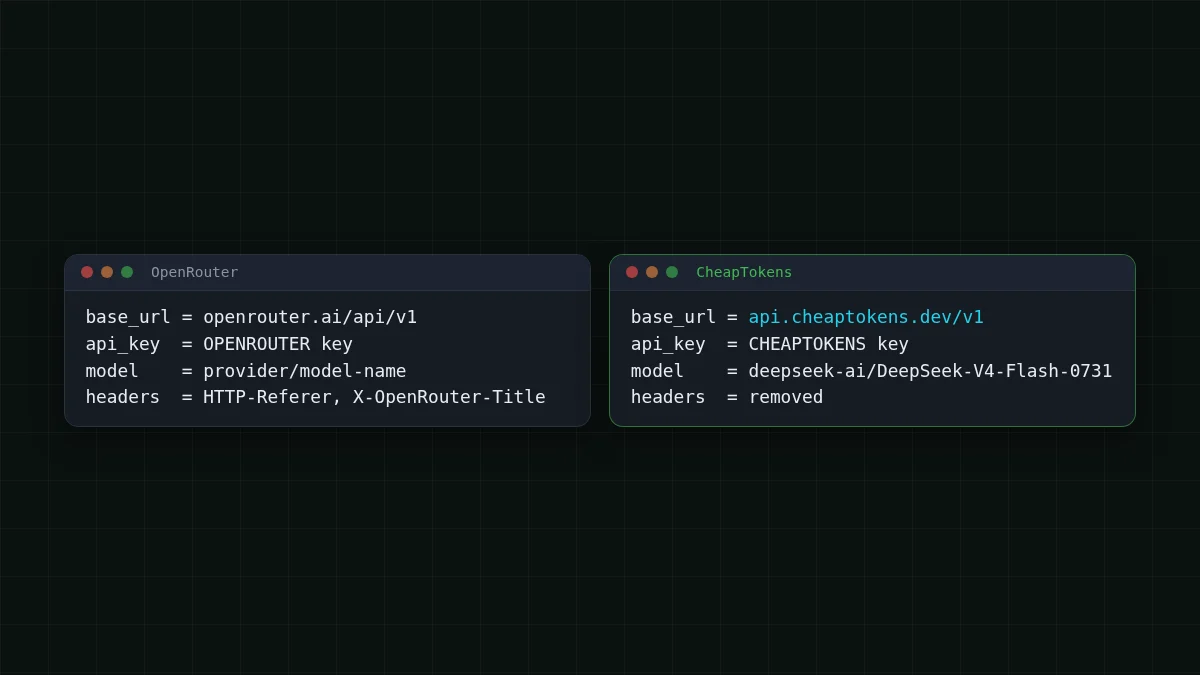
That's one swap per line:
- base URL —
https:/instead of the OpenRouter address;/ api. cheaptokens. dev/ v1 - API key — a key from your CheapTokens account, read from an environment variable;
- model id — the full CheapTokens id, for example
deepseek-. Take ids from the CheapTokens docs: different providers name the same model differently, and short ids from price labels are not accepted.ai/ DeepSeek- V4- Flash- 0731
And one deletion. OpenRouter's HTTP-Referer and X- headers are optional and only feed OpenRouter's leaderboards. Remove them from default_headers / defaultHeaders; you don't need them here.
The code after the switch#
Same request, three runtimes. Pick the one your app uses.
Your code after the switch
Python
import os
from openai import OpenAI

client = OpenAI(
    base_url='https://api.cheaptokens.dev/v1',
    api_key=os.environ['CHEAPTOKENS_API_KEY'],
)

resp = client.chat.completions.create(
    model='deepseek-ai/DeepSeek-V4-Flash-0731',
    messages=[{'role': 'user', 'content': 'Reply with one word: ready'}],
    max_tokens=20,
)
print(resp.choices[0].message.content)
JavaScript
import OpenAI from 'openai';

const client = new OpenAI({
  baseURL: 'https://api.cheaptokens.dev/v1',
  apiKey: process.env.CHEAPTOKENS_API_KEY,
});

const resp = await client.chat.completions.create({
  model: 'deepseek-ai/DeepSeek-V4-Flash-0731',
  messages: [{ role: 'user', content: 'Reply with one word: ready' }],
  max_tokens: 20,
});
console.log(resp.choices[0].message.content);
curl
curl https://api.cheaptokens.dev/v1/chat/completions \
  -H "Authorization: Bearer $CHEAPTOKENS_API_KEY" \
  -H "Content-Type: application/json" \
-d '{"model": "deepseek-ai/DeepSeek-V4-Flash-0731", "messages": [{"role": "user", "content": "Reply with one word: ready"}], "max_tokens": 20}'One more thing before you run it. If your request carries OpenRouter-only fields — routing or fallback lists, provider preferences, ~alias model ids — those belong to OpenRouter. Keep the request to standard Chat Completions fields: model, messages, temperature, max_tokens, stream.
Check that it worked#
A reply isn't proof enough. Print three things next to it: which model answered, why it stopped, and what it billed in tokens.
print(resp.model)
print(resp.choices[0].finish_reason)
print(resp.usage.prompt_tokens, resp.usage.completion_tokens)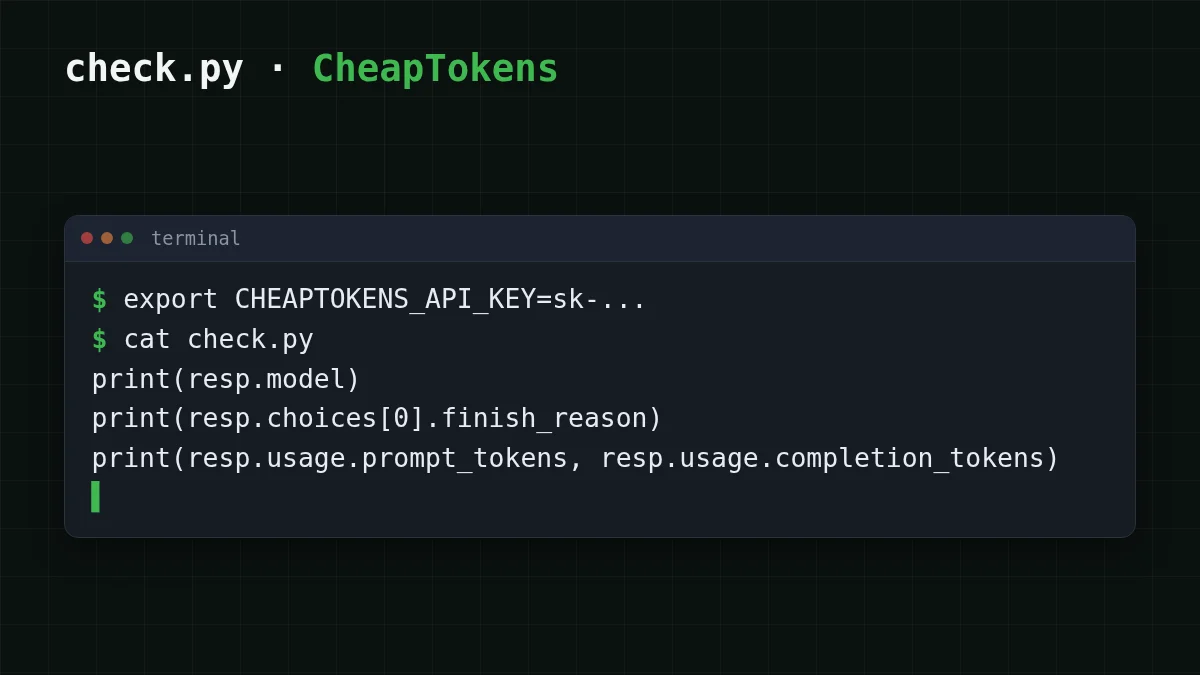
finish_reason of stop means the model finished on its own. length means max_tokens cut the answer off. usage shows input and output tokens separately, and those are the two numbers your bill is made of — the same two you were tracking on OpenRouter.
Try it yourselfTry it: what does finish_reason say if you set max_tokens to 1?Show answer
It says length — the answer was cut by max_tokens. Good test that your code handles a truncated reply.
Which model replaces what#
Pick the model by the job, not by the name you used on OpenRouter. Facts below are from the CheapTokens price list checked 27 October 2026; one balance covers all three models and the price doesn't change with the time of day.
Scroll the table right →
| Model | model id |
Context | Max answer |
|---|---|---|---|
| DeepSeek-V4-Flash | deepseek- |
380K | 32,768 tokens |
| GLM-5.3-Flash | zai- |
390K | 8,192 tokens |
| MiniMax-M2.7 | MiniMaxAI/ |
180K | 8,192 tokens |
Not sure which row is yours? Start from what the app does:
Pick your case
What does your app mostly do?
Choose an option to see the answer
Short, frequent requests — classification, extraction, support replies
Try zai-: 390K context, answers up to 8,192 tokens, and it is cheaper than OpenRouter in total, input and output counted together.
Long answers, code, agent loops
Try deepseek-: answers up to 32,768 tokens, 380K context, one price at any hour of the day.
A steady workload you currently pay a high OpenRouter rate for
Try MiniMaxAI/: 180K context, answers up to 8,192 tokens, and in total it comes out cheaper than OpenRouter.
What the same traffic costs#
Say your bot sends 1,000 requests, each with about 500 input tokens and 300 output tokens. That's an assumption — swap in your own numbers from usage. The table below is live: our prices and the OpenRouter column come from the current price list, input and output counted together.
| Model | Input $/1M | Output $/1M | Per request | 1,000 requests | OpenRouter, 1,000 requests |
|---|---|---|---|---|---|
| GLM-5.3-Flash | $0.02 | $0.04 | $0.000022 | $0.022 | $0.0434 |
| DeepSeek-V4-Flash | $0.015 | $0.10 | $0.000038 | $0.0375 | $0.0708 |
| MiniMax-M2.7 | $0.05 | $0.15 | $0.00007 | $0.07 | $0.51 |
500 input and 300 output tokens per request. Prices per 1M tokens are current and change together with our tariffs; the OpenRouter column shows reference prices for the same workload.
On DeepSeek-V4-Flash those 1,000 requests come to $0.0375. Full prices are on the pricing page; the idea of what you're billed for is in input vs output tokens.
If it doesn't work#
After a switch, three errors cover most of the trouble. Match the message to the cause:
Match the pairs
Match each symptom to its cause
Tap an item on the left, then its pair
- 401 UnauthorizedThe key is missing, mistyped, or still the OpenRouter one
- 404 Not FoundThe base URL path is wrong or the model id isn't a full CheapTokens id
- Reply cut off mid-sentencemax_tokens is lower than the answer needs; finish_reason says length
The 401 and 404 troubleshooting article goes through each one with the exact messages, and what base_url is explains why one wrong slash breaks the path.
Before you ship#
Checklist
Switch checklist


