API & SDKGuide
Get valid JSON from an LLM API: response_format and retries
A copyable Python request that returns parseable JSON, a json.loads wrapper that handles empty or cut-off answers, and a checklist of why JSON breaks.
On this page
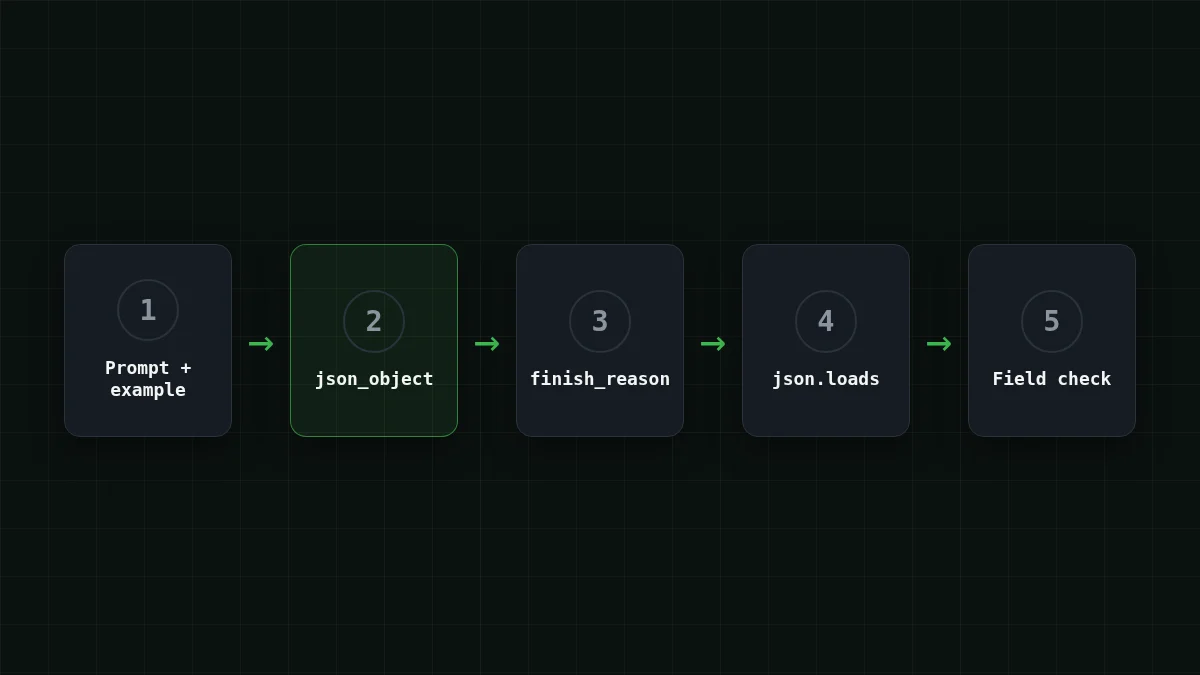
To get JSON out of a chat model, do three things: pass response_, put the word "json" and an example of the structure in the prompt, and set max_tokens high enough for the whole object. Then never trust the answer blindly: check that it is not empty, check finish_reason, and only then call json.loads.
That is the short version. The rest of this guide is one complete script for a very common job: pulling fields out of an email. The examples use the base URL https:/ and the model id deepseek- (docs).
The job: an email in, a row out#
Say your script reads support emails and has to turn each one into a record: sender, date, amount, and what the sender wants. Take this one:
Hi, this is Anna Petrova from Lumen Ltd. On 14 October I paid invoice #3381 for 1,250 EUR, but the receipt still shows it as unpaid. Please fix it before Friday.
You want this back, and nothing else:
{"sender": "Anna Petrova", "date": "2026-10-14", "amount": 1250, "currency": "EUR", "action": "fix receipt status"}A plain "extract the fields" prompt can get you a friendly sentence, a code fence, or both. Your json.loads chokes on the first backtick. That is the problem response_format and a good prompt solve together.
The same request in Python and curl
Python
import json
import os

from openai import OpenAI

client = OpenAI(
    base_url="https://api.cheaptokens.dev/v1",
    api_key=os.environ["CHEAPTOKENS_API_KEY"],
)
MODEL = "deepseek-ai/DeepSeek-V4-Flash-0731"

SYSTEM = """Extract fields from the email and answer with json only.
Example of the json format:
{"sender": "Jane Roe", "date": "2026-01-31", "amount": 99.5, "currency": "USD", "action": "short phrase"}
Use null for a field that is not in the email."""

resp = client.chat.completions.create(
    model=MODEL,
    messages=[
        {"role": "system", "content": SYSTEM},
        {"role": "user", "content": email_text},
    ],
    response_format={"type": "json_object"},
    max_tokens=1000,
    temperature=0,
)
print(resp.choices[0].message.content)
curl
curl https://api.cheaptokens.dev/v1/chat/completions \
  -H "Authorization: Bearer $CHEAPTOKENS_API_KEY" \
  -H "Content-Type: application/json" \
  -d '{
    "model": "deepseek-ai/DeepSeek-V4-Flash-0731",
    "messages": [
      {"role": "system", "content": "Extract fields from the email and answer with json only. Example: {\"sender\": \"Jane Roe\", \"amount\": 99.5}"},
      {"role": "user", "content": "Hi, this is Anna Petrova from Lumen Ltd. I paid invoice #3381 for 1,250 EUR..."}
    ],
    "response_format": {"type": "json_object"},
    "max_tokens": 1000
}'The DeepSeek API reference for JSON Output (checked 27 October 2026; the page has no publication date) states the rules this request follows: response_format set to json_object, the word "json" somewhere in the system or user prompt, and an example of the target structure. Without the example the model has to guess your field names, and it will guess differently on the next email.
Why the example matters more than the flag#
response_format asks the API to return a JSON object. It does not tell the model which object. Think of it as telling a colleague "send me a spreadsheet" without saying which columns. You get a spreadsheet, just not yours.
The example in the prompt is the column header row. Two habits make it work better:
- Show the real shape, including types:
1250is a number,"2026-10-14"is a string in a fixed date format. - Say what to do when a field is missing (
nullabove). Otherwise the model invents a value to fill the gap.
Treat response_format as a strong hint, not a guarantee. Models sometimes still return an empty string, or wrap the object in prose. Which is why the next part exists.
Parse safely: empty, cut off, or just broken#
Three failures show up in practice, and each leaves a different trace:
- Empty content. The DeepSeek docs say JSON mode can occasionally return empty content and suggest rewording the prompt. On your side it looks like
message.contentbeing""orNone, andjson.loads("")raisingExpecting value: line 1 column 1 (char 0). - Cut off.
max_tokensran out in the middle of the object.finish_reasonislength, and the text ends mid-string. More about this in why an AI answer stops mid-sentence. - Not JSON. A sentence before the object, or a fence around it.
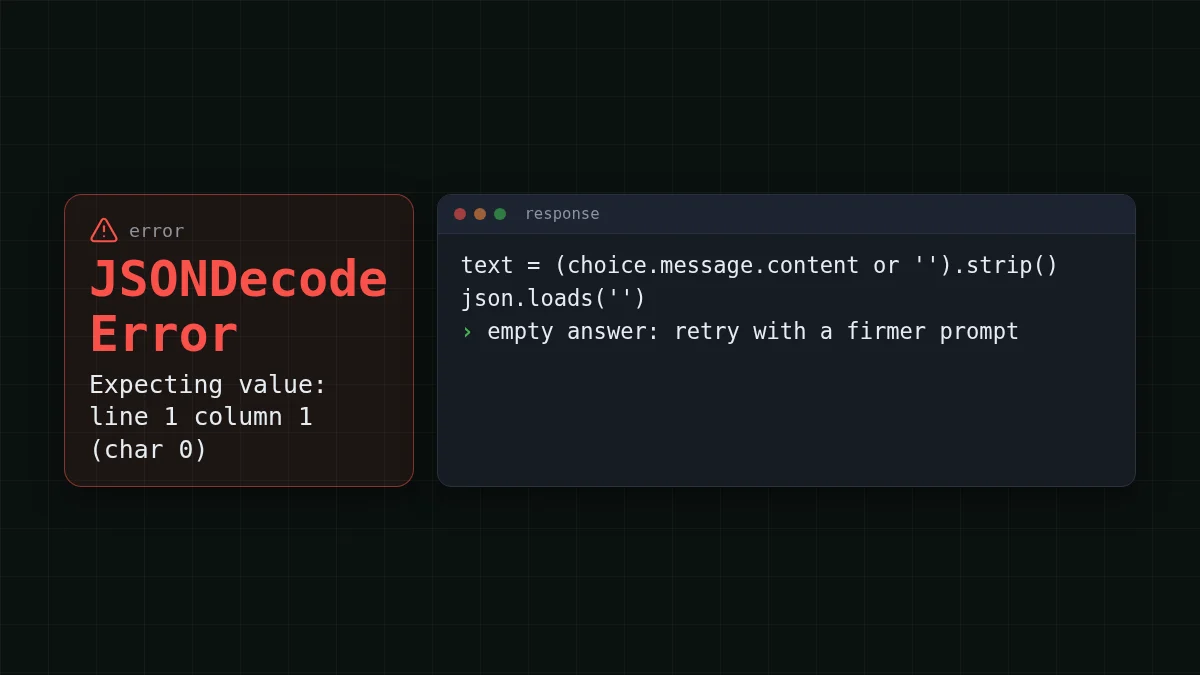
The fix for the first and third is a retry with a firmer prompt. For the second, a retry with the same limit changes nothing, so the wrapper raises and tells you to raise max_tokens:
def ask_json(email_text: str, retries: int = 1) -> dict:
    user = email_text
    for attempt in range(retries + 1):
        resp = client.chat.completions.create(
            model=MODEL,
            messages=[
                {"role": "system", "content": SYSTEM},
                {"role": "user", "content": user},
            ],
            response_format={"type": "json_object"},
            max_tokens=1000,
            temperature=0,
        )
        choice = resp.choices[0]
        if choice.finish_reason == "length":
            raise ValueError("JSON cut off by max_tokens: raise the limit")
        text = (choice.message.content or "").strip()
        if text:
            try:
                return json.loads(text)
            except json.JSONDecodeError:
                pass
        # empty or not JSON: ask again, more firmly
        user = email_text + "\n\nReply with one json object only, in the format of the example."
    raise ValueError("no valid JSON after retry")
One retry is enough for a script. If it fails twice, log the email id and move on; a third identical request rarely helps.
Match the pairs
Which symptom points to which cause?
Tap an item on the left, then its pair
- finish_reason is "length"max_tokens is too small for the object
- content is an empty stringJSON mode returned nothing; reword the prompt and retry
- JSONDecodeError on a character that is a backtickthe model wrapped the JSON in a code fence
- Field names differ between emailsthe prompt has no example of the structure
Check the shape, not just the syntax#
json.loads only proves the text is valid JSON. It does not prove it has the fields you asked for. Add a cheap check right after parsing:
REQUIRED = {"sender", "date", "amount", "currency", "action"}

data = ask_json(email_text)
missing = REQUIRED - data.keys()
if missing:
    raise ValueError(f"missing fields: {sorted(missing)}")
From here the dict goes straight into a database row or a spreadsheet. If you need the model to call your own functions instead of filling a fixed record, that is a different tool: see function calling in Python.
What a batch of emails costs#
A short extraction is the cheap kind of request: a few hundred tokens in, a few dozen out. Assume 1,000 emails a day at about 400 input tokens (prompt, example and email) and about 80 output tokens (the JSON). On DeepSeek-V4-Flash that is $0.014 per day, and the table shows the same load on the other models:
| Model | Input $/1M | Output $/1M | Per request | 1,000 requests | OpenRouter, 1,000 requests |
|---|---|---|---|---|---|
| GLM-5.3-Flash | $0.02 | $0.04 | $0.000011 | $0.0112 | $0.0226 |
| DeepSeek-V4-Flash | $0.015 | $0.10 | $0.000014 | $0.014 | $0.0315 |
| MiniMax-M2.7 | $0.05 | $0.15 | $0.000032 | $0.032 | $0.216 |
400 input and 80 output tokens per request. Prices per 1M tokens are current and change together with our tariffs; the OpenRouter column shows reference prices for the same workload.
In total, with input and output counted together, DeepSeek-V4-Flash comes out cheaper than OpenRouter's reference price for this load. It also allows up to 32,768 output tokens per answer, so a long list of line items will not be cut off the way it would with a small limit, and the price is the same at any hour. GLM-5.3-Flash (zai-) is another option at the same API address: up to 8,192 output tokens, which is plenty for one record per email. Current prices are on the pricing page; the DeepSeek model page has the details for the model used here.
Quick check#
Quick check
Your JSON is cut off in the middle of a string. What do you look at first?
Show answer
Answer: finish_reason and max_tokens
A cut-off object ends with finish_reason set to length. The limit was hit, so raise max_tokens; changing temperature or the address does not help.
If you have not sent a request yet, start with your first API request, then come back and swap in the code above.


