API & SDKGuide
First request in C# with openai-dotnet: endpoint, key, reply
Send your first chat completion from a C# console app: set the Endpoint in the official OpenAI .NET library, read the key from env, print the reply and finish reason.
On this page
To send a request from C# to CheapTokens, keep the official OpenAI library for .NET and set OpenAIClientOptions. to https:/. Pass the full model id, for example deepseek-, and read the key from an environment variable. The ChatClient and CompleteChat calls stay exactly as they are in the OpenAI examples.
Say you already have an ASP.NET service that talks to OpenAI, and you want to try another endpoint and model without touching the rest of the code. Before you wire anything into it, check the three things that usually go wrong (key, endpoint, model id) in a tiny console app. That is what we build here. The details below come from the library's README on GitHub (openai/openai-dotnet, checked 5 November 2026) and from the CheapTokens docs: the docs page has the same base URL.
What you need#
The package is called OpenAI on NuGet. The latest stable version on 5 November 2026 is 2.15.0 (its changelog entry is dated 4 November). It targets .NET 8 and .NET Standard 2.0, and the README says it works with all .NET Standard 2.0 applications, so an older project is fine too.
Three values go into the app:
- base URL:
https:/(OpenAI Chat Completions compatible);/ api. cheaptokens. dev/ v1 - model id:
deepseek-. Use the full id, the short name from a price table is not accepted. DeepSeek-V4-Flash has a 380K context window and up to 32,768 output tokens per answer, one price at any time of day;ai/ DeepSeek- V4- Flash- 0731 - an API key from your CheapTokens account, kept in an environment variable. If you are unsure how to store it, read how to store an API key safely.
Build the console app#
Step by step
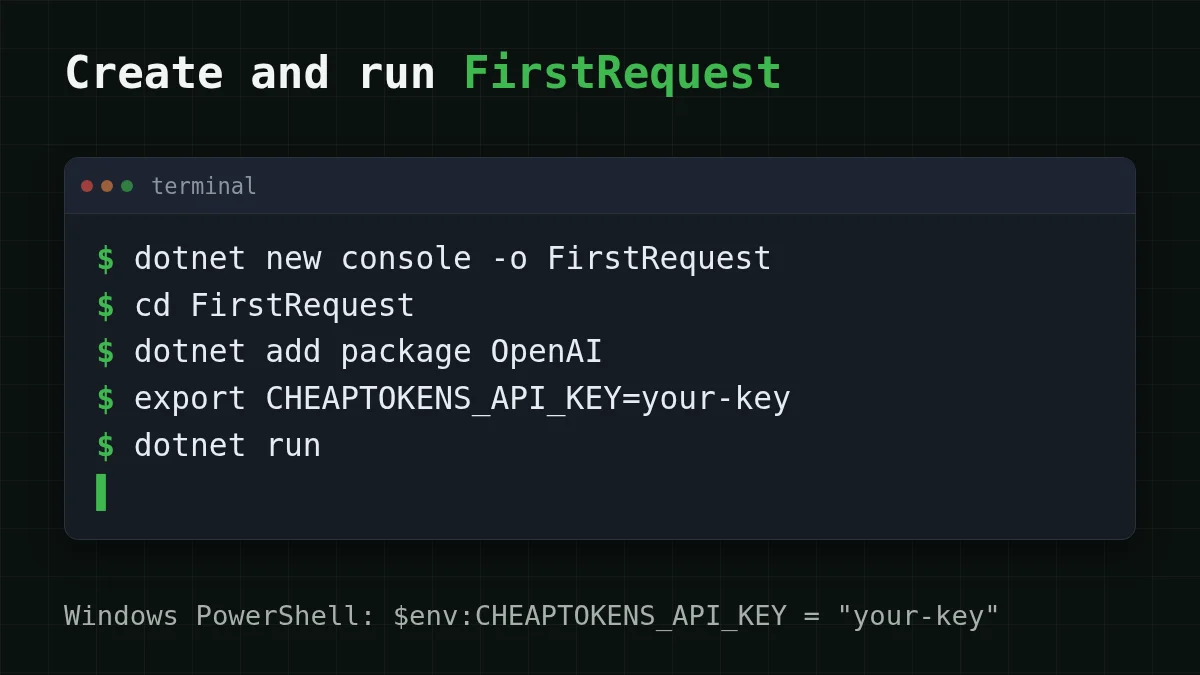
Create the project and run it
Create a console project
dotnet new console -o FirstRequest
cd FirstRequest
Add the package
dotnet add package OpenAIPut the key in an environment variable
In bash or zsh:
export CHEAPTOKENS_API_KEY=your-keyIn Windows PowerShell:
$env:CHEAPTOKENS_API_KEY = "your-key"Paste the code and run
Replace the contents of Program.cs with the code from the next section, then run dotnet run.
The code, line by line#
using System.ClientModel;
using OpenAI;
using OpenAI.Chat;

string? apiKey = Environment.GetEnvironmentVariable("CHEAPTOKENS_API_KEY");
if (string.IsNullOrEmpty(apiKey))
{
    Console.WriteLine("Set CHEAPTOKENS_API_KEY first.");
    return;
}

ChatClient client = new(
    model: "deepseek-ai/DeepSeek-V4-Flash-0731",
    credential: new ApiKeyCredential(apiKey),
    options: new OpenAIClientOptions
    {
        Endpoint = new Uri("https://api.cheaptokens.dev/v1")
    });

ChatCompletion completion = client.CompleteChat("Explain in two sentences what a token is.");

Console.WriteLine(completion.Content[0].Text);
Console.WriteLine($"finish_reason: {completion.FinishReason}");
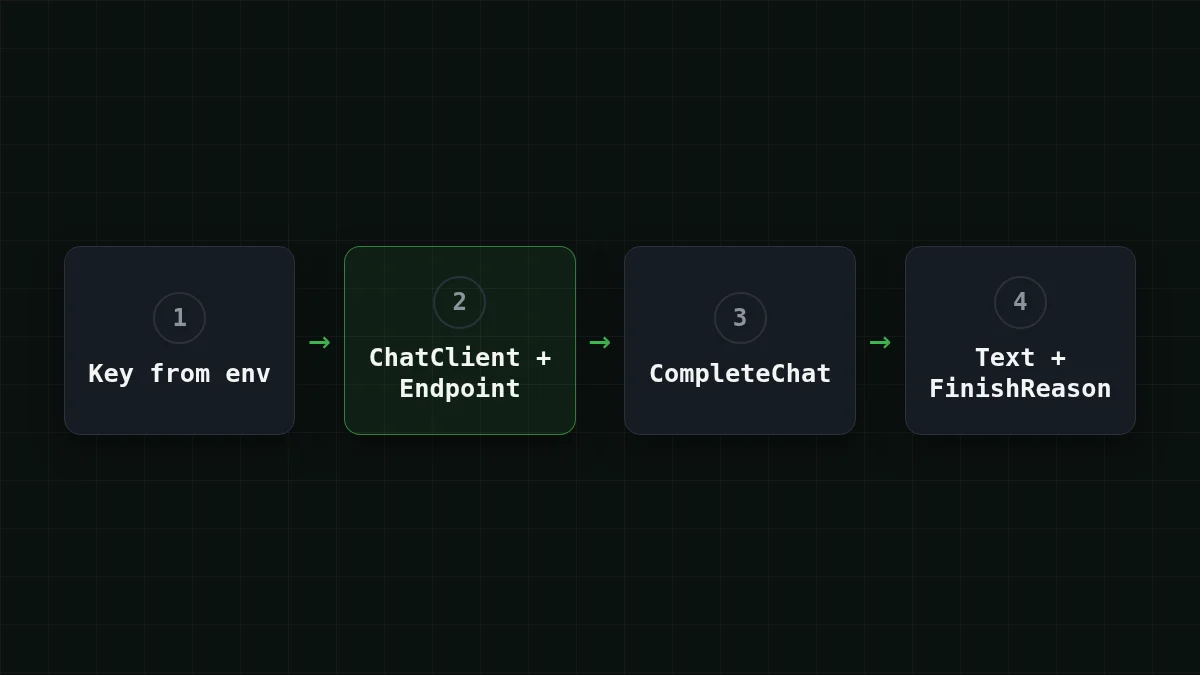
The README shows this pattern for "a proxy or a self-hosted OpenAI-compatible LLM": the endpoint goes into OpenAIClientOptions, the key into an ApiKeyCredential (it lives in System., hence the first using). The check at the top is ours: it gives a clear message if the variable is not set.
CompleteChat with a plain string sends one user message and waits for the whole answer. The reply text is in completion.. The finish reason is in completion..
What you should see#
You should get a short explanation of tokens and a line with the finish reason; after a normal end it is Stop (the README compares FinishReason with ChatFinishReason.). The wording of the reply changes from run to run.
The second line is the one worth reading. The README compares FinishReason with ChatFinishReason. (the model finished on its own) and ChatFinishReason. (the model wants to call a tool). Anything other than Stop in a plain chat means the answer ended for another reason, and the usual suspect is a length limit. If you see a reply that stops mid-sentence, this article explains finish_reason and max_tokens.
Switching an existing service#
If your service already creates a ChatClient for OpenAI, you change two things: the model string and the options. The rest of the calls keep working.
Compare
Same client, two changed lines
Before
ChatClient client = new(
    model: "your-current-model",
    credential: new ApiKeyCredential(apiKey));
After
ChatClient client = new(
    model: "deepseek-ai/DeepSeek-V4-Flash-0731",
    credential: new ApiKeyCredential(apiKey),
    options: new OpenAIClientOptions
    {
        Endpoint = new Uri("https://api.cheaptokens.dev/v1")
    });
For short requests there is a second option: zai- (390K context, up to 8,192 output tokens). You only change the model string. A list of ids your key can use is one request away, see List models with GET /v1/models.
What one request costs#
Say a service handles 1,000 requests a day, each about 300 tokens in and 400 tokens out. One such request costs $0.000045 on DeepSeek-V4-Flash. The table below shows the same 1,000 requests on all three models next to OpenRouter. In total, with input and output counted together, DeepSeek-V4-Flash is cheaper than OpenRouter. Current prices are on the pricing page, and the DeepSeek page lists what the model offers.
| Model | Input $/1M | Output $/1M | Per request | 1,000 requests | OpenRouter, 1,000 requests |
|---|---|---|---|---|---|
| GLM-5.3-Flash | $0.02 | $0.04 | $0.000022 | $0.022 | $0.0433 |
| DeepSeek-V4-Flash | $0.015 | $0.10 | $0.000045 | $0.0445 | $0.077 |
| MiniMax-M2.7 | $0.05 | $0.15 | $0.000075 | $0.075 | $0.90 |
300 input and 400 output tokens per request. Prices per 1M tokens are current and change together with our tariffs; the OpenRouter column shows reference prices for the same workload.
If it doesn't work#
- 401. The key is missing or wrong. Print whether the variable is set (the check in the code does this) and make sure
dotnet runis started in the same terminal where you ranexport(or$env:): the variable lives only in that session. - 404. Most often the model id: a short name instead of the full
deepseek-, or an endpoint withoutai/ DeepSeek- V4- Flash- 0731 /v1(also check thatOpenAIClientOptionsis really passed toChatClient). Details are in API 401 or 404: wrong key, base URL or model id. - error CS0246: The type or namespace name 'ApiKeyCredential' could not be found. The
using System.line is missing at the top ofClientModel; Program.cs.
The same idea in another language: the Go version with openai-go.


