API & SDKGuide
First request in Go with openai-go: base URL, key, usage
A complete Go program that calls a CheapTokens model through openai-go and prints the answer, finish_reason and token usage, with retries and a timeout.
On this page
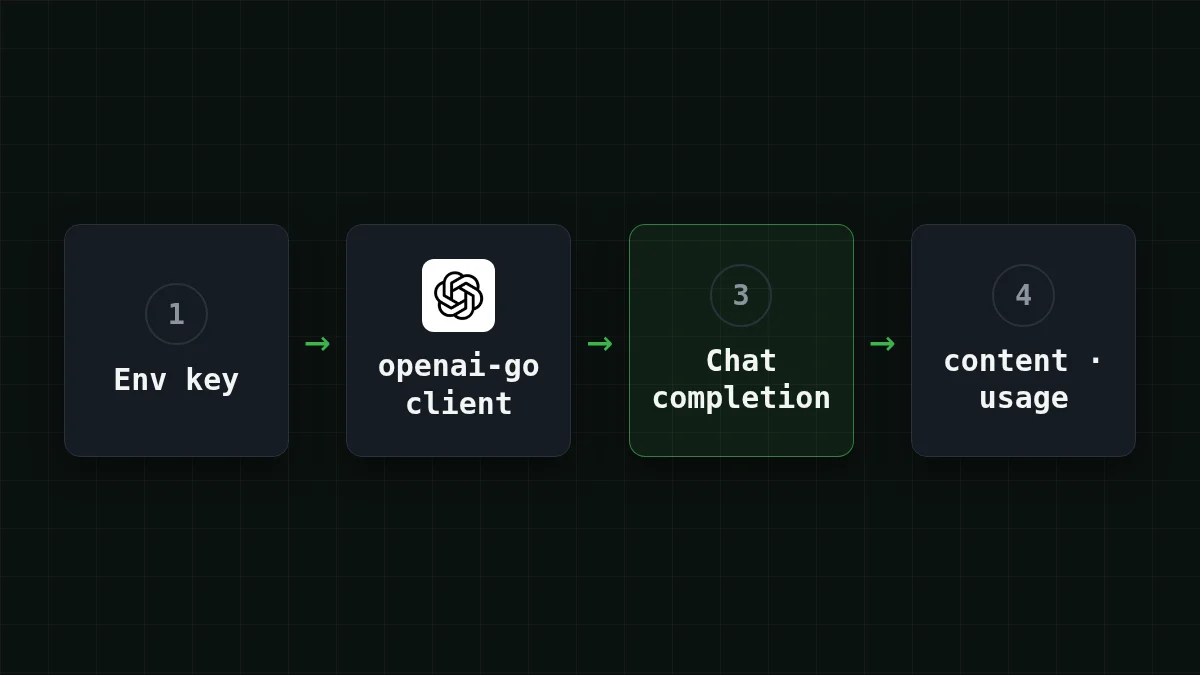
You already have Go code that talks to an OpenAI-style API, or you are about to write some. To send it to CheapTokens you change two options on the client and one string, the model id. The SDK stays the same: the official openai-go package, v3.
Below is the whole program, then what each line does, how to read the answer and the token counts, and how to stop a stuck request from hanging your service. Versions checked against the openai-go README on 3 November 2026: the latest tag on that page is v3.91.1, and it needs Go 1.26 or newer.
What you need before you start#
- Go 1.26 or newer. On Go 1.25 pin
v3.74.0; on Go 1.22–1.24 pinv3.44.0(the README says the older line gets no guaranteed fixes). - A CheapTokens API key. Keep it in an environment variable, not in the source file.
- The API address:
https:/. It speaks the OpenAI Chat Completions format, so openai-go works without a wrapper. The docs have the same address and the key page./ api. cheaptokens. dev/ v1 - A model id. We use
deepseek-: 380K context and up to 32,768 tokens in one answer. Use the full id; the short name from price tables is not accepted by the API.ai/ DeepSeek- V4- Flash- 0731
Step by step
Set up the project
Install the SDK
In an empty folder:
go mod init example.com/first-request
go get -u 'github.com/openai/openai-go/[email protected]'
The import path is github., the package name is openai.
Put the key in the environment
export CHEAPTOKENS_API_KEY="paste-your-key-here"On Windows PowerShell: $env:CHEAPTOKENS_. The placeholder is not a real key.
Create main.go and run it
Paste the program from the next section into main.go, then run go run ..
The whole program#
package main

import (
	"context"
	"fmt"
	"log"
	"os"
	"time"

	"github.com/openai/openai-go/v3"
	"github.com/openai/openai-go/v3/option"
)

func main() {
	client := openai.NewClient(
		option.WithBaseURL("https://api.cheaptokens.dev/v1"),
		option.WithAPIKey(os.Getenv("CHEAPTOKENS_API_KEY")),
		option.WithMaxRetries(2),
		option.WithRequestTimeout(30*time.Second),
	)

	ctx, cancel := context.WithTimeout(context.Background(), 2*time.Minute)
	defer cancel()

	resp, err := client.Chat.Completions.New(ctx, openai.ChatCompletionNewParams{
		Model: "deepseek-ai/DeepSeek-V4-Flash-0731",
		Messages: []openai.ChatCompletionMessageParamUnion{
			openai.UserMessage("Explain in two sentences what a token is."),
		},
	})
	if err != nil {
		log.Fatal(err)
	}
	if len(resp.Choices) == 0 {
		log.Fatal("no choices in the response")
	}

	fmt.Println(resp.Choices[0].Message.Content)
	fmt.Println("finish_reason:", resp.Choices[0].FinishReason)
	fmt.Println("input tokens:", resp.Usage.PromptTokens)
	fmt.Println("output tokens:", resp.Usage.CompletionTokens)
	fmt.Println("total tokens:", resp.Usage.TotalTokens)
}
The pieces that matter:
option.is the only line that moves the SDK from OpenAI to CheapTokens. Use the address exactly as in the docs.WithBaseURL(. . . ) option.passes the key explicitly. Without it the client readsWithAPIKey(os. Getenv(. . . )) OPENAI_API_KEY, which is handy when you port existing code: set that variable to a CheapTokens key and the code needs no key change. The same goes forOPENAI_BASE_URL, but an explicitWithBaseURLoverrides it, so there is no surprise if both exist.Modelis a plain string in the SDK (ChatModelis an alias ofstring), so any model id works, not only the constants the README shows.openai.is one user turn. The README example usesUserMessage(. . . ) DeveloperMessageand a GPT constant; here a user message and a string id are enough.
Read the answer, finish_reason and usage#
All three come from fields the SDK already parses for you:
resp.is the text (aChoices[0]. Message. Content string).resp.is also aChoices[0]. FinishReason string.stopmeans the model finished on its own;lengthmeans the answer hit the token limit and was cut. If you seelength, read why an answer stops mid-sentence.resp.UsageholdsPromptTokens(what you sent),CompletionTokens(what the model wrote) andTotalTokens, allint64.
The output will look like this: the answer, then finish_reason: with a value, then three token counts. The numbers differ on every run, so log them. They are what you pay for, and output tokens are the more expensive side.
Try it yourselfTry it: what changes if you swap the model?Show answer
Change the Model string to zai- and run again. Nothing else in the program moves. The answer text and the three usage numbers will differ, which is the quickest way to compare two models on your own prompt. GLM-5.3-Flash has a 390K context and up to 8,192 tokens in one answer.
Retries and timeouts: three different limits#
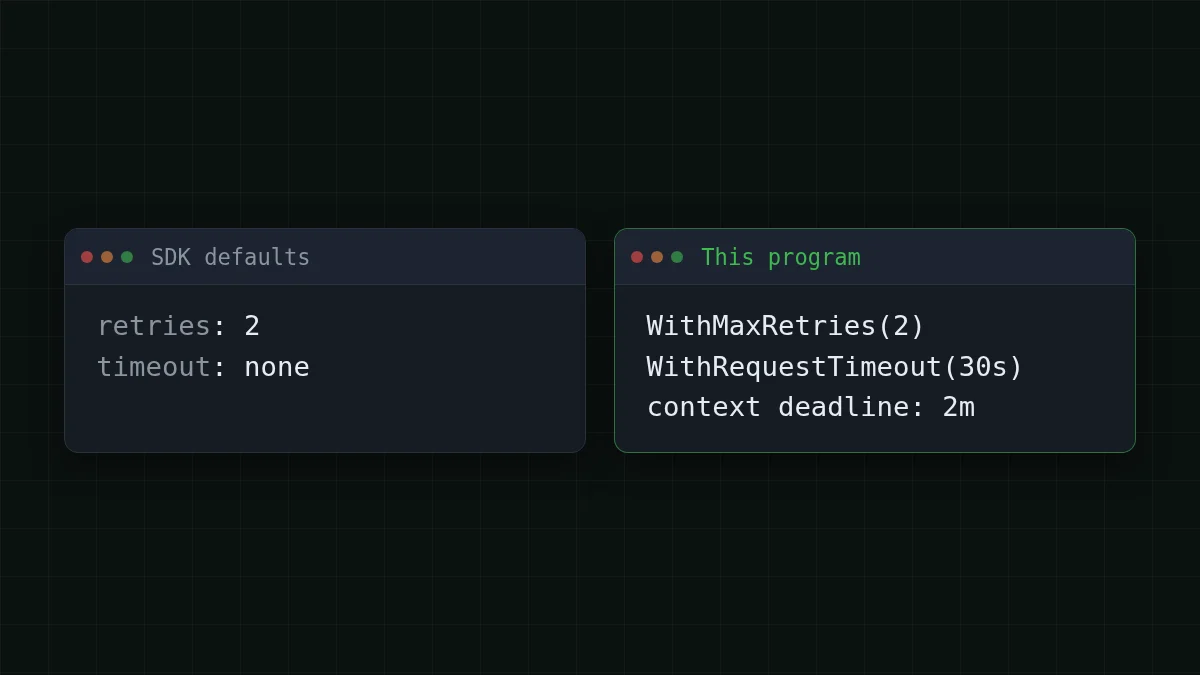
This is where Go services usually get hurt: by default the SDK has no timeout at all, so a stalled connection can wait forever. Three settings fix that, and they work at different levels:
option.: the SDK retries connection errors, 408, 409, 429 and 5xx with a short exponential wait. Two retries is already the default;WithMaxRetries(2) 0turns retries off. You can set it on the client, or on a single call.option.: the limit for one attempt.WithRequestTimeout(30*time. Second) - The
contextdeadline: the limit for the whole call, retries and waits included.
So with 2 retries there can be up to 3 attempts: 3 × 30 = 90 seconds of waiting at worst, plus the short pauses between attempts. A two-minute context covers that. If you want a hard answer-within-20-seconds rule for a web handler, shorten the context, not just the per-attempt timeout.
For a longer background on picking these numbers, the Python version of the same advice is in OpenAI Python SDK timeout and retries. The logic carries over to Go.
What a thousand of these calls cost#
Say you run a small service that makes 1,000 requests a day, each with about 800 input tokens and 300 output tokens. On deepseek- that day costs $0.042 (1,000 × 800 input tokens, 1,000 × 300 output tokens). The table shows the same load across our models; counted in total, with input and output together, it is cheaper than OpenRouter.
| Model | Input $/1M | Output $/1M | Per request | 1,000 requests | OpenRouter, 1,000 requests |
|---|---|---|---|---|---|
| GLM-5.3-Flash | $0.02 | $0.04 | $0.000028 | $0.028 | $0.0517 |
| DeepSeek-V4-Flash | $0.015 | $0.10 | $0.000042 | $0.042 | $0.098 |
| MiniMax-M2.7 | $0.05 | $0.15 | $0.000085 | $0.085 | $1.02 |
800 input and 300 output tokens per request. Prices per 1M tokens are current and change together with our tariffs; the OpenRouter column shows reference prices for the same workload.
Plug in your own numbers. Your first run prints the real PromptTokens and CompletionTokens, so you do not have to guess the average:
Cost calculator
One day of a small Go service
Input tokens per request: 800 · Output tokens per request: 300 · Requests per day: 1,000
| Model | Per day | Per month |
|---|---|---|
| GLM-5.3-Flash$0.02$0.04 | $0.028 | $0.84 |
| DeepSeek-V4-Flash$0.015$0.10 | $0.042 | $1.26 |
| MiniMax-M2.7$0.05$0.15 | $0.085 | $2.55 |
Prices on the pricing page and the models page are live and use one fixed price per model, with no peak hours.
If it does not work#
- The error mentions 401: the key is empty or wrong.
os.Getenvreturns an empty string for an unset variable, so checkecho $CHEAPTOKENS_in the same terminal where you runAPI_ KEY go run .. - The error mentions 404 or an unknown model: the id. Copy it in full, with the
deepseek-ai/prefix. You can list ids in the models list call. go: module requires Go 1.: your toolchain is older. Pin an older SDK tag as shown at the top.26 - The call hangs and then fails: that is the timeout doing its job. Check the network path first, then raise
WithRequestTimeoutif the model really needs more time for a long answer.
If the base URL idea is new to you, what base_url is and how to switch explains it with no code.


