Agents & automationGuide
Connect n8n to CheapTokens: OpenAI credential, Base URL
Point n8n's OpenAI credential at the CheapTokens Base URL, pass the connection test and run an LLM chain on DeepSeek-V4-Flash.
On this page
In n8n, create an OpenAI credential, put https:/ into its Base URL field, paste your CheapTokens key into API Key, and choose a model id in the OpenAI Chat Model node. That's the whole change: no custom node, no community package. Existing workflows keep their nodes and only get a new credential.
This works because the CheapTokens API speaks the OpenAI Chat Completions format (and Anthropic Messages too), so n8n's OpenAI node can't tell the difference. If the idea of a "base URL" is new to you, this explainer covers it in two minutes.
What the n8n credential gives you#
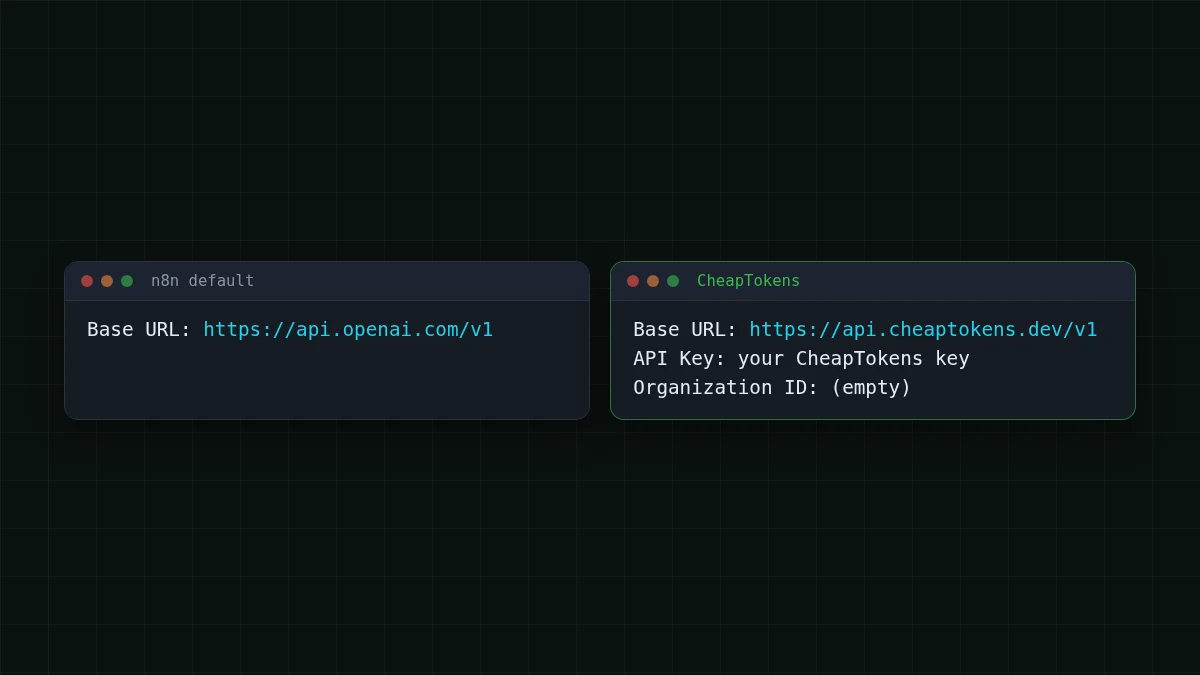
n8n's OpenAI credential has four things to fill in. According to the credential's source code in the n8n repository (master branch, checked 1 November 2026), they are: API Key (required, masked), Organization ID (optional), Base URL (default https:/, described as overriding the base API address) and an Add Custom Header switch with a header name and value.
One detail worth knowing: n8n's own docs page for the OpenAI credential lists only the key and the organization ID. The Base URL field is visible in the source code, so that's what this guide relies on.
When you save, n8n tests the credential by sending a request to {Base URL}/ with an Authorization: Bearer <API Key> header. So a wrong Base URL or a wrong key shows up right there, before you build anything.
Set it up in four steps#
Step by step
Connect n8n to CheapTokens
Create the credential
In n8n open Credentials, create a new one and choose OpenAI. Keep your CheapTokens key in a password manager or an environment variable until you paste it, never in a workflow's text field.
Fill in two fields
API Key: your CheapTokens key. Base URL: https:/. Leave Organization ID empty. Save the credential and wait for the connection test: it calls /models on that address.
Add the model node
In a workflow add a Basic LLM Chain and attach an OpenAI Chat Model as its model. Select the new credential. For the model, use the id from the CheapTokens docs: deepseek-. If the dropdown doesn't list it, switch the field to enter the id by hand (by ID or as an expression).
Keep Chat Completions on
The node uses the Chat Completions API by default. Leave Use Responses API switched off. In the node's options set Maximum Number of Tokens so a runaway answer can't eat the budget.
Not sure what to type as the model id? Ask the API itself: List models with GET /v1/models shows the exact strings. Different providers name the same model differently, so copy the id from CheapTokens, not from another service's docs.
Check the key outside n8n first#
If the credential test fails, you want to know whether the problem is n8n or the key. A short terminal check answers that. The key sits in an environment variable, so nothing secret lands in your history.
The same check in curl and Python
curl
export CHEAPTOKENS_API_KEY="your-key-here"
curl https://api.cheaptokens.dev/v1/models \
  -H "Authorization: Bearer $CHEAPTOKENS_API_KEY"
This is the same request n8n sends when it tests the credential. A JSON list of models means the key and the address are right.
Python
import os
from openai import OpenAI

client = OpenAI(
    base_url="https://api.cheaptokens.dev/v1",
    api_key=os.environ["CHEAPTOKENS_API_KEY"],
)
r = client.chat.completions.create(
    model="deepseek-ai/DeepSeek-V4-Flash-0731",
    messages=[{"role": "user", "content": "Reply with one word: ready"}],
    max_tokens=20,
)
print(r.choices[0].message.content, r.usage)
This is a full chat request. r.usage shows tokens in and out for this tiny request; to size a workflow, put a typical email into the prompt and read usage again.
A first workflow: sorting incoming emails#
Say a shared inbox gets about a thousand emails a day. You want every one tagged as billing, bug or other, plus a one-line summary for the person who picks it up.
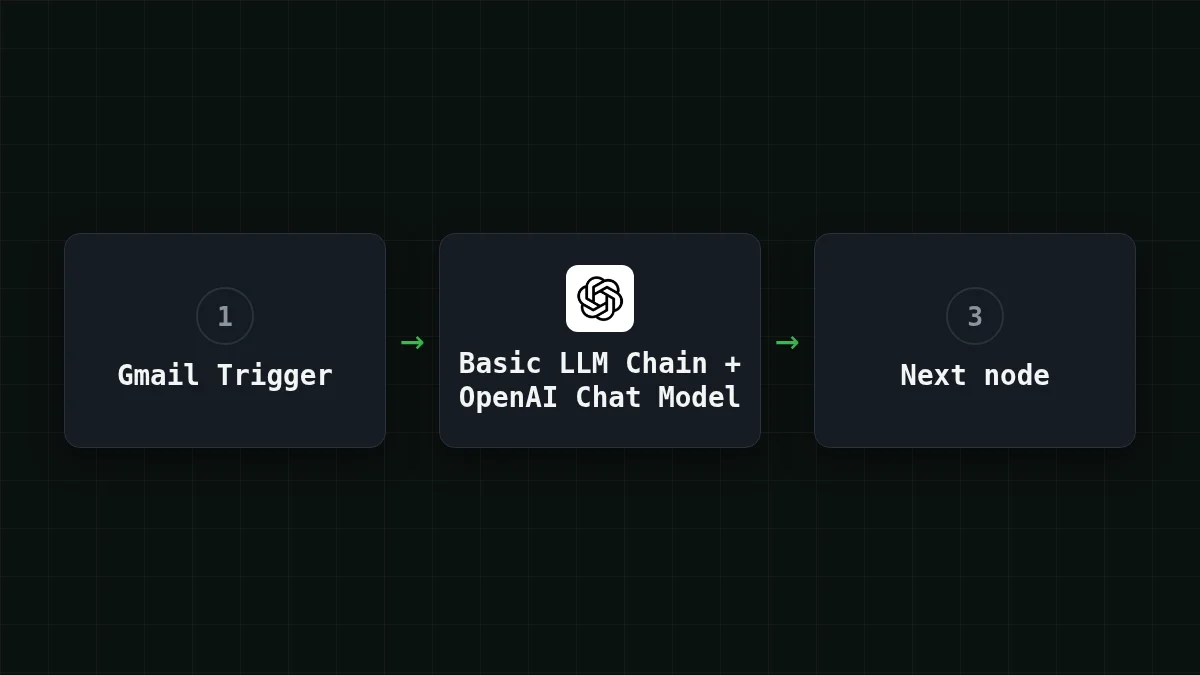
Build it like this: a Gmail Trigger (or a Webhook node) feeds a Basic LLM Chain. The prompt in the chain reads something like "Classify this email as billing, bug or other, then summarise it in one sentence", with the email body inserted from the previous node. The OpenAI Chat Model node under it, with your CheapTokens credential, does the thinking.
The job is short and repetitive: a small input, a small answer, thousands of identical runs. That's where a cheap model with a stable price pays off the most. For this kind of work in CheapTokens, DeepSeek-V4-Flash gives you one price at any time of day, a 380K context window and up to 32,768 tokens per answer.
What a run costs#
Say each email makes a prompt of about 1,500 tokens (instructions plus the email) and the model writes about 300 tokens back. One run on DeepSeek-V4-Flash costs $0.000053. For 1,000 emails a day, here are all the models side by side with OpenRouter, input and output counted together:
| Model | Input $/1M | Output $/1M | Per request | 1,000 requests | OpenRouter, 1,000 requests |
|---|---|---|---|---|---|
| GLM-5.3-Flash | $0.02 | $0.04 | $0.000042 | $0.042 | $0.0752 |
| DeepSeek-V4-Flash | $0.015 | $0.10 | $0.000053 | $0.0525 | $0.147 |
| MiniMax-M2.7 | $0.05 | $0.15 | $0.00012 | $0.12 | $1.44 |
1,500 input and 300 output tokens per request. Prices per 1M tokens are current and change together with our tariffs; the OpenRouter column shows reference prices for the same workload.
The token counts are an assumption for this example; measure your own by sending a typical email through the Python check and reading usage, then replace the numbers. Current prices are on the pricing page.
A chat-style workflow is different. With a memory node, the whole history travels with every call, so the input grows with each message. Why a long AI chat costs more shows how fast that adds up.
If it doesn't work#
Most failures are one of three things: the key, the address or the model id. API 401 or 404: wrong key, base URL or model id walks through each error text. Before you open it, run through this list:
Checklist
Before you debug further
Want to see the rest of the setup? The CheapTokens docs have the full API reference, and the DeepSeek page lists the model's limits. Already use another tool with the same pattern? Open WebUI and LangChain connect the same way: one address, one key, one model id.


