AI for beginnersGuide
Few-shot prompting: show the model 3–5 examples to get your format
How 3–5 tagged examples make a model answer in your labels or JSON, with a Python request and the extra input cost per request.
On this page
Your ticket bot should answer with one word: billing, bug or other. Most replies are exactly that. Then one arrives as “Label: billing — the customer seems upset about a refund”, and the code that reads the label chokes.
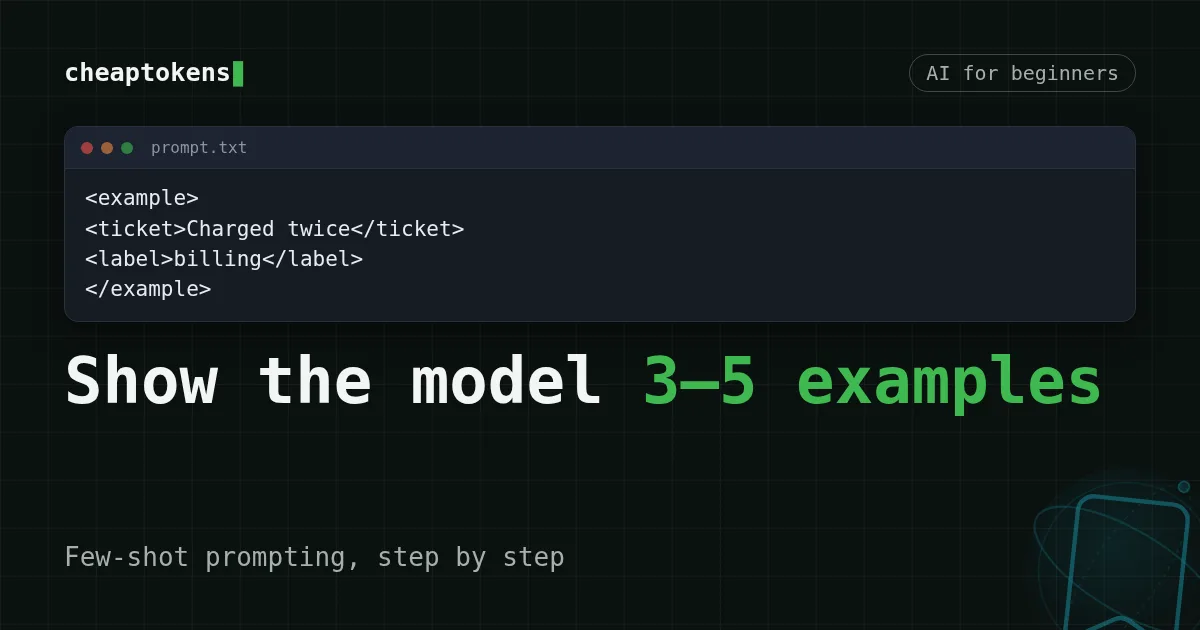
The usual fix isn't a longer instruction. It's a few examples: put 3–5 finished tickets with their labels into the prompt, and the model copies the pattern. That is few-shot prompting. Anthropic's prompting guide (section “Use examples effectively”, checked 3 November 2026) calls examples one of the most reliable ways to steer format, tone and structure, and recommends 3–5 of them. The catch: every example is input you pay for again with each request. The cost section below counts it for a bot that handles 2,000 tickets a day.
What “few-shot” means#
Picture a new colleague on their first day at the support desk. You say “tag each ticket billing, bug or other” and walk away. Some tags will match your idea, some won't. Now leave three tickets that are already tagged and say “like these”. Same colleague, far fewer surprises.
Models behave the same way. Instruction only is called zero-shot. Instruction plus several worked examples is few-shot (Anthropic's page also says multishot). A “shot” is just an example.
Compare
Same task, two prompts
Instruction only
Label the support ticket as billing, bug or other.Instruction plus examples
Label the support ticket with one word: billing, bug or other.

Ticket: I was charged twice for one top-up.
Label: billing

Ticket: The export button does nothing.
Label: bug

Ticket: Do you have a dark theme?
Label: other
The second prompt never explains what billing means. The examples do it by showing, and they carry the format along with the meaning. One explicit line of instruction still doesn't hurt, so the version below keeps it.
Three rules for examples that work#
Anthropic's page boils good examples down to three words:
- Relevant: close to the tickets you really get, not to some other task.
- Diverse: they cover edge cases and differ from each other, so the model doesn't latch onto an accidental pattern.
- Structured: wrapped in tags (
<example>, and several inside<examples>) so the model can tell examples from instructions. The same page says to keep tag names consistent.
Here is a full prompt built that way. Save it as prompt.txt:
<instructions>
Label the support ticket with exactly one word: billing, bug or other.
Reply with the label only.
</instructions>

<examples>
<example>
<ticket>I was charged twice for the same top-up.</ticket>
<label>billing</label>
</example>
<example>
<ticket>The export button does nothing when I click it.</ticket>
<label>bug</label>
</example>
<example>
<ticket>Do you have a dark theme?</ticket>
<label>other</label>
</example>
<example>
<ticket>Please refund me. Also, the page crashes on login.</ticket>
<label>billing</label>
</example>
<example>
<ticket>Is there an API for exporting reports?</ticket>
<label>other</label>
</example>
</examples>
Look at the fourth example: a refund request that also mentions a crash. An instruction can't settle a mixed ticket, an example can. Here money wins, so the label is billing. Whatever rule you pick, show it once.
Match the pairs
Which rule is broken?
Tap an item on the left, then its pair
- Your examples are one-line chat greetings, but real tickets are long emailsNot relevant: examples must be close to the real task
- All your examples carry the same labelNot diverse: the model can pick up an accidental pattern
- Examples are pasted as loose text between the instructionsNot structured: wrap them in tags so they can't be mistaken for instructions
Send it through the API#
The prompt is the same text in every request, and only the new ticket changes. Each ticket goes through the same short trip:
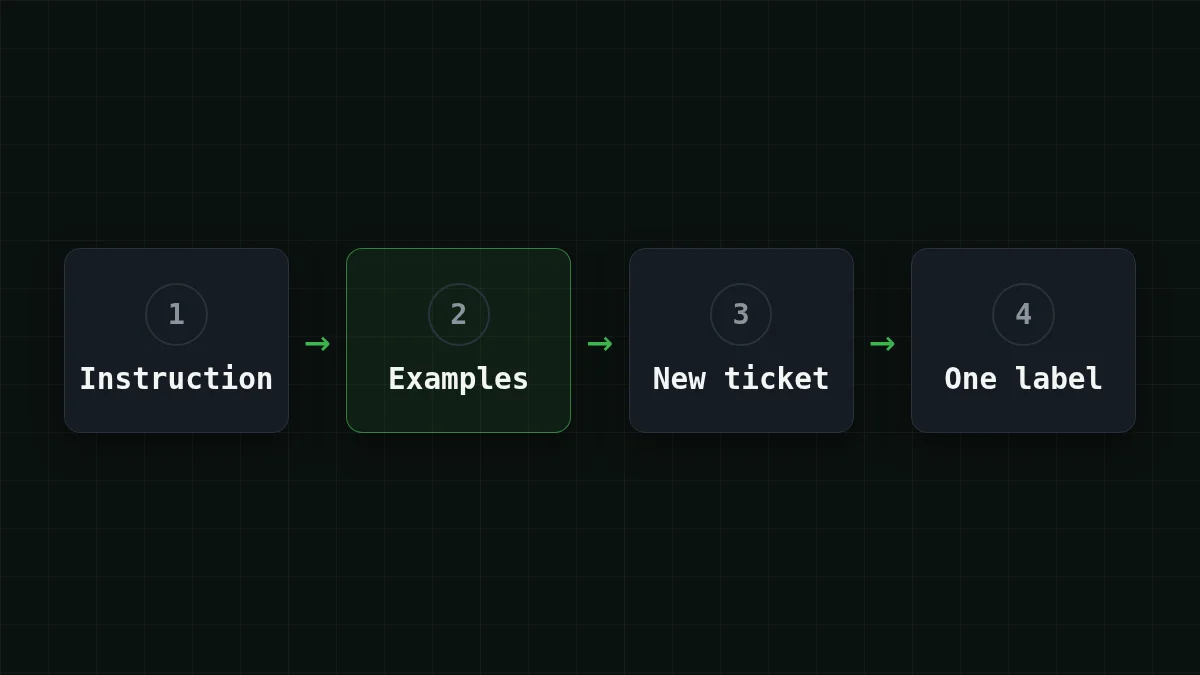
Here it is in Python with the openai package. The address is the CheapTokens API, the key sits in an environment variable (see how to store a key safely), and the model id is the full one from the docs:
import os
from openai import OpenAI

client = OpenAI(
    base_url="https://api.cheaptokens.dev/v1",
    api_key=os.environ["CHEAPTOKENS_API_KEY"],
)

PROMPT = open("prompt.txt", encoding="utf-8").read()


def label(ticket: str) -> str:
    response = client.chat.completions.create(
        model="deepseek-ai/DeepSeek-V4-Flash-0731",
        max_tokens=64,
        messages=[
            {"role": "system", "content": PROMPT},
            {"role": "user", "content": f"<ticket>{ticket}</ticket>"},
        ],
    )
    print(response.usage.prompt_tokens, response.usage.completion_tokens)
    return response.choices[0].message.content.strip()


print(label("The app shows a blank screen after the update."))
When it works you see two token counts on one line and then the label itself, one word such as bug. If you get a sentence instead, the examples aren't doing their job yet: check the tags and that every label from your scheme appears at least once.
The first number is the one to watch. It is the whole prompt, instructions plus examples plus the ticket, and it grows with every example you add. Run the script once with the full prompt.txt and once with only the <instructions> part: the gap between the two first numbers is what your examples cost per request.
DeepSeek-V4-Flash suits this kind of mass labeling: one price at any time of day, a 380K-token context (so a long examples block fits easily) and up to 32,768 tokens per answer. GLM-5.3-Flash, with a 390K context, works for short labeling tasks too. Both are on the models page, behind one balance.
What five examples add to the bill#
Say the bot handles 2,000 tickets a day. Assume a ticket is about 120 tokens and the instruction about 80, so a request without examples is 80 + 120 = 200 input tokens. Five examples at about 60 tokens each add 5 × 60 = 300, so a request with them is 200 + 300 = 500. The answer is one word, call it 3 output tokens either way. These are assumptions: swap in the prompt_tokens your script printed.
Over a day, 200 × 2,000 = 400,000 input tokens becomes 500 × 2,000 = 1,000,000, while the output stays at 3 × 2,000 = 6,000 tokens. On DeepSeek-V4-Flash that is $0.0066 a day without examples and $0.0156 with them. The examples cost you the gap between those two numbers, and per Anthropic they buy you more consistent output.
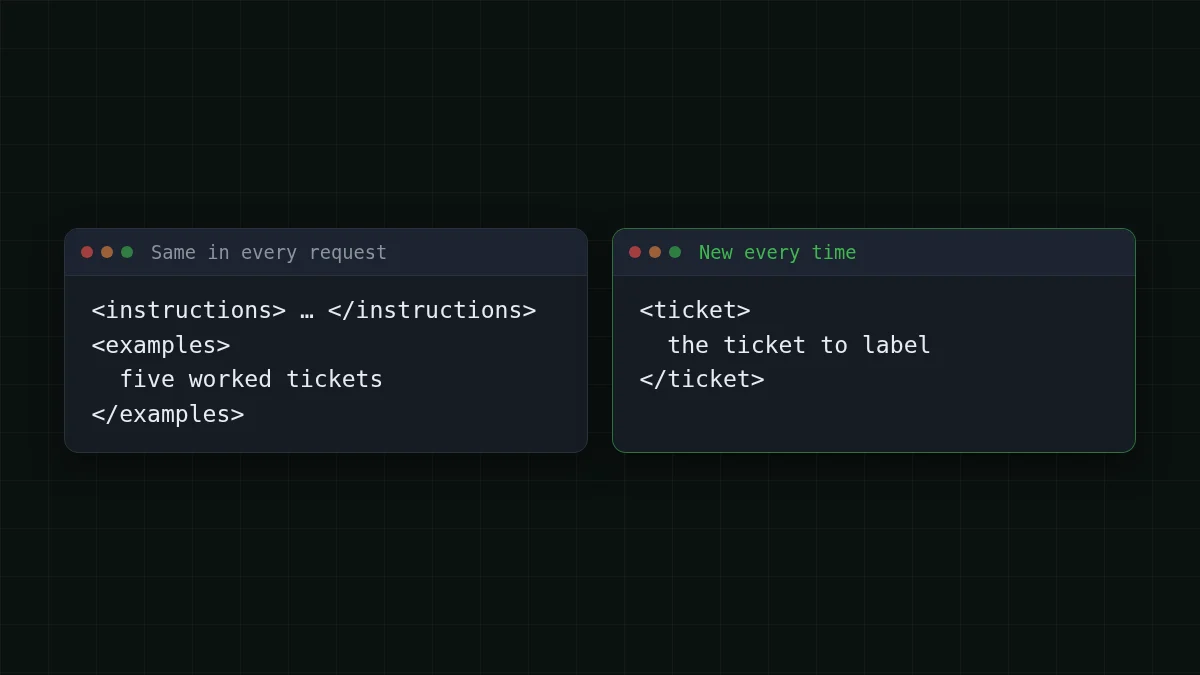
That picture hides a useful detail. The examples block is identical in every request, which is exactly the kind of repeated start that prompt caching is about; what is prompt caching explains how that works.
Here is the same load, 500 input and 3 output tokens per request, 2,000 requests, across models. The table recalculates from current prices:
| Model | Input $/1M | Output $/1M | Per request | 2,000 requests | OpenRouter, 2,000 requests |
|---|---|---|---|---|---|
| GLM-5.3-Flash | $0.02 | $0.04 | $0.00001 | $0.0202 | $0.034 |
| DeepSeek-V4-Flash | $0.015 | $0.10 | $0.0000078 | $0.0156 | $0.0708 |
| MiniMax-M2.7 | $0.05 | $0.15 | $0.000025 | $0.0509 | $0.611 |
500 input and 3 output tokens per request. Prices per 1M tokens are current and change together with our tariffs; the OpenRouter column shows reference prices for the same workload.
With input and output counted together, DeepSeek-V4-Flash and GLM-5.3-Flash come out cheaper than OpenRouter at this load. The full price list is on the pricing page.
JSON, tone, and checking your examples#
The same trick covers the other two cases you'll run into. Need the same JSON fields every time? Make the example answer the JSON itself:
<example>
<ticket>I was charged twice for the same top-up.</ticket>
<output>{"label": "billing", "urgent": true}</output>
</example>
For response_format and what to do when a reply still isn't valid, see get valid JSON from an LLM API. Want text rewritten in one tone? Adjectives like “friendly but brief” are vague; two before-and-after pairs show it better.
Before you trust any set of examples, take 20 tickets you've already labeled by hand, run them, and compare. One pass tells you more than any rule. Anthropic's page adds a shortcut: ask the model to rate your examples for relevance and diversity, or to write more from the ones you have.
Checklist
Before you trust your examples
Once the examples work, the next question is how to keep several documents from blurring together in one prompt. Label every document in a prompt covers that.


