API & SDKGuide
First request in Ruby with the openai gem: base_url, key, usage
A short Ruby script: the official openai gem, a custom base_url and a key from env. Prints the reply text and token usage.
On this page
Yes, the official openai gem works with CheapTokens: pass base_ and your key to OpenAI::Client., call client., and read the text from choices.. The rest of this page is the full script, how to read what comes back, and what to check when it doesn't run.
Say you have a rake task that labels support tickets, or a background job that summarizes a note before saving it. You want the official SDK, not hand-rolled HTTP, and you want to see how many tokens each call used. That is exactly this script.
What you need before you start#
The gem page on RubyGems (checked 8 November 2026) lists openai 0.120.0, released 5 November 2026, Apache-2.0. It needs Ruby 3.3.0 or newer; if you're stuck on Ruby 3.2, the gem's own notes point to the 0.75.x line. The package is still 0.x and moves fast, so pin the version.
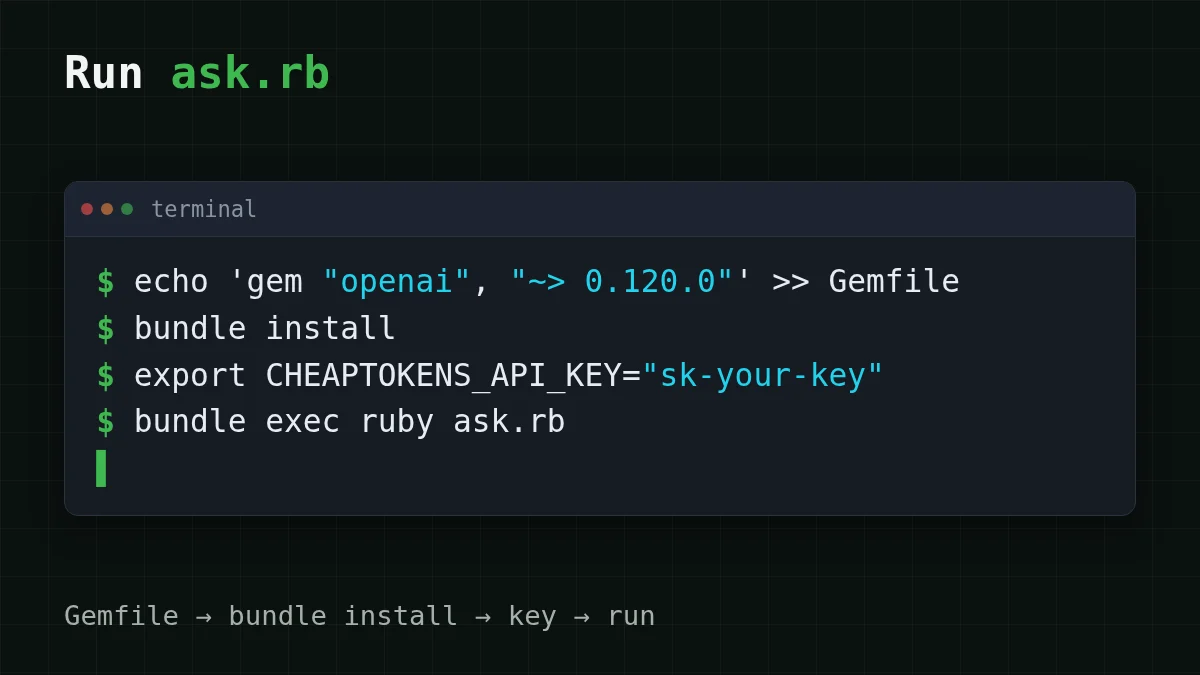
In your Gemfile:
gem "openai", "~> 0.120.0"Then bundle install. Without Bundler, gem install openai - does the same.
You also need an API key from your CheapTokens account. Keep it out of the code: put it in an environment variable, and if the word .gitignore is new to you, this guide on keeping keys safe is a five-minute read.
export CHEAPTOKENS_API_KEY="sk-your-key"The script#
Create ask.rb:
require "openai"

client = OpenAI::Client.new(
  api_key: ENV.fetch("CHEAPTOKENS_API_KEY"),
  base_url: "https://api.cheaptokens.dev/v1"
)

completion = client.chat.completions.create(
  model: "deepseek-ai/DeepSeek-V4-Flash-0731",
  messages: [
    { role: "user", content: "Explain in one sentence what a token is." }
  ]
)

choice = completion.choices.first
puts choice.message.content
puts "finish_reason: #{choice.finish_reason}"
puts completion.usage
Run it with ruby ask.rb. Three things are worth a second look.
ENV.fetch instead of ENV[...]. If the variable is missing, fetch stops at once with a KeyError that names it. ENV[...] quietly passes nil and you get a confusing authentication error a few lines later.
base_url: is the only line that differs from the OpenAI examples in the gem's README. Everything else is the same code, which is the whole point of an OpenAI-compatible API. If the idea is new, what base_url is and how to switch explains it with a restaurant analogy.
The model id is the full one, deepseek-. The short name from a price table is not accepted by the API; take ids from the CheapTokens docs or from GET /v1/models.
Reading what comes back#
The reply is an object, not a hash, so you call methods on it. The text lives at completion.; that is the path the gem's README uses too.
Two more lines are worth printing from day one:
finish_reasontells you why the model stopped.stopis a normal end.lengthmeans a length limit cut the answer off. If you ever see that, why answers get cut off and how to fix it.usageholds the tokens the call was billed for: what you sent and what the model wrote. The script prints the whole object withputs completion., so you see both numbers as the API returned them.usage
Why log them? Because tokens are the bill. A one-sentence question with a one-sentence answer is tiny, but a job that runs a thousand times a day is not. Input vs output tokens explains why the second number usually costs more per token.
What a call like this costs#
DeepSeek-V4-Flash on CheapTokens is $0.015 per 1M input tokens and $0.10 per 1M output tokens, with the same price at any hour of the day. Take a ticket-labeling job: about 300 tokens in, 150 tokens out per ticket. One ticket costs $0.00002. A thousand tickets look like this, with OpenRouter's reference price in the next column:
| Model | Input $/1M | Output $/1M | Per request | 1,000 requests | OpenRouter, 1,000 requests |
|---|---|---|---|---|---|
| GLM-5.3-Flash | $0.02 | $0.04 | $0.000012 | $0.012 | $0.0225 |
| DeepSeek-V4-Flash | $0.015 | $0.10 | $0.00002 | $0.0195 | $0.042 |
| MiniMax-M2.7 | $0.05 | $0.15 | $0.000038 | $0.0375 | $0.45 |
300 input and 150 output tokens per request. Prices per 1M tokens are current and change together with our tariffs; the OpenRouter column shows reference prices for the same workload.
The model takes up to 380K tokens of context and up to 32,768 tokens in one answer, so a summarizing job rarely hits a wall. If you'd rather try a second model with the same script, change only the model: string to zai- (390K context, up to 8,192 output tokens).
If it doesn't run#
Most first-run failures are one of five things. Pick the one that matches your screen.
Pick your case
What do you see?
Choose an option to see the answer
KeyError: key not found: "CHEAPTOKENS_API_KEY"
The variable isn't set in this terminal. Run the export line again, or open a new shell and check with echo $CHEAPTOKENS_.
401 Unauthorized
The key is there but wrong: a stray space or quote, a truncated paste, or an old key. Copy it again from your account.
404 Not Found
Check the base_url first: it ends with /v1 and has no extra path after it. Then check the model id: it's the full id with the deepseek-ai/ prefix.
cannot load such file -- openai
The gem isn't installed for this Ruby. Run bundle install and start the script with bundle exec ruby ask..
Bundler can't find a version that works
Check ruby -v. The 0.120.x line needs Ruby 3.3.0 or newer; on 3.2 pin the 0.75.x line instead.
The 401 and 404 cases come up with every SDK, not only Ruby; API 401 or 404: wrong key, base URL or model id walks through them in order.
Quick check
What does finish_reason "length" tell you?
Show answer
Answer: The answer was cut off by a length limit
stop is a normal end; length means the answer hit a limit before the model was done.
Where to go next#
You now have the smallest useful loop: send, read the text, log the tokens. From here, wrap the call in a method, and add the usage numbers to your logger. The same pattern exists in other languages if your stack is mixed: Go, Java and C#. The full list of models and prices is on the models page, and the API reference is in the docs.


