API & SDKGuide
First request in Java with openai-java: base URL, key, usage
A runnable Java 8+ program: openai-java pointed at CheapTokens, one chat completion, and the answer, finish_reason and token usage printed.
On this page
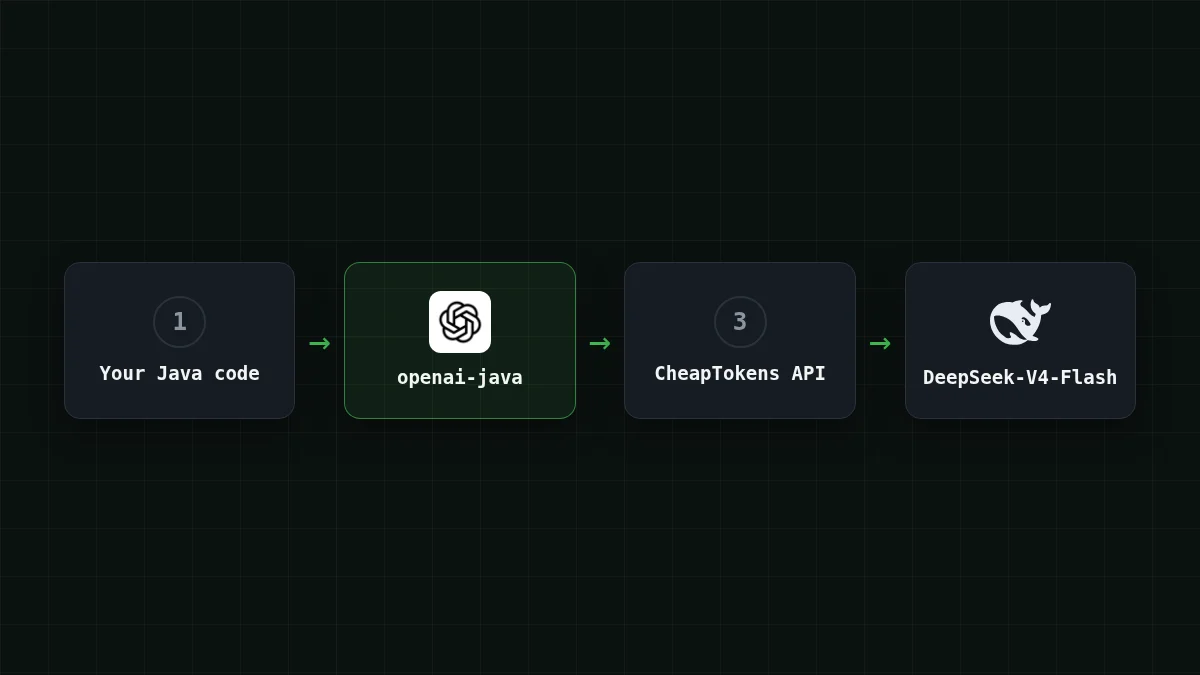
To call CheapTokens from Java, keep the official openai-java SDK and change three things: the base URL (https:/), the API key, and the model id, passed as a plain String. The program below sends one chat completion and prints the answer, the finish_reason and the token usage. It needs Java 8 or later.
If your team already has a Spring service that talks to OpenAI, this is the whole migration: no new client, no new request classes.
Add the dependency#
The SDK's README (github.com/openai/openai-java, checked 4 November 2026) shows version 4.99.0, group com.openai, artifact openai-java. The README doesn't print a release date, so look at the repository for the latest version before you copy this.
Add openai-java to your build
Maven
<dependency>
  <groupId>com.openai</groupId>
  <artifactId>openai-java</artifactId>
  <version>4.99.0</version>
</dependency>
Gradle
implementation("com.openai:openai-java:4.99.0")The framework-neutral artifacts run on Java 8+, so an older corporate JDK is not a blocker.
Set the key and base URL outside the code#
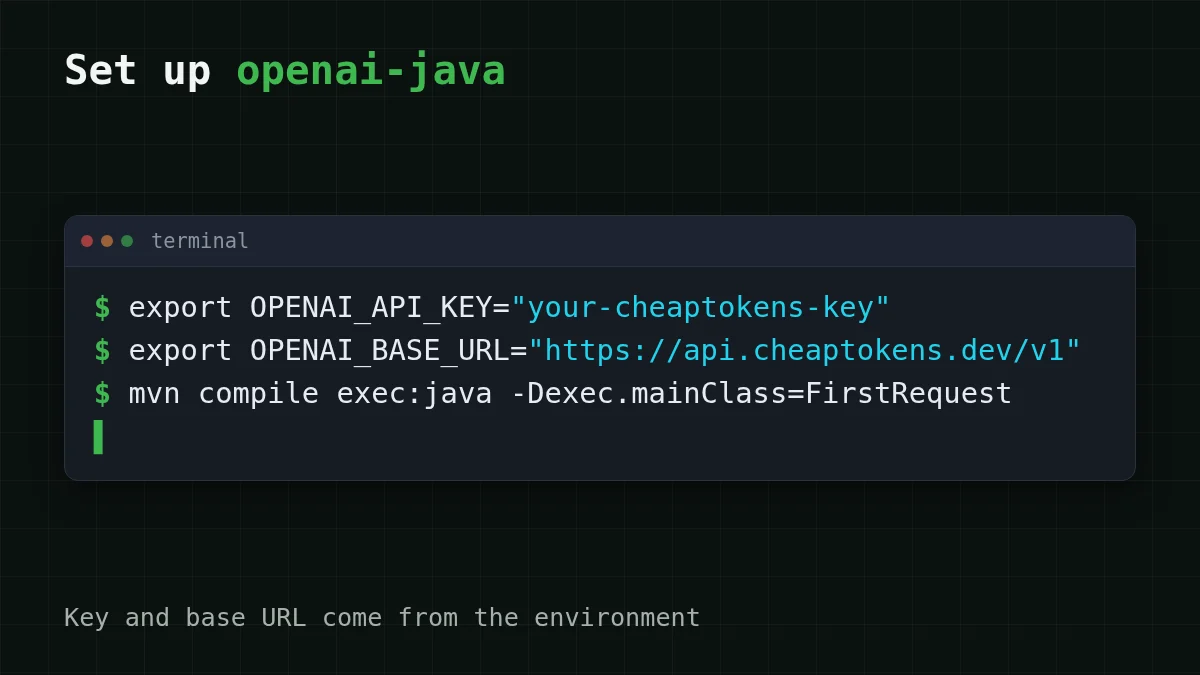
The SDK reads two environment variables: OPENAI_API_KEY and OPENAI_BASE_URL. OpenAIOkHttpClient. picks both up, so the key never lands in your source files. (System properties openai.apiKey and openai.baseUrl also work and take precedence over the variables.)
export OPENAI_API_KEY="your-cheaptokens-key"
export OPENAI_BASE_URL="https://api.cheaptokens.dev/v1"
The default base URL of the SDK is https:/. Skip the second line and your request goes there, with a CheapTokens key it doesn't know. That is one way to get a 401 on the first run. For where to keep the key and how to keep it out of git, see store an API key safely.
The program#
Create FirstRequest.:
import com.openai.client.OpenAIClient;
import com.openai.client.okhttp.OpenAIOkHttpClient;
import com.openai.models.chat.completions.ChatCompletion;
import com.openai.models.chat.completions.ChatCompletionCreateParams;

public class FirstRequest {
  public static void main(String[] args) {
    OpenAIClient client = OpenAIOkHttpClient.fromEnv();

    ChatCompletionCreateParams params = ChatCompletionCreateParams.builder()
        .model("deepseek-ai/DeepSeek-V4-Flash-0731")
        .addUserMessage("Explain in two sentences what a token is.")
        .maxCompletionTokens(300L)
        .build();

    ChatCompletion completion = client.chat().completions().create(params);
    ChatCompletion.Choice choice = completion.choices().get(0);

    System.out.println(choice.message().content().orElse("(no text)"));
    System.out.println("finish_reason: " + choice.finishReason());
    completion.usage().ifPresent(u ->
        System.out.println("input " + u.promptTokens()
            + ", output " + u.completionTokens()));
  }
}
A few lines deserve a second look.
.. The SDK's README examples use typed constants such asmodel("deepseek- ai/ DeepSeek- V4- Flash- 0731") ChatModel., but the builder also has aGPT_ 5_ 2 model(String)overload, so any id works. Use the full id from the CheapTokens docs: the short namedeepseek-is how prices are labelled on the site; the API wants the full id with thev4- flash- 0731 deepseek-ai/prefix. Not sure of an id? List models with GET /v1/models... A ceiling on the answer length, as amaxCompletionTokens(300L) long. DeepSeek-V4-Flash allows up to 32,768 output tokens per answer, so 300 here is a choice to keep the demo short, not a limit of the model.content()is anOptional. That's why the program hasorElse. A reply made only of tool calls has no text.usage()is anOptionaltoo.ifPresentprints it when the server sends it.
Compile and run it the way your build does (mvn compile exec:java -, or a JavaExec task in Gradle). You should get the explanation of a token, then a line finish_reason: … with stop in it, then a line with the input and output token counts. If finish_reason says length, the answer hit your 300-token cap and was cut: raise the number (why that happens).
usage() returns prompt, completion and total token counts (promptTokens(), completionTokens(), totalTokens()).
Set the values explicitly with the builder#
Tests, or a service with several clients, sometimes need explicit values. The same client, built by hand:
OpenAIClient client = OpenAIOkHttpClient.builder()
    .apiKey(System.getenv("OPENAI_API_KEY"))
    .baseUrl("https://api.cheaptokens.dev/v1")
    .build();
Everything after this line, the params and the create call, stays exactly as above. Keep reading the key from the environment even here; a string literal in a .java file ends up in your repository.
Three errors you'll meet first#
Match the pairs
Match the symptom to the cause
Tap an item on the left, then its pair
- 401 Unauthorizedthe key is empty or wrong, or the request went to api.openai.com because
OPENAI_BASE_URLis not set - 404 Not Foundthe base URL lacks
/v1, or the model id doesn't exist - finish_reason says length
maxCompletionTokensis lower than the answer needs
An empty environment variable is easy to miss in an IDE: a run configuration started from the toolbar may not inherit the variables you exported in the terminal. If the key "is set" but you still get 401, add the variables to the run configuration. More on these codes: API 401 or 404: key, base URL, model id.
What one request costs#
Because you print usage, you can price the request before you scale it. Say your service sends about 200 input tokens and gets 300 back. At today's prices that request costs $0.000033 on DeepSeek-V4-Flash. Input and output are billed together, and in total that is cheaper than OpenRouter. The table repeats it for 1,000 requests across our models:
| Model | Input $/1M | Output $/1M | Per request | 1,000 requests | OpenRouter, 1,000 requests |
|---|---|---|---|---|---|
| GLM-5.3-Flash | $0.02 | $0.04 | $0.000016 | $0.016 | $0.0316 |
| DeepSeek-V4-Flash | $0.015 | $0.10 | $0.000033 | $0.033 | $0.056 |
| MiniMax-M2.7 | $0.05 | $0.15 | $0.000055 | $0.055 | $0.66 |
200 input and 300 output tokens per request. Prices per 1M tokens are current and change together with our tariffs; the OpenRouter column shows reference prices for the same workload.
Now plug in your own traffic. Pull the sliders to the numbers from your first printed usage line:
Cost calculator
A support service with 2,000 requests a day
Input tokens per request: 200 · Output tokens per request: 300 · Requests per day: 2,000
| Model | Per day | Per month |
|---|---|---|
| GLM-5.3-Flash$0.02$0.04 | $0.032 | $0.96 |
| DeepSeek-V4-Flash$0.015$0.10 | $0.066 | $1.98 |
| MiniMax-M2.7$0.05$0.15 | $0.11 | $3.30 |
For more room per answer or a different shape of workload, DeepSeek-V4-Flash gives you a 380K context window and one price at any hour of the day; GLM-5.3-Flash (zai-) is a drop-in replacement in the same program: change the id, nothing else. Current prices for all models are on the pricing page, and the docs show the same request in other languages. Doing this in Go? See the openai-go version.


