AI for beginnersGuide
Can a 125B model run on a 16 GB GPU? The memory math
How much memory a 125B open model needs: weights, quantization and KV cache in a few lines of math, and when an API is the simpler way to use it.
On this page
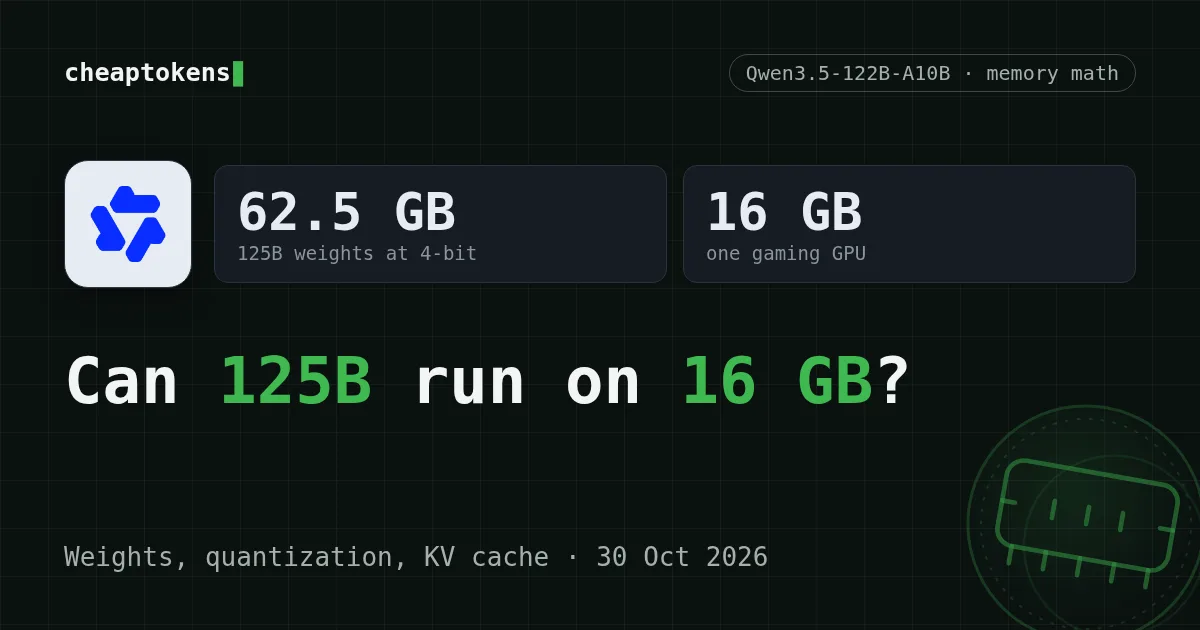
Short answer: no. A 125B-parameter model needs about 62.5 GB for its weights even after 4-bit compression, and a 16 GB graphics card holds about a quarter of that. You can still start it by pushing the rest into system RAM or onto disk, but then the card is no longer what decides how things go.
Below: how to get that number yourself in a few lines, what “122B-A10B” in a model name really tells you, and when sending requests to an API is the simpler way to use a big model.
Weights: parameters times bytes#
Picture a model as a huge pile of numbers, called weights or parameters. To answer you, the computer needs all of them in fast memory at once. So the first estimate is plain multiplication: parameters in billions × bytes per weight = gigabytes. A weight takes 2 bytes at 16-bit, 1 byte at 8-bit and 0.5 byte at 4-bit. That is all quantization does: fewer bits per number.
Take a model of this class, Qwen3.5-122B-A10B. Its Hugging Face page (checked 30 October 2026) names Apache-2.0 as the licence, publishes the weights as BF16 and F32, and lists the size as 125B parameters. For 125B:
- At 16 bits: 125 × 2 = 250 GB
- At 8 bits: 125 × 1 = 125 GB
- At 4 bits: 125 × 0.5 = 62.5 GB
- At 2 bits: 125 × 0.25 = 31.25 GB
Even the 2-bit line is almost twice the card. And these are floors, not totals: they leave out the context cache (next sections) and the runtime’s own overhead, and real quantized formats add a little on top.
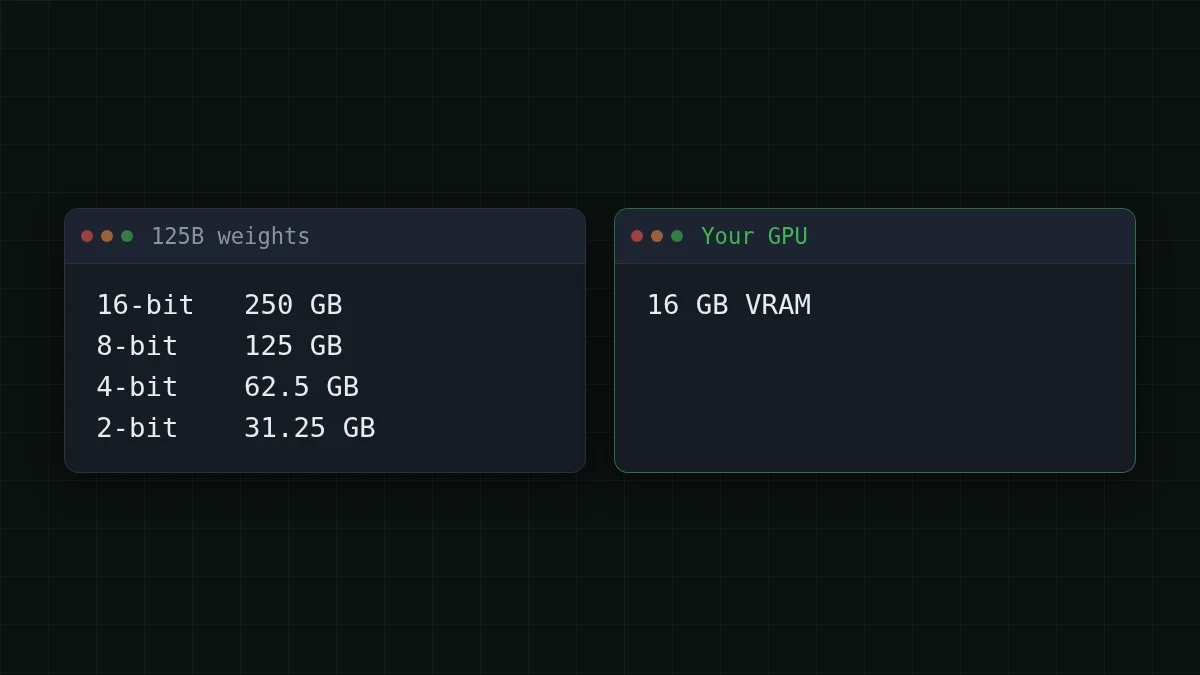
Flip the formula to see what a 16 GB card can hold. At 4-bit that is 16 / 0.5 = 32 billion parameters, and that is the ceiling before anything else needs room. Try the sum yourself:
Guess the number
How many GB do the weights of a 32B model take at 4-bit?
Your guess
0100
Show answer
Answer: 16
32 × 0.5 = 16 GB. The card is full before the model has read a single word of your question, so 32B is the roof for a 16 GB card and comfortable sizes sit lower.
“122B-A10B”: which number counts#
The name packs two numbers. Per the model card, the model has 122B parameters in total and 10B active for each token. It is a mixture-of-experts model: inside are many small specialist sub-networks, and for every token a router wakes only a few of them.
Think of a library with 122 shelves where any single question sends you to 10 of them. Your reading effort is small, but the whole library still has to be inside the building, because you can’t know which shelves the next word will need.
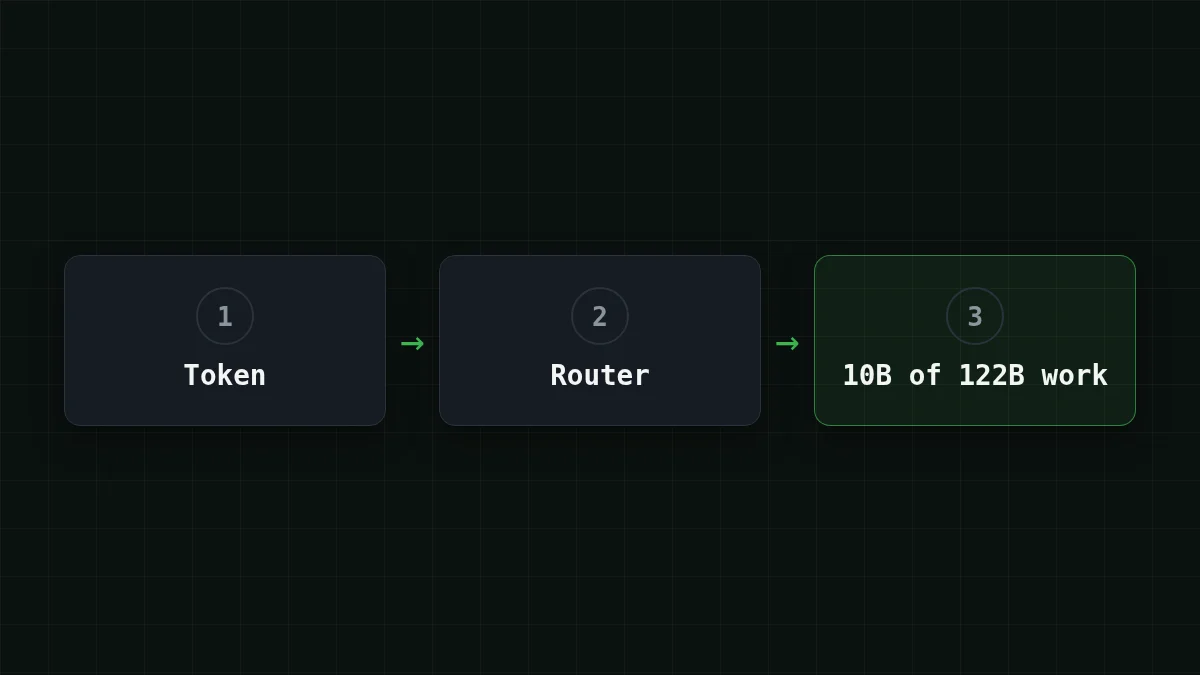
So: memory follows the total, compute follows the active. Ten billion active parameters make a token cheap to compute, not cheap to store. How fast a setup that keeps part of the experts in RAM or on disk runs depends on your RAM, disk and software. There is no honest single figure, so be wary of any headline that gives one.
Quick check
A model is called 122B-A10B. Which number roughly sets how much memory its weights need?
Show answer
Answer: The 122B total parameters
All experts must be stored, because the router can pick any of them for the next token. The 10B only tells you how much work one token takes.
The second bill: the context cache#
Weights are the fixed part. The other part grows while you chat. To avoid re-reading the whole conversation for every new token, the model keeps notes on each token it has already seen: the KV cache (keys and values). Longer context, bigger cache. If you want the context side explained from scratch, there is a separate guide to the context window.
Per token the cache takes: 2 × layers × KV heads × head size × bytes. Say a model has 48 layers, 8 KV heads, a head size of 128 and a 16-bit cache (an assumed shape, not the one from any model card):
- one token: 2 × 48 × 8 × 128 × 2 = 196608 bytes, about 0.2 MB
- 32,768 tokens: 196608 × 32768 = 6442450944 bytes, about 6.4 GB
- 131,072 tokens (128K): 196608 × 131072 = 25769803776 bytes, about 25.8 GB
At 128K that cache alone is larger than the whole card. Your real numbers are in the model’s config.json (layers, KV heads, head size), and some architectures keep the cache much smaller, so treat this as the method, not as a verdict on one model.
The Qwen3.5-122B-A10B card shows what the big end looks like: its serving examples use tensor parallelism across 8 GPUs at the full 262,144-token context. If memory runs out, it advises shortening the context while keeping at least 128K to preserve thinking, and the vLLM flag - skips the vision encoder to free memory for the cache.
Your own estimate in a dozen lines#
Put both parts together:
def weights_gb(params_b, bits):
    return params_b * bits / 8

def cache_gb(layers, kv_heads, head_dim, tokens, nbytes=2):
    return 2 * layers * kv_heads * head_dim * nbytes * tokens / 1e9

w = weights_gb(125, 4)                # 4-bit quantization
c = cache_gb(48, 8, 128, 32768)       # example shape, take yours from config.json
print(round(w, 1), round(c, 1), round(w + c, 1))
# 62.5 6.4 68.9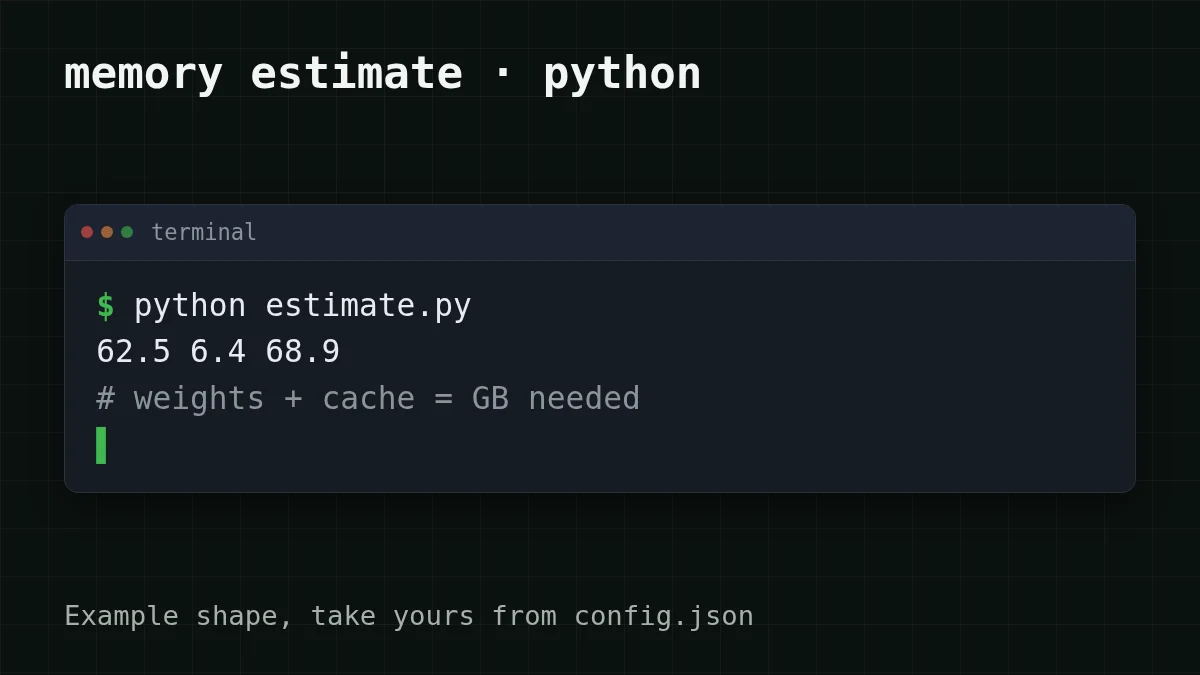
Now the reality check. Say your PC has 32 GB of RAM next to the 16 GB card: 16 + 32 = 48 GB, still below the 68.9 GB the script printed. Offloading would have to reach for the disk as well, and you would be running a big model mostly out of storage rather than out of the card.
When an API is the simpler choice#
Not every task needs a big model on your desk. Which describes you?
Pick your case
Which is closest to your case?
Choose an option to see the answer
I want to see a model run on my own machine
Pick a small one: at 4-bit, a 7B model takes about 7 × 0.5 = 3.5 GB for weights, so it fits a 16 GB card with room for a long chat. Learning how models behave is the best reason to run locally. See also local or API for DeepSeek.
A few thousand requests a month, and I want a strong model
Send them to an API. You skip buying or renting memory, there is nothing to install, and the bill is only the tokens you actually use.
Long documents or an agent that keeps a long history
The cache is the part that grows, and on your own hardware it competes with the weights for the same memory. With an API the context window is someone else’s problem: DeepSeek-V4-Flash and GLM-5.3-Flash on CheapTokens take 380K and 390K tokens.
What that looks like in practice. Say a support bot summarises 3,000 tickets a month, each about 2,000 tokens in and 400 tokens out. Over the month that is 2000 × 3000 = 6000000 input tokens and 400 × 3000 = 1200000 output tokens. On DeepSeek-V4-Flash, input costs $0.015 and output $0.10 per 1M tokens, so the whole month comes to $0.21. The table below shows the same load on every model, with the OpenRouter column next to it so you can compare in total, input and output together:
| Model | Input $/1M | Output $/1M | Per request | 3,000 requests | OpenRouter, 3,000 requests |
|---|---|---|---|---|---|
| GLM-5.3-Flash | $0.02 | $0.04 | $0.000056 | $0.168 | $0.301 |
| DeepSeek-V4-Flash | $0.015 | $0.10 | $0.00007 | $0.21 | $0.588 |
| MiniMax-M2.7 | $0.05 | $0.15 | $0.00016 | $0.48 | $5.76 |
2,000 input and 400 output tokens per request. Prices per 1M tokens are current and change together with our tariffs; the OpenRouter column shows reference prices for the same workload.
The request itself is the same OpenAI-style call you would make to any provider. The base URL is https:/, and the model id is the full deepseek-:
curl https://api.cheaptokens.dev/v1/chat/completions \
  -H "Authorization: Bearer $CHEAPTOKENS_API_KEY" \
  -H "Content-Type: application/json" \
  -d '{
    "model": "deepseek-ai/DeepSeek-V4-Flash-0731",
    "messages": [{"role": "user", "content": "Summarise this ticket in one sentence: ..."}],
    "max_tokens": 200
  }'
The reply carries a usage block with the input and output token counts, so you can check the estimate above against your own tickets after the first dozen. DeepSeek-V4-Flash gives you up to 32,768 output tokens per answer at one price around the clock, and GLM-5.3-Flash is the lighter everyday option with up to 8,192. Setup details are in the docs, the model page is cheap DeepSeek, and the full price list is on the pricing page.
Next time a model name comes with a size, you now have the three steps: multiply, add the cache, compare with the card.


